Glass Production Capacity Planning
Glass
The question it answers
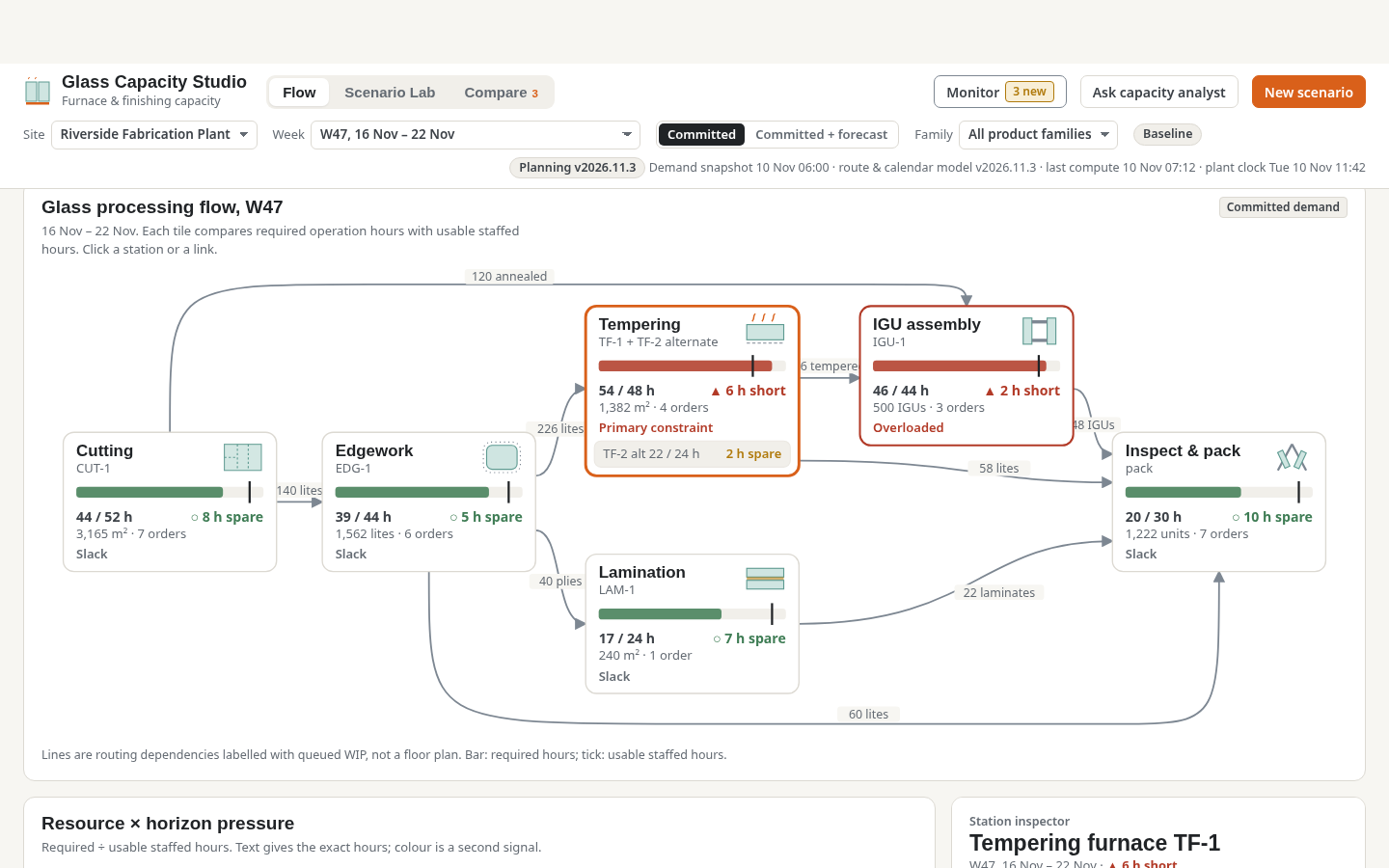
Which fabrication stages and weeks are capacity-constrained, what work orders are exposed, and which feasible, qualified interventions recover committed service?
Architectural glass fabrication capacity through cutting, edgework, tempering, lamination, assembly and packing stages.
See how teams use this- Industry
- Glass
- System
- ERP, plan and run the business
- Area
- Supply Chain Planning (SCP)
- Module
- Production Planning
- Parts
- 5 screens and components
What's inside
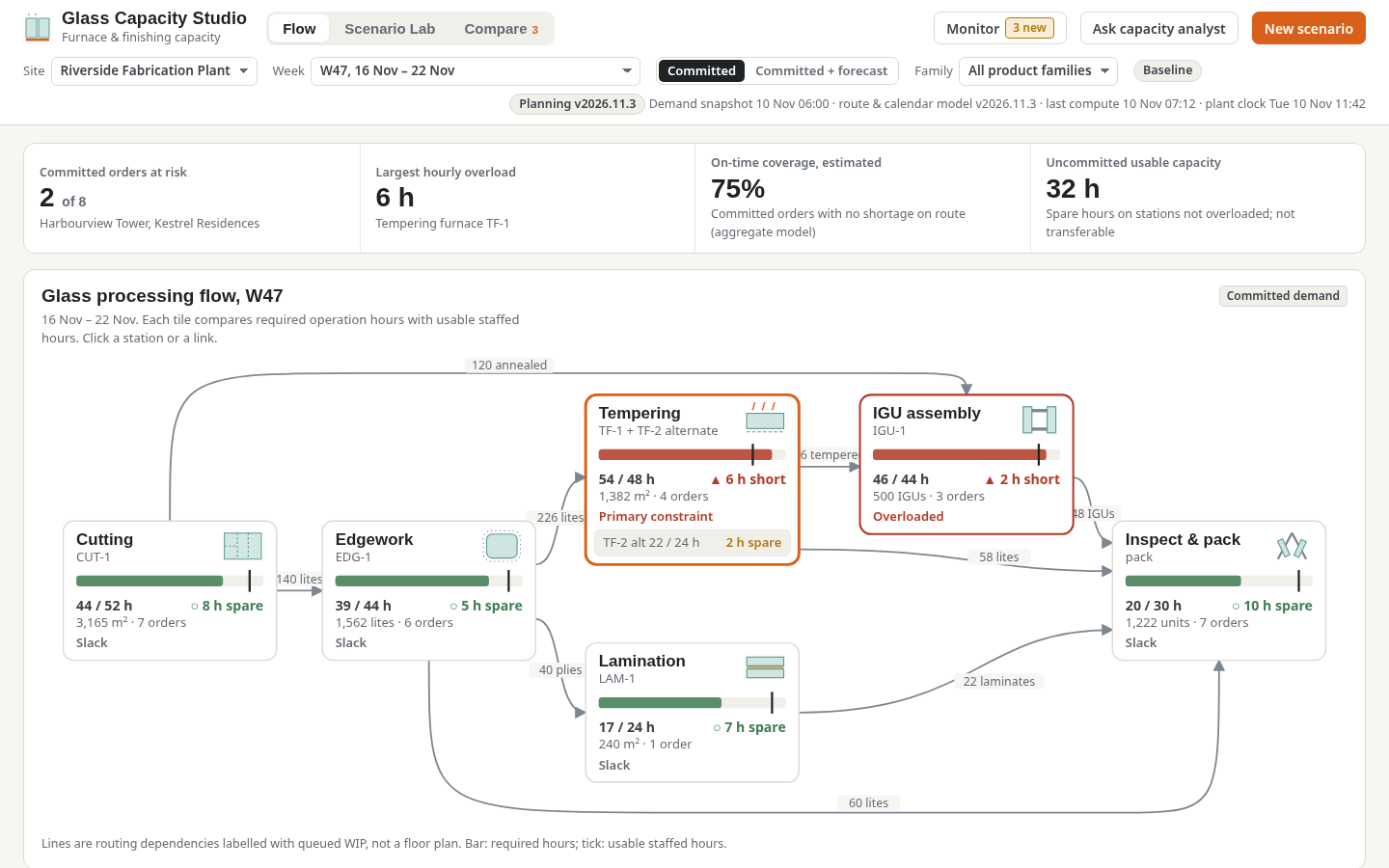
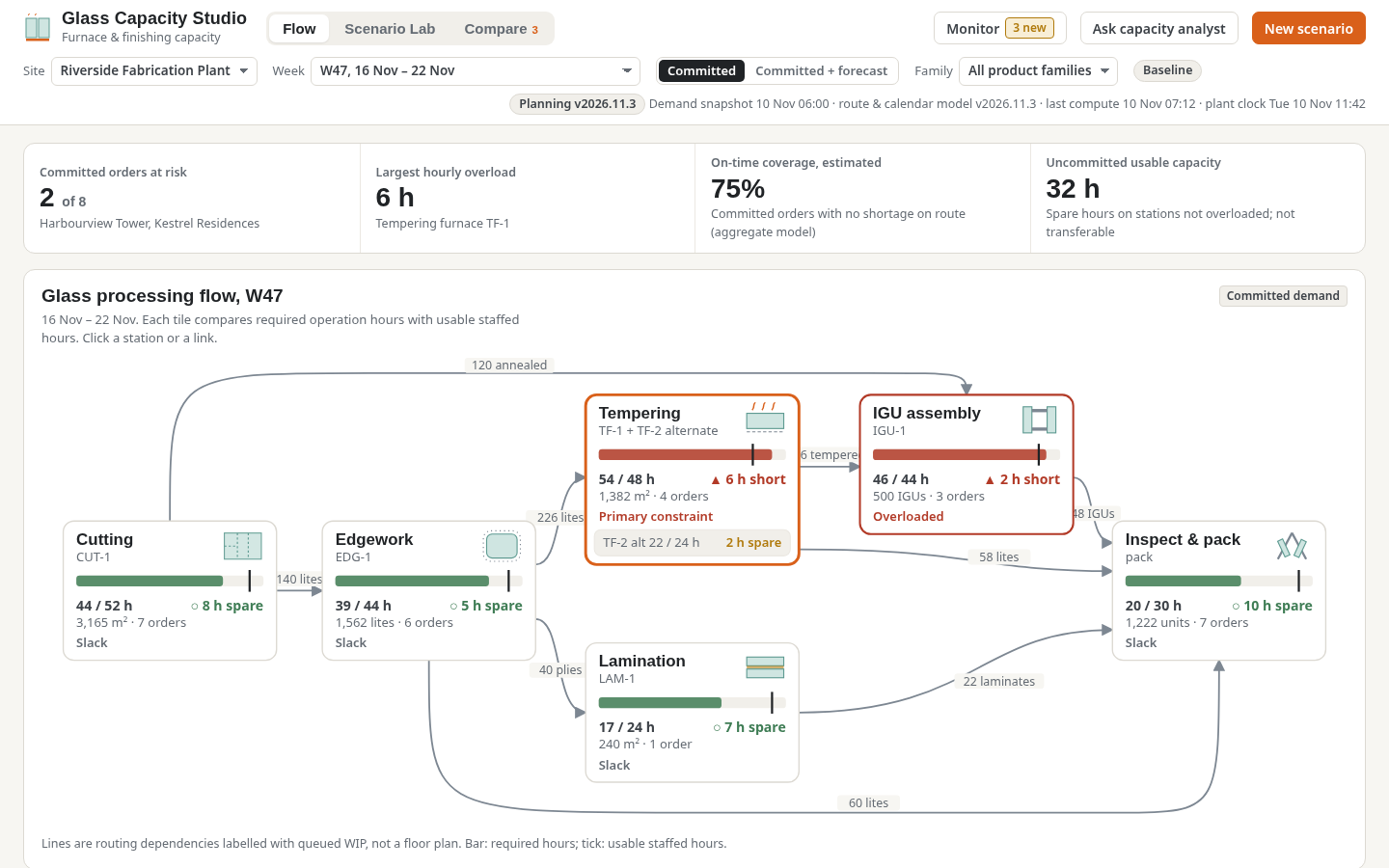 Stage flow and load mapExplore line stages and their constrained weekly loading.
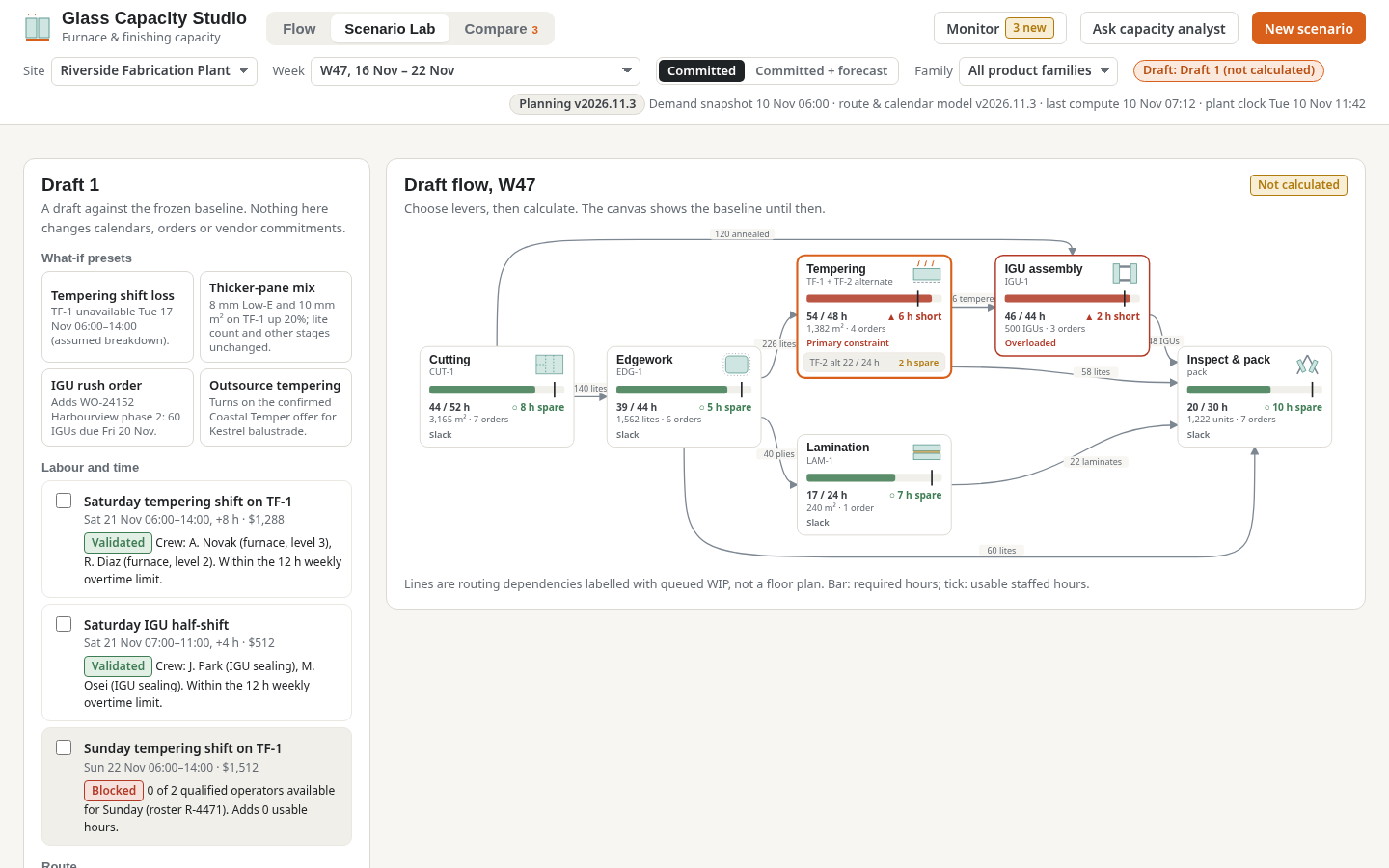 Capacity scenario laboratoryReview qualified overtime, routing and outsource levers.
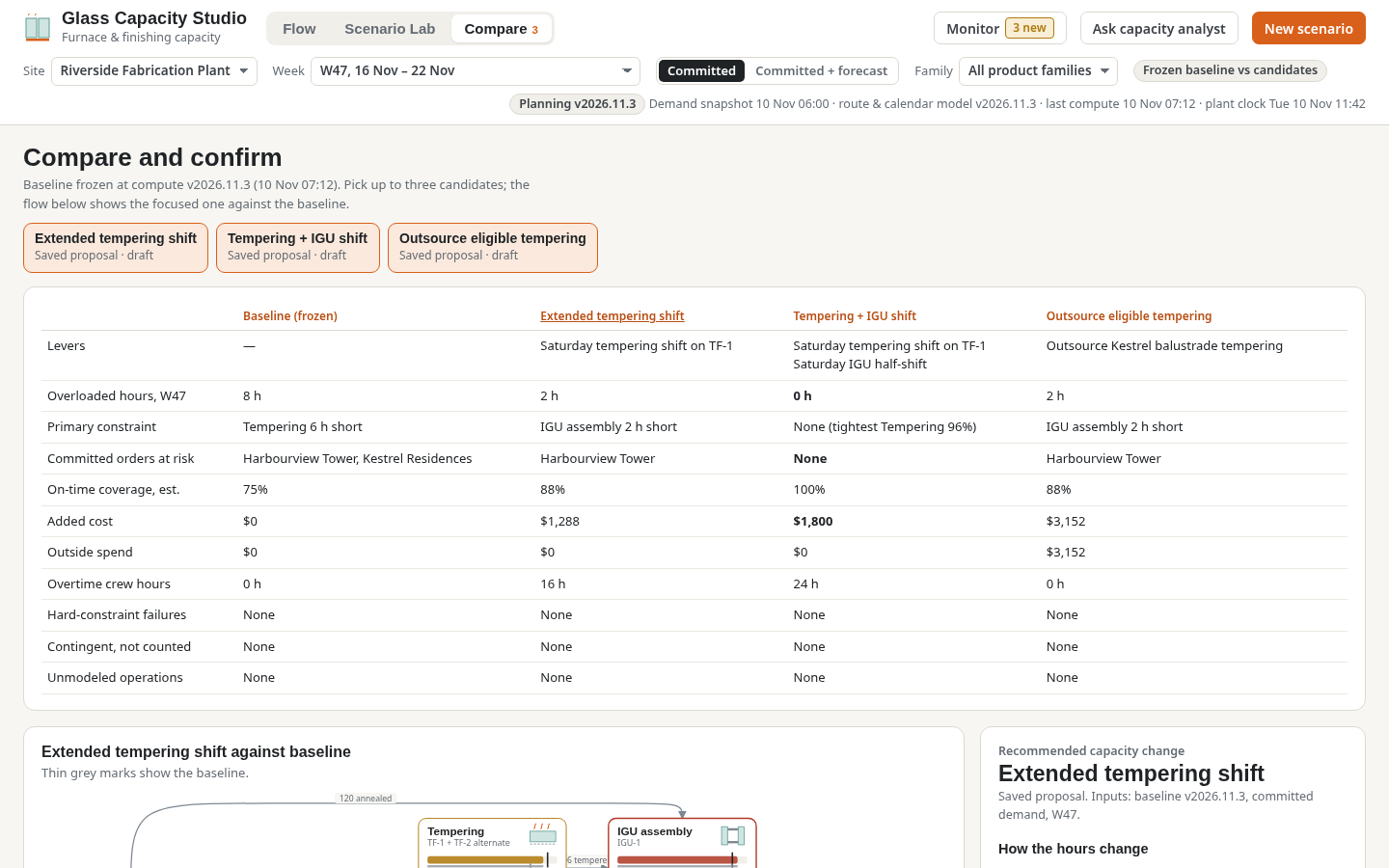 Compare candidate plansCompare trade-offs in feasible capacity scenarios.
 Capacity alertsInspect monitoring alerts and assumptions.
How people use it
- Review stage-flow bottlenecks and six-week load/capacity heatmap
- Inspect resource calendars, work-order routings and load evidence
- Validate staffing, alternative furnace and outsourcing levers in Scenario Lab
- Compare feasible scenarios and monitor the proposed changes
Data it works with
- Available calendar
- Required run hours
- Setup burden
- Permitted overtime
Start from this blueprint in your terminal.
Attach it to a project and your coding agent adapts it to your data, rules and roles.
Install the CLI- Sign in
vortexify login - Attach this blueprint
vortexify blueprints attach capacity-planning-glass - Ask your agent to build it
Build the app from the attached blueprint using our data.
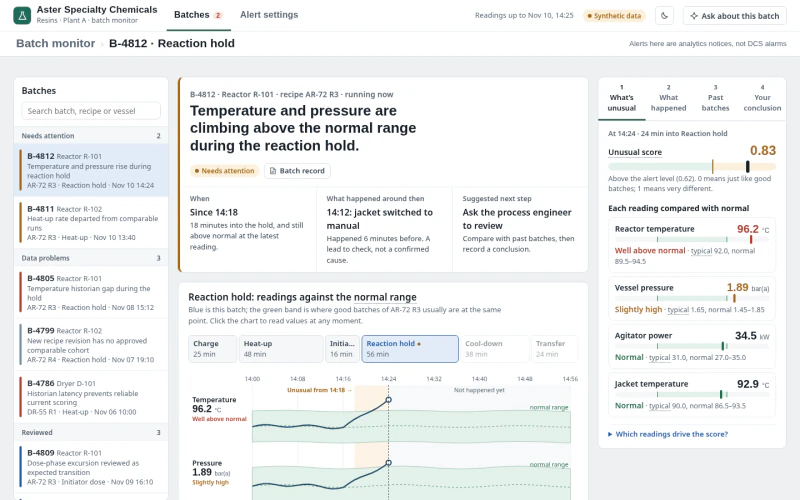 MESSpecialty Chemicals Batch Anomaly MonitoringWhich batches differ from accepted recipe runs, what evidence explains the timing, and how would candidate detector settings change alerts?
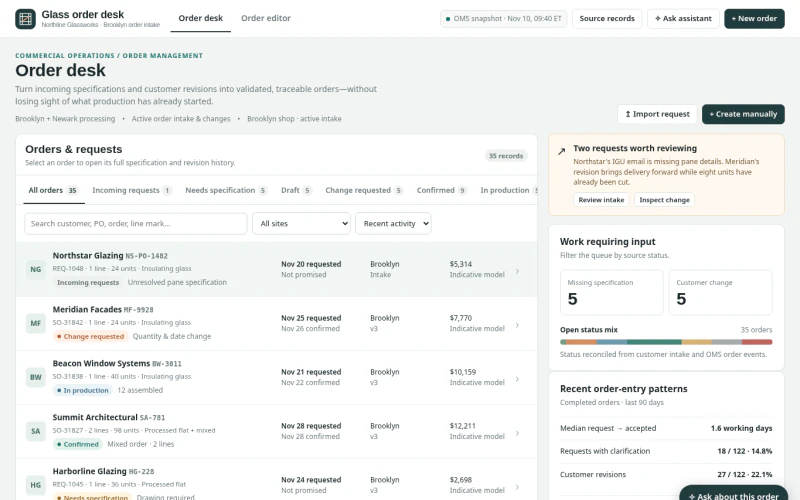 ERPArchitectural Glass Order Entry & ChangesWhich incoming requests, specifications or changes can be validated and committed without losing production state, promise provenance or revision history?
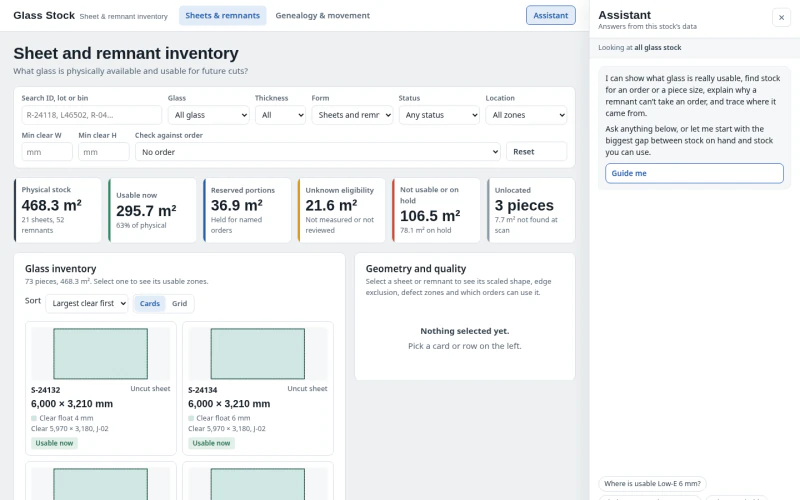 ERPGlass Sheet & Remnant InventoryWhich physical sheet or remnant is actually usable for the selected cut?