Glass Sheet & Remnant Inventory
Glass
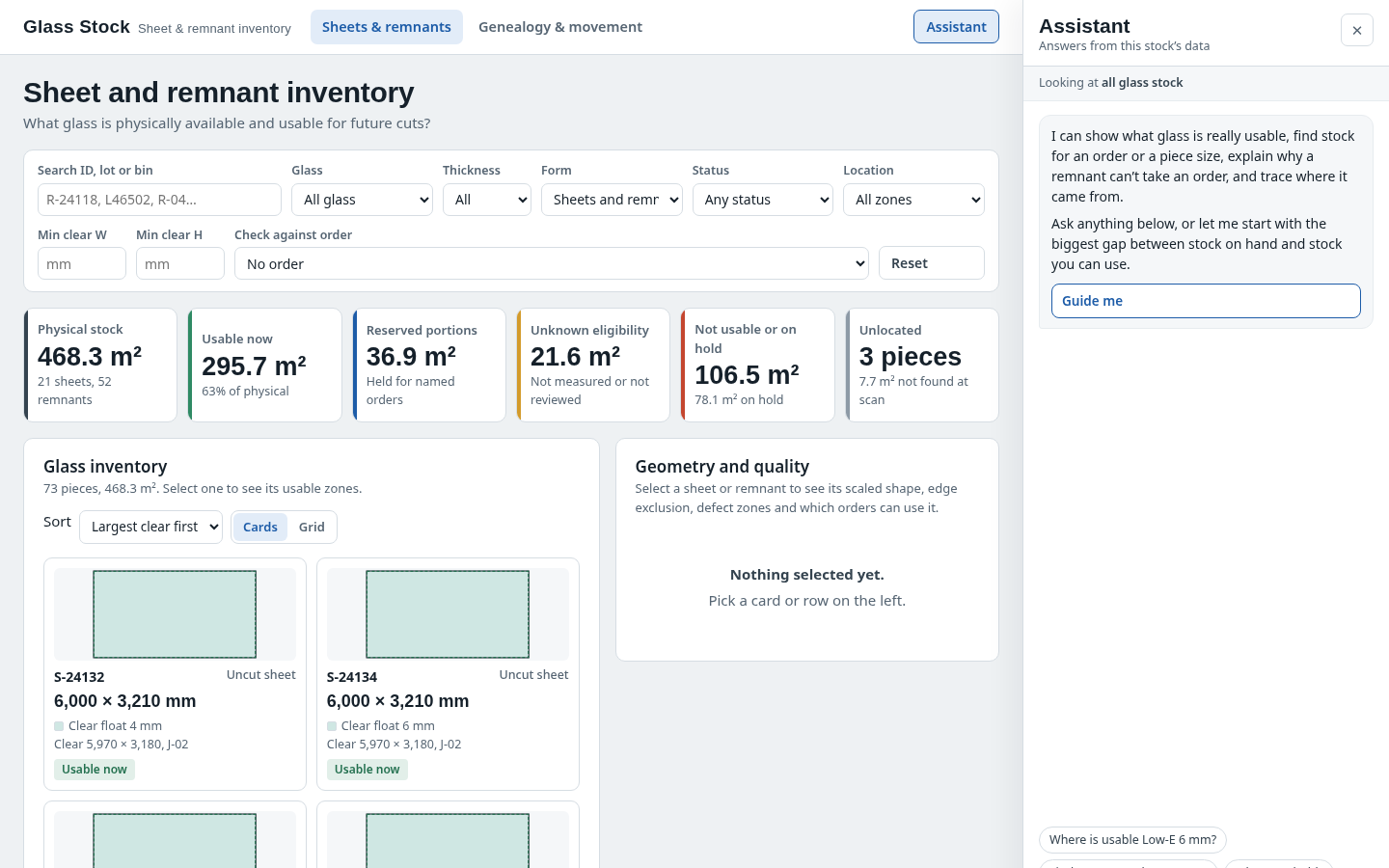
The question it answers
Which physical sheet or remnant is actually usable for the selected cut?
Flat-glass sheet and remnant inventory with usable dimensions, quality eligibility, locations and cut genealogy.
See how teams use this- Industry
- Glass
- System
- ERP, plan and run the business
- Area
- Warehouse Management (WMS)
- Module
- Inventory Management
- Parts
- 5 screens and components
What's inside
 Sheet/remnant explorerSearch, card/grid comparison and physical-piece selection.
 Geometry and qualityClear cut rectangle, defects, edge exclusions and order-fit explanation.
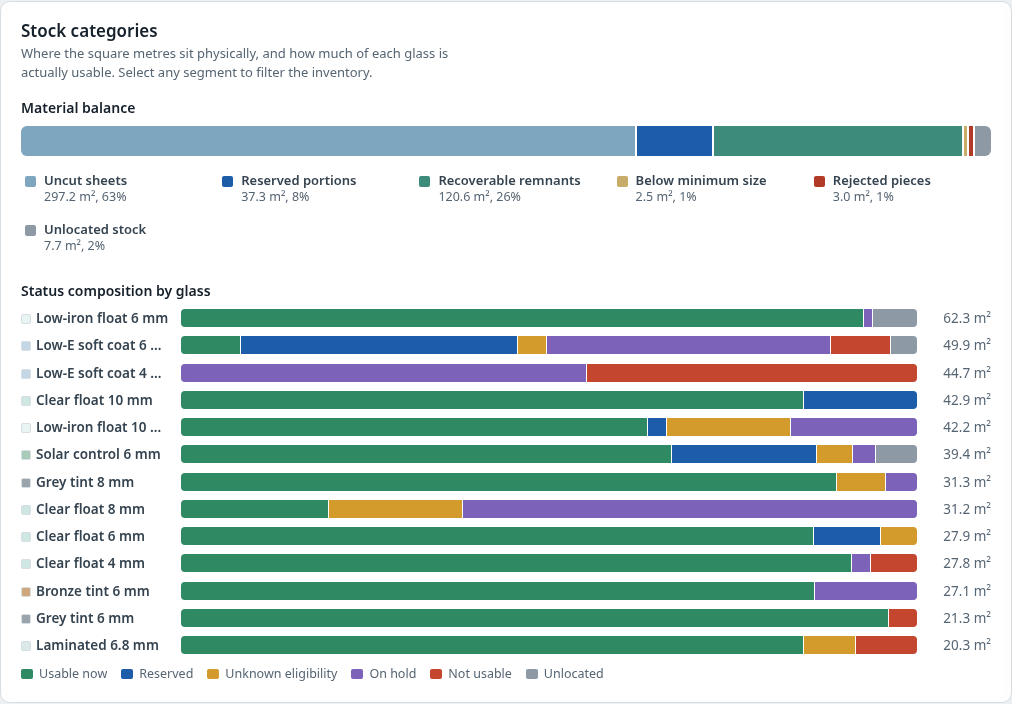 Stock compositionArea/status distributions open the underlying pieces.
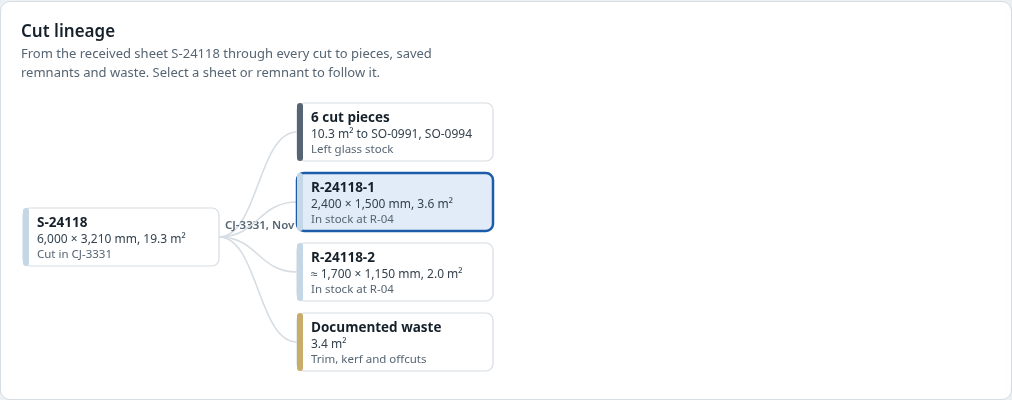 Cut genealogyParent sheet, cut outputs, saved remnants and waste evidence.
How people use it
- Find an eligible physical piece
- Inspect measured geometry and defects
- Trace cuts, movements and discrepancies
Start from this blueprint in your terminal.
Attach it to a project and your coding agent adapts it to your data, rules and roles.
Install the CLI- Sign in
vortexify login - Attach this blueprint
vortexify blueprints attach inventory-visibility-glass - Ask your agent to build it
Build the app from the attached blueprint using our data.
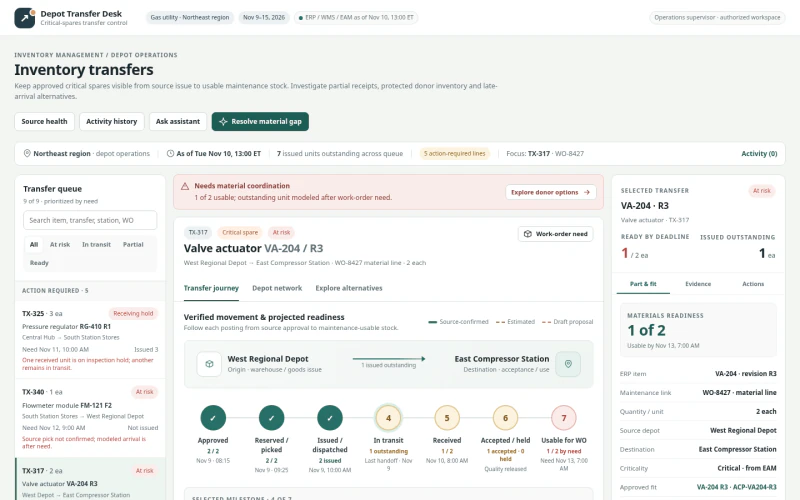 ERPGas Utility Inventory TransfersWhich transfers are at risk of missing the service need date, what quantity is actually usable, and where can an eligible alternative be sourced?
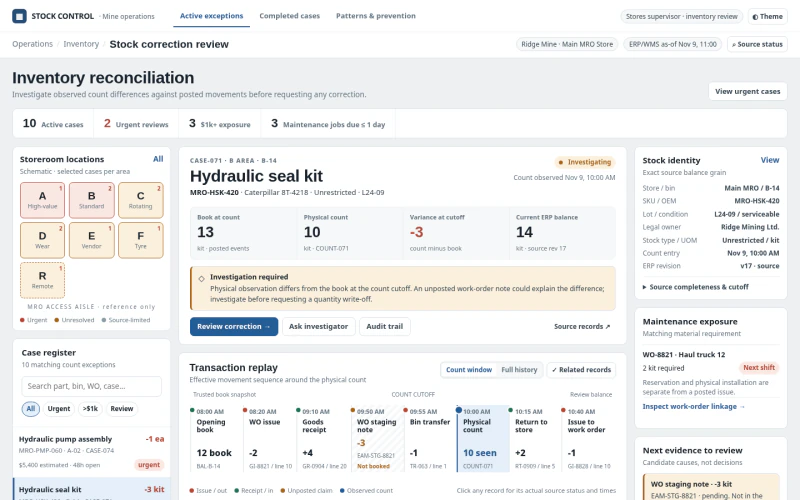 ERPMining Inventory Adjustment ReviewWhich warehouse stock discrepancies require a controlled adjustment, how were they created, and what evidence authorizes correction?
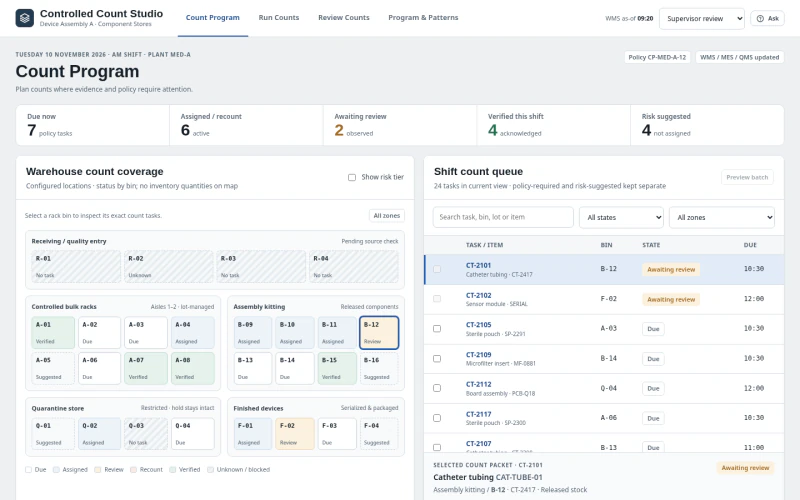 ERPMedical Device Cycle CountingWhich regulated components should be counted next, how should blind counts be executed, and what evidence resolves or escalates variances?