Automotive Workforce Readiness
Automotive
The question it answers
Which plants, lines and shifts lack qualified role coverage—and which staffing alternatives preserve donor-line readiness?
Automotive plant and line staffing readiness, skill qualifications, shift coverage and constraint-based staffing alternatives.
See how teams use this- Industry
- Automotive
- System
- ERP, plan and run the business
- Area
- Workforce Management (WFM)
- Module
- Workforce Analytics
- Parts
- 12 screens and components
What's inside
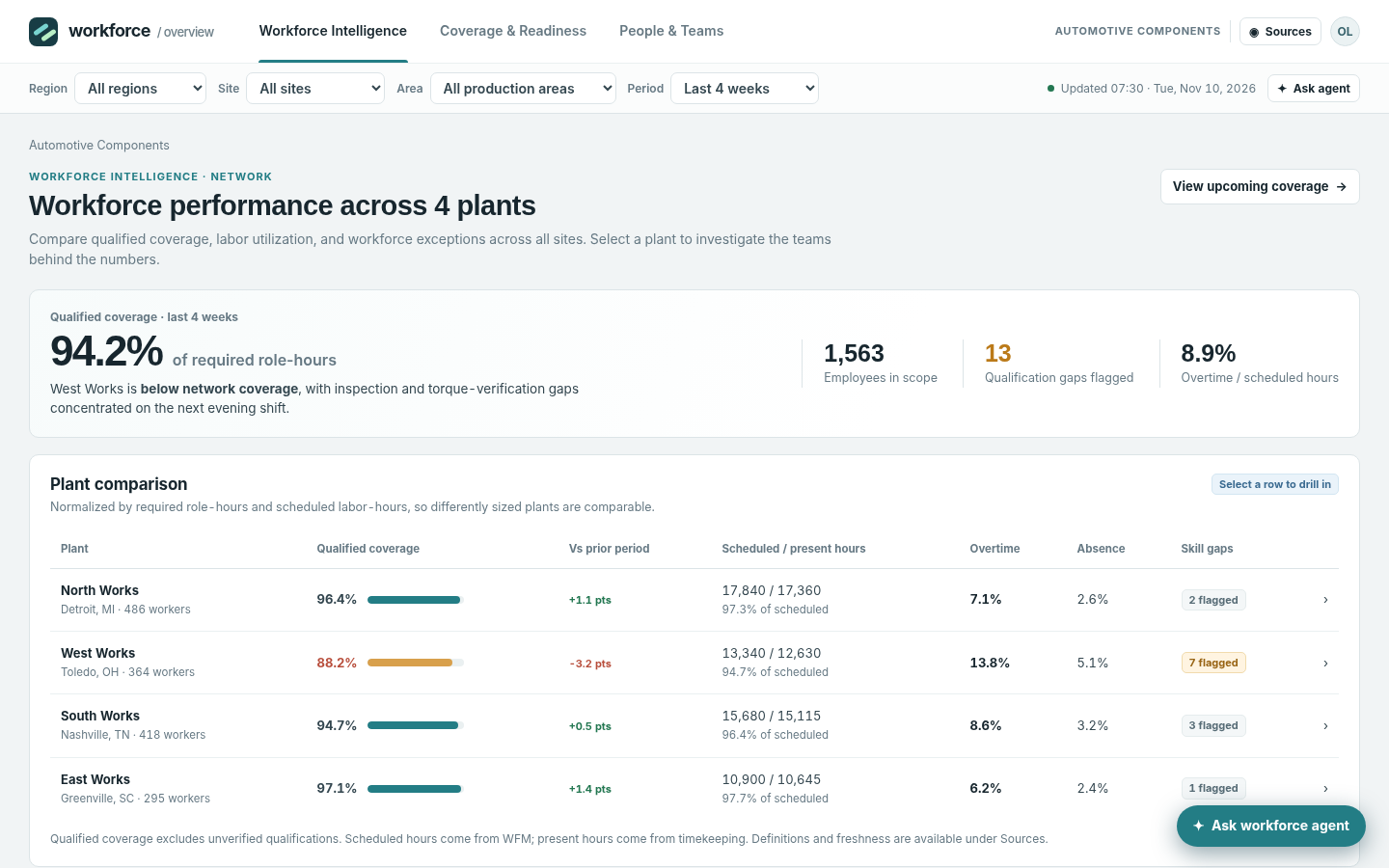
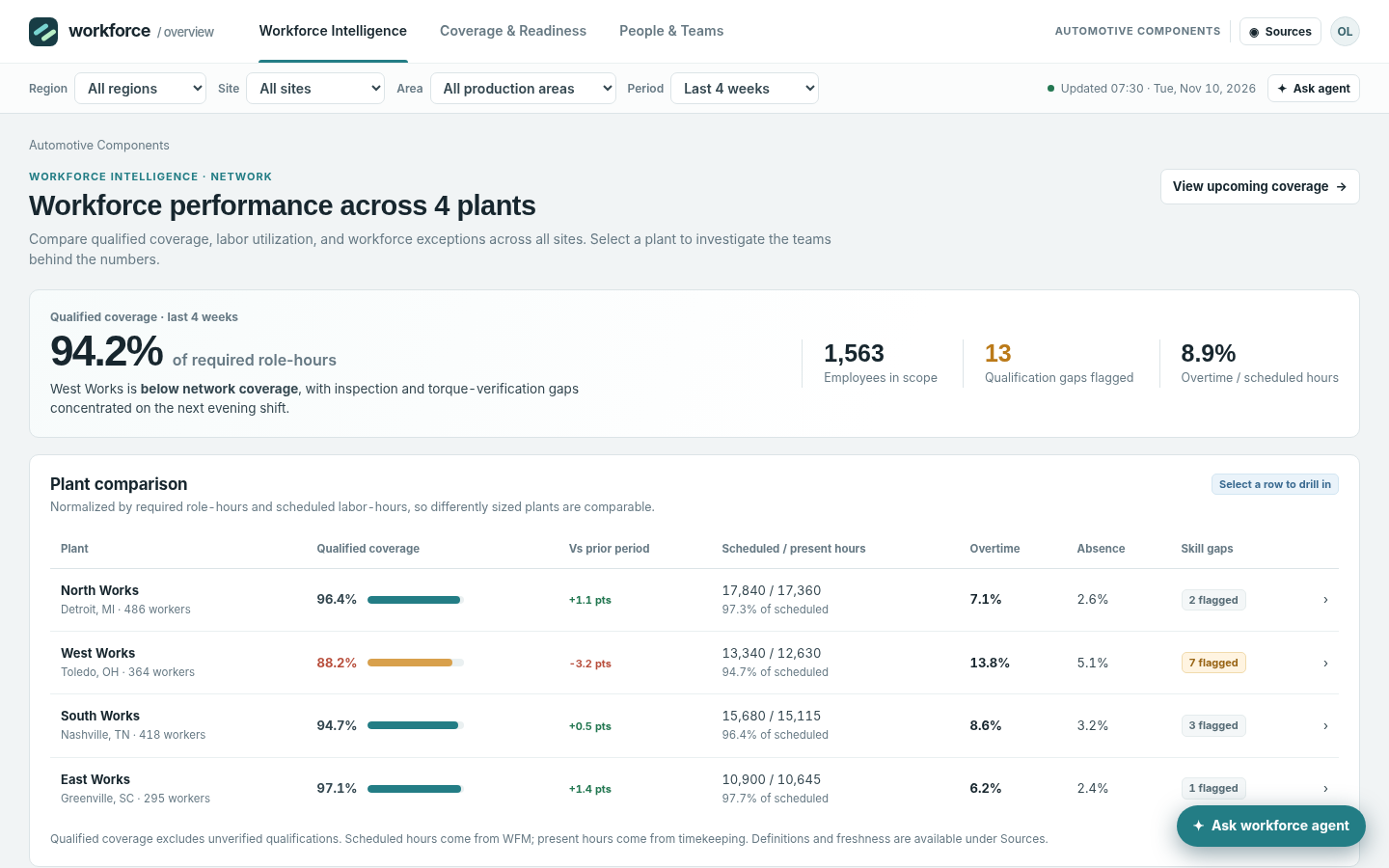 Workforce Intelligence: network comparisonCompare four plants on qualified coverage, scheduled/present hours, overtime, absence and skill-gap flags; select a plant to investigate.
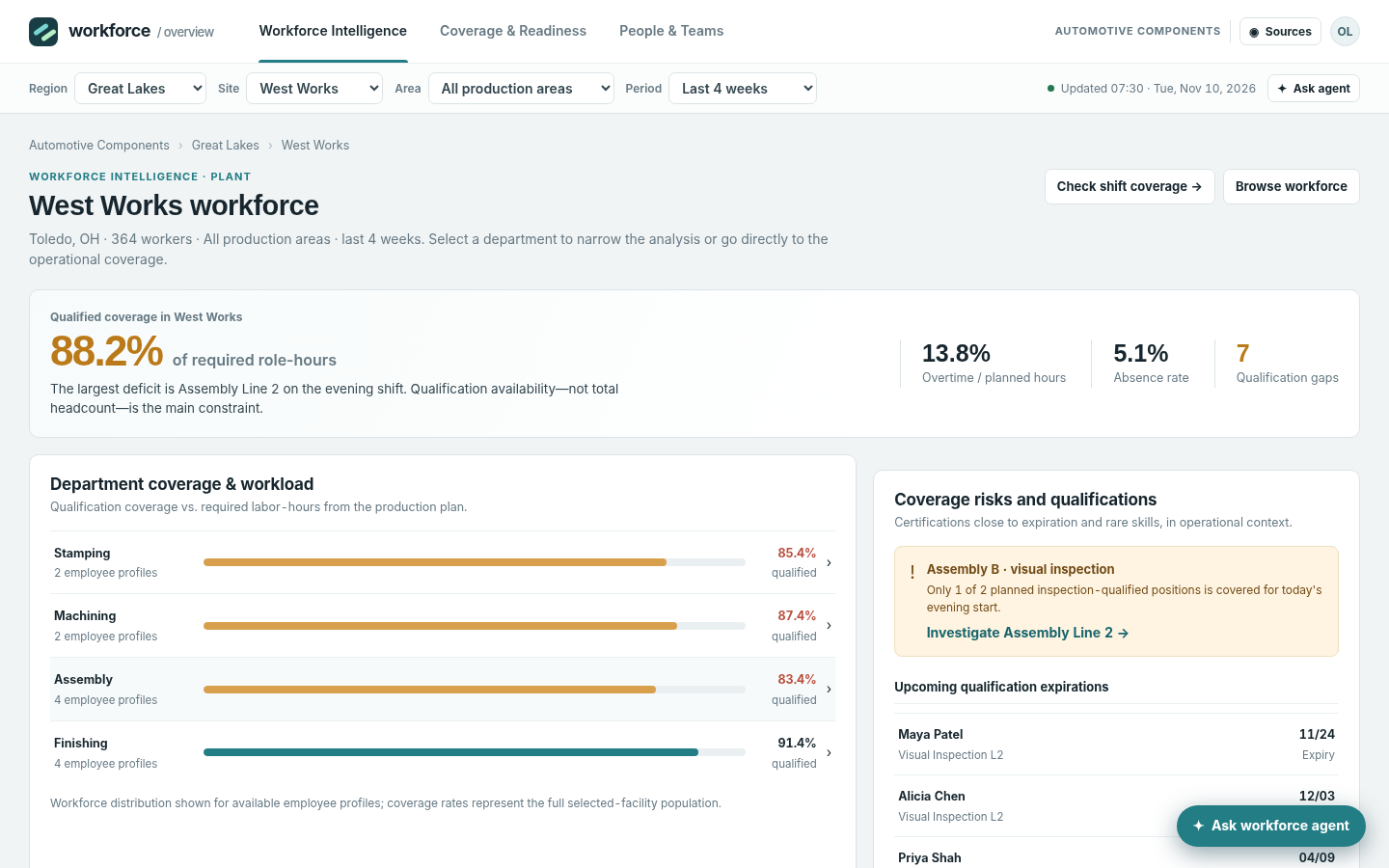 Plant workforce investigationPlant drill-down with department coverage, trends, expiring qualifications and direct links to shift coverage and teams.
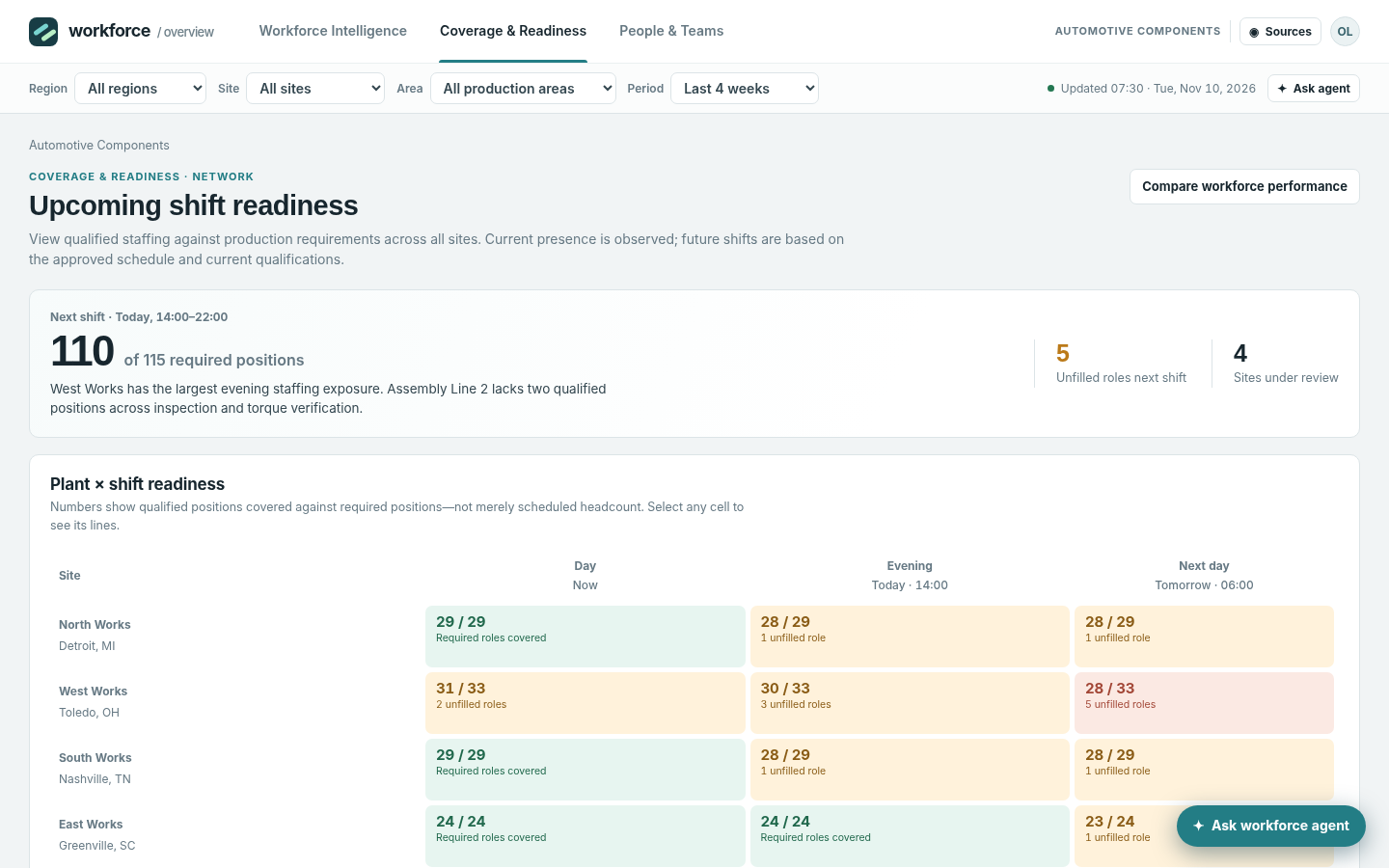 Plant and shift readiness heatmapBrowse current day, upcoming evening and next-day shifts; heat cells show qualified versus required positions with explicit unknown-status caveats.
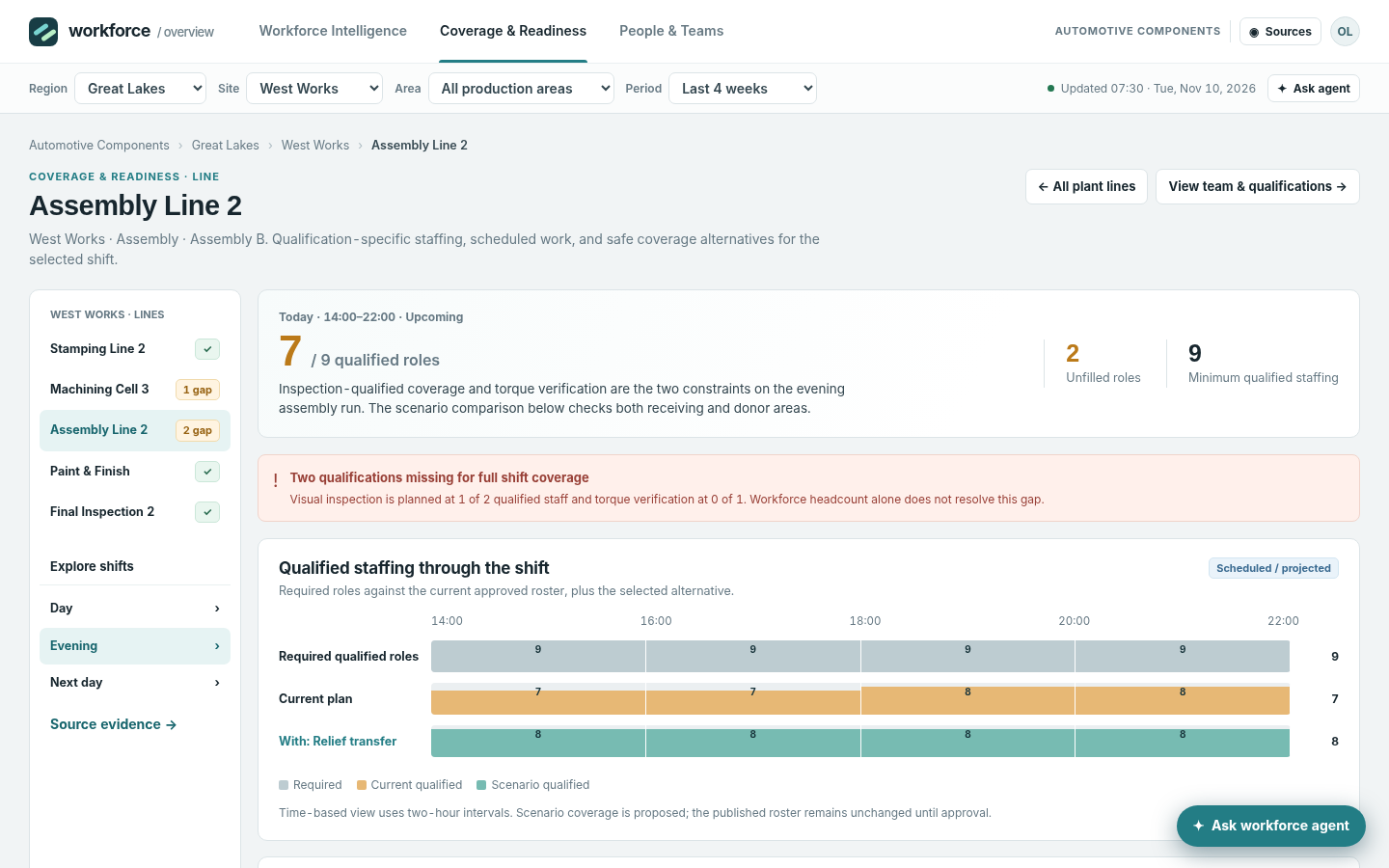
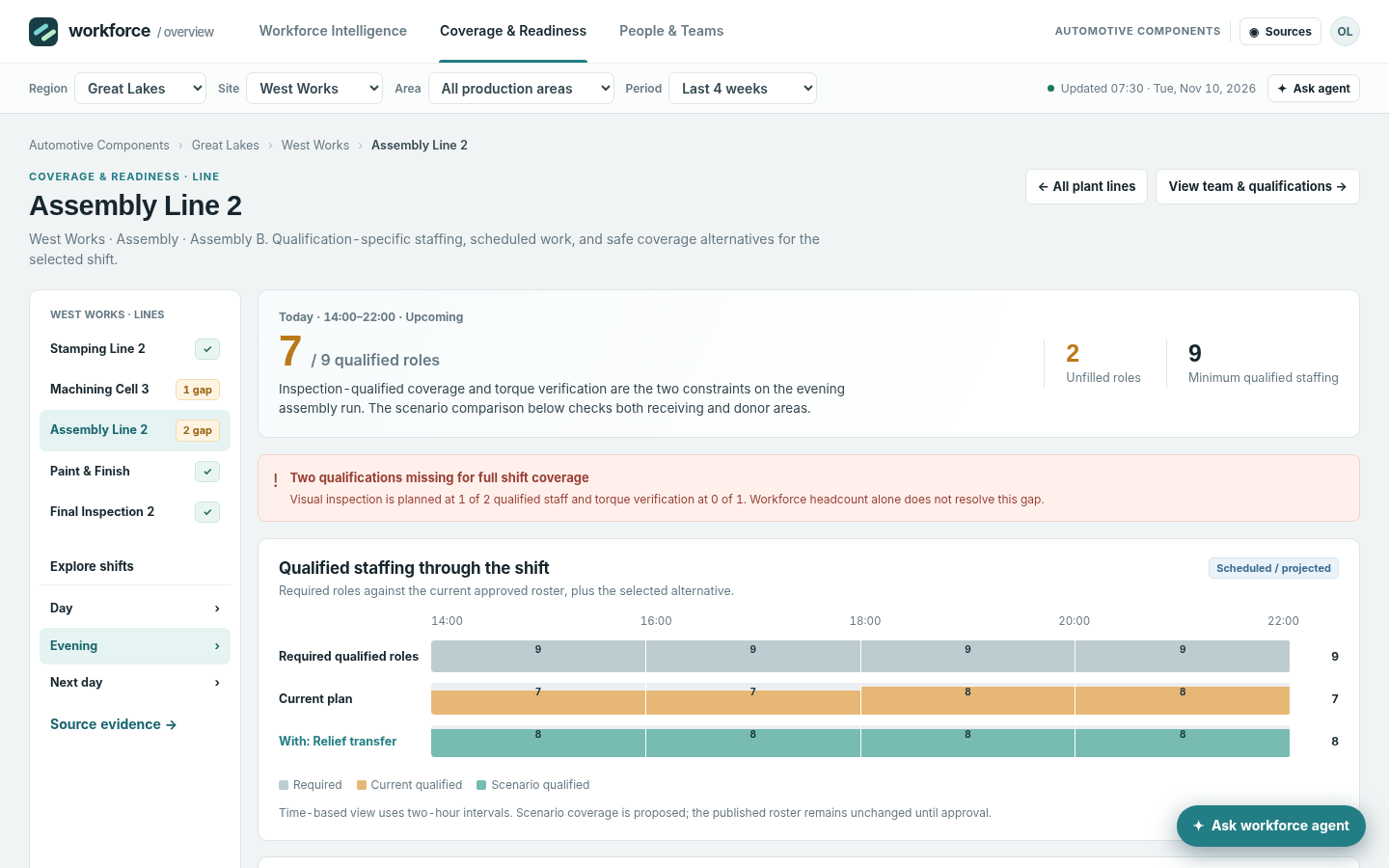 Line and interval-level qualified staffingInspect a selected work center across two-hour time intervals; compare required positions with the current qualified plan.
 Station-role qualification evidenceAt a selected line, see required and qualified roles by station, effective qualification, and the eligible-worker route.
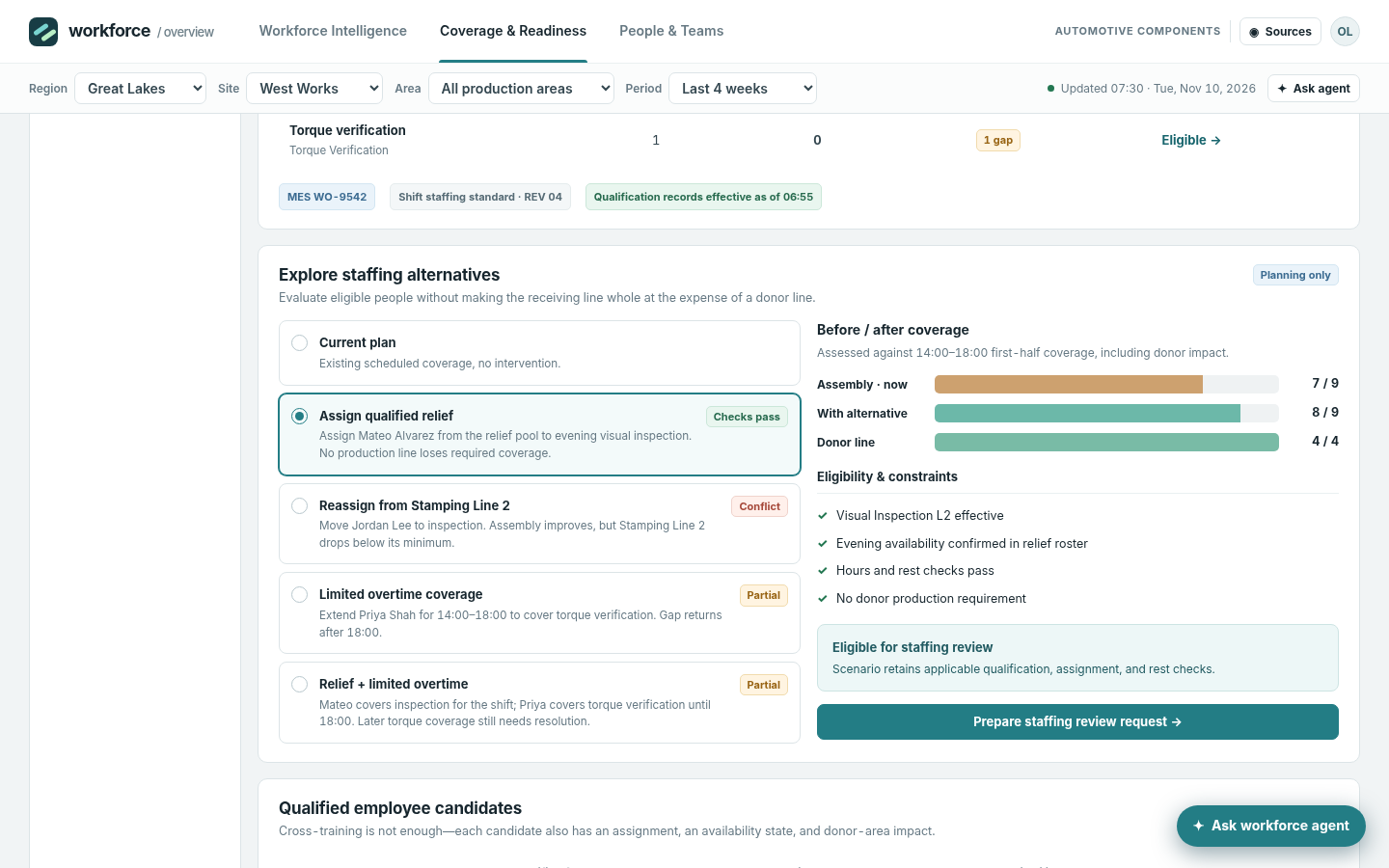 Constrained staffing alternativesCompare relief coverage, transfers, qualified overtime and combined staffing alternatives with donor-line impact and conflicts.
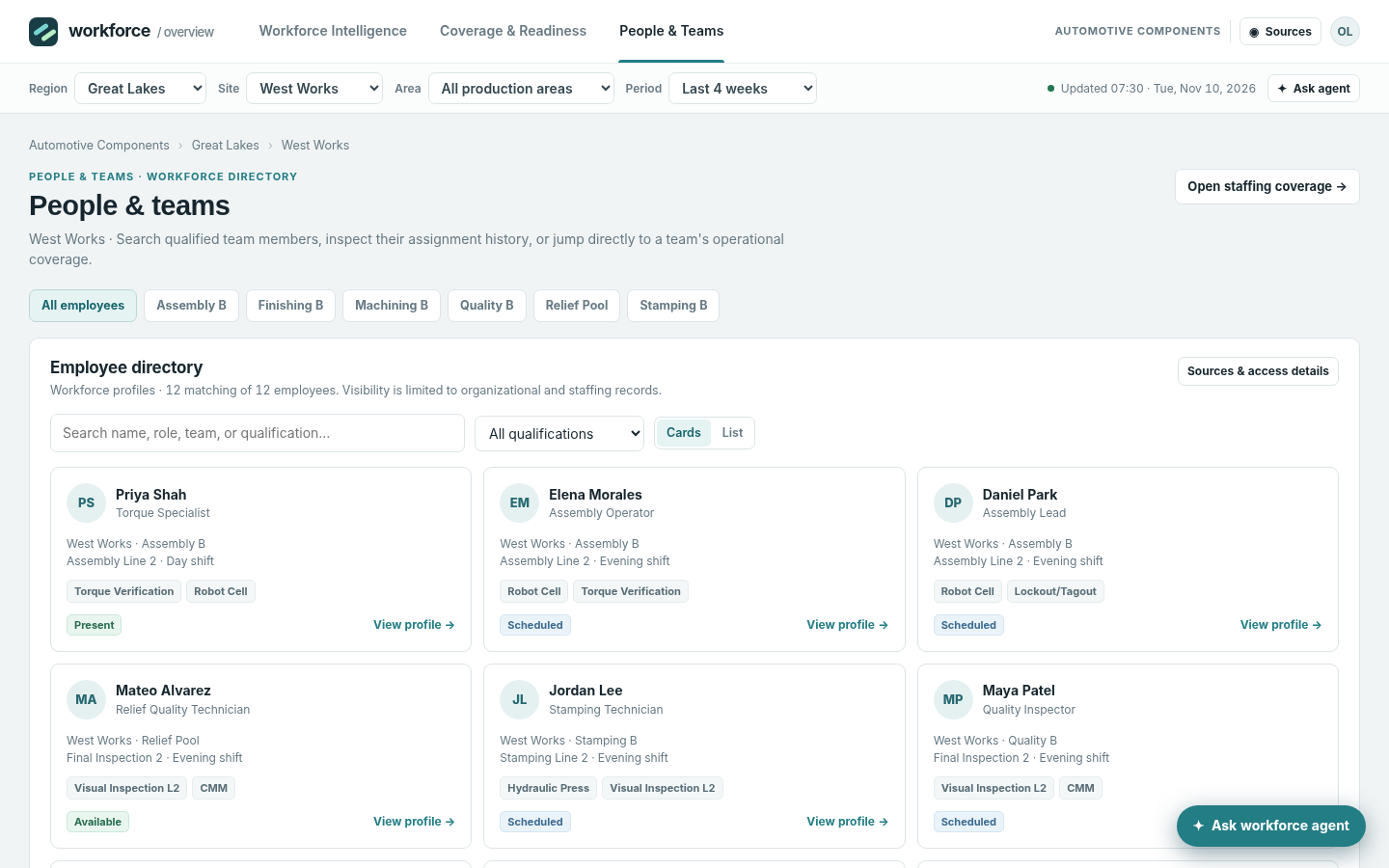 People and Teams directorySearch and filter representative employee profiles by site, team, role and qualification; switch between cards and list.
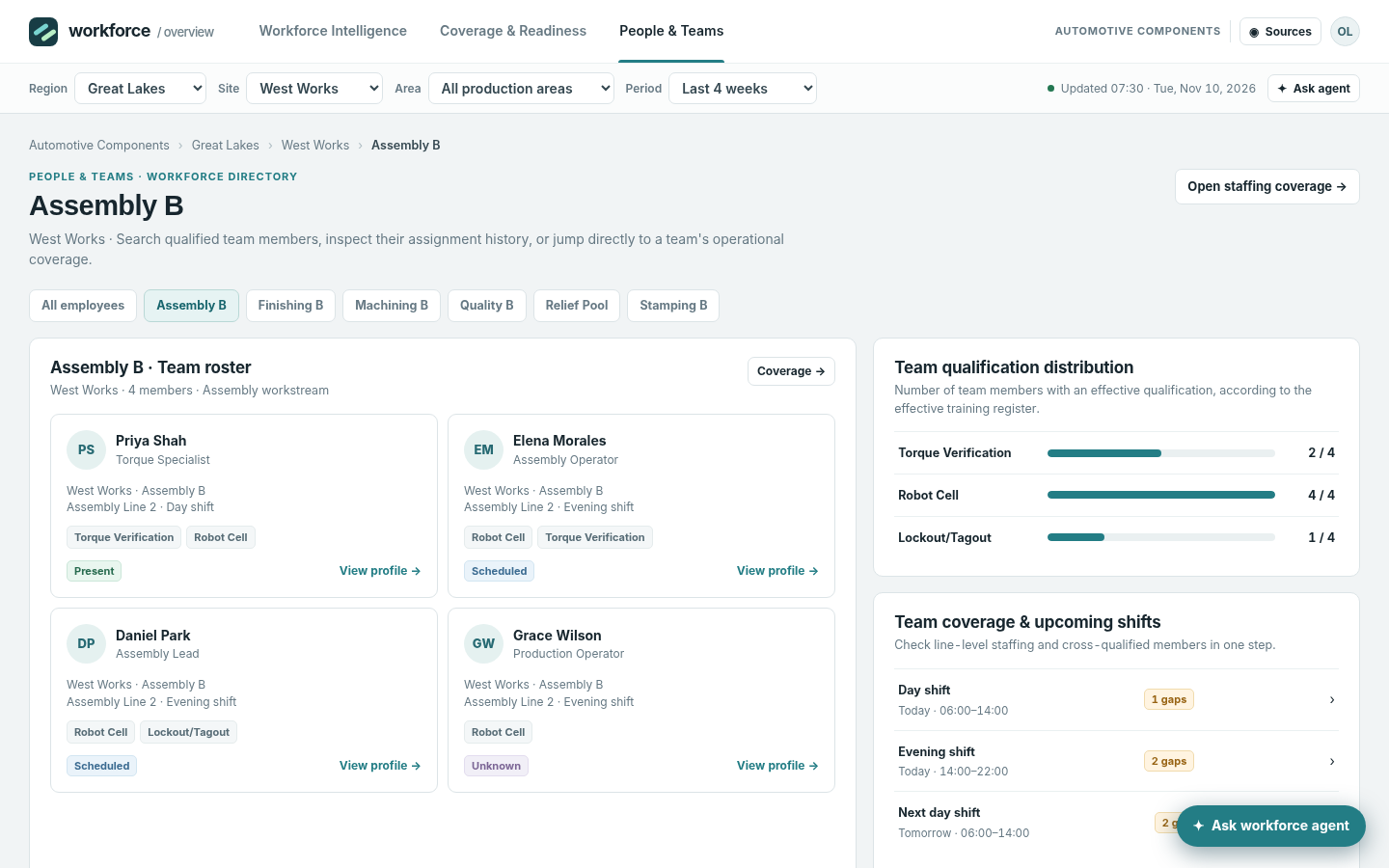 Team qualifications and staffing historyOpen a team to inspect qualification distribution, upcoming shifts, expiring certificates and aggregated overtime exposure.
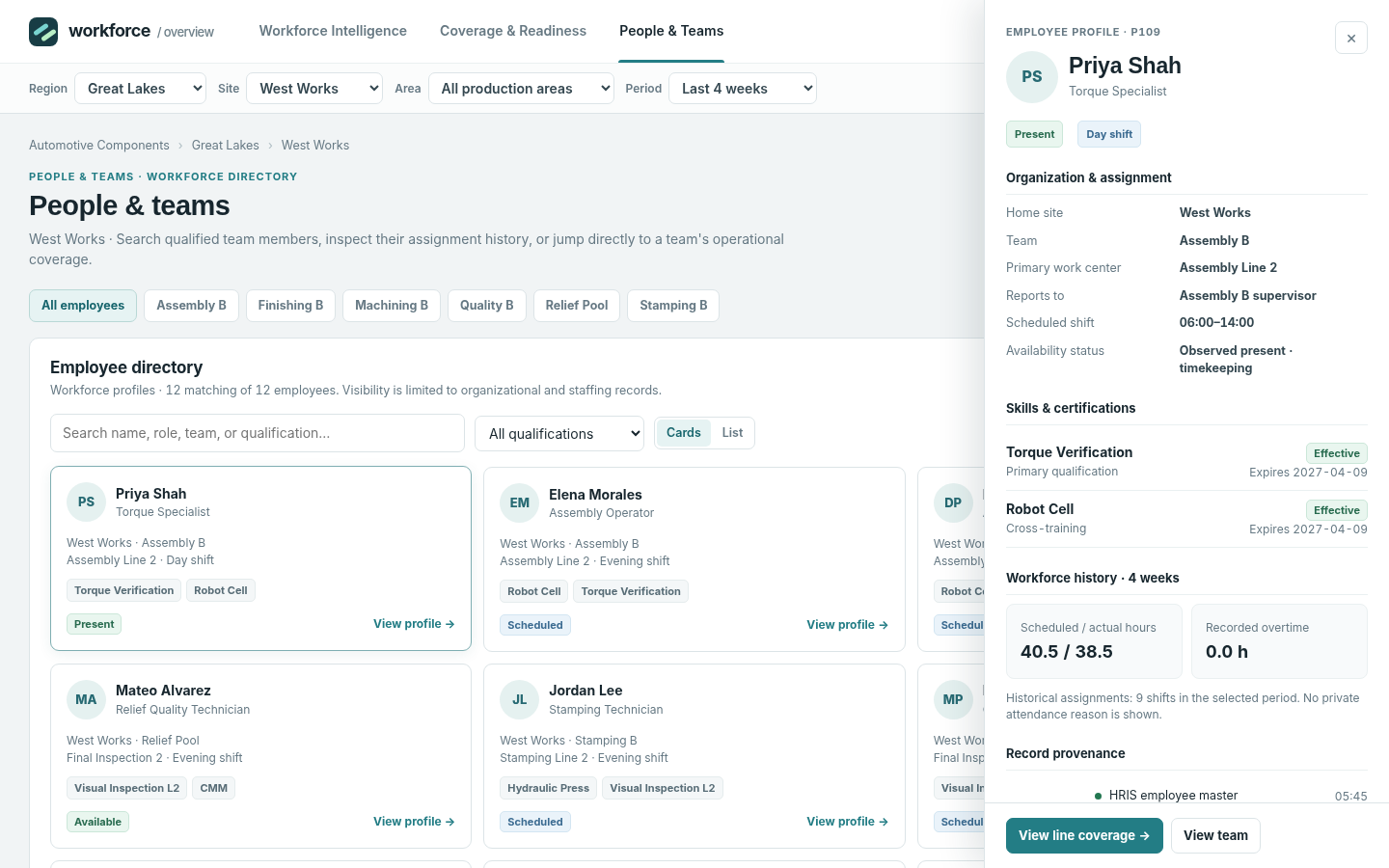 Employee detail drawerOpen a profile from roster or candidate lists; inspect assignment, qualifications, expiry, status and source provenance.
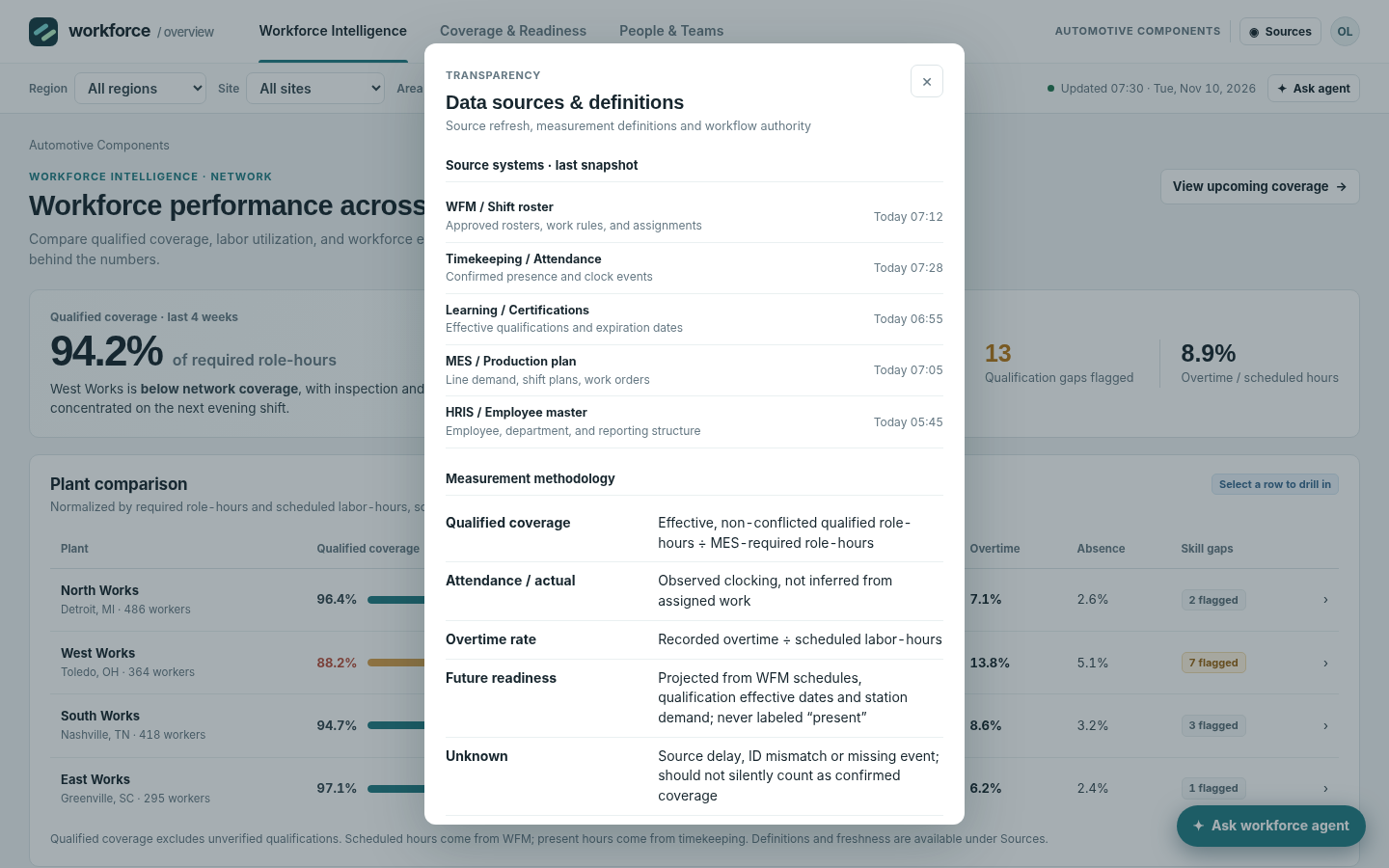 Data sources and measurement definitionsInspect WFM, timekeeping, learning/certifications, MES and HRIS refresh times, definitions and system-of-record boundaries.
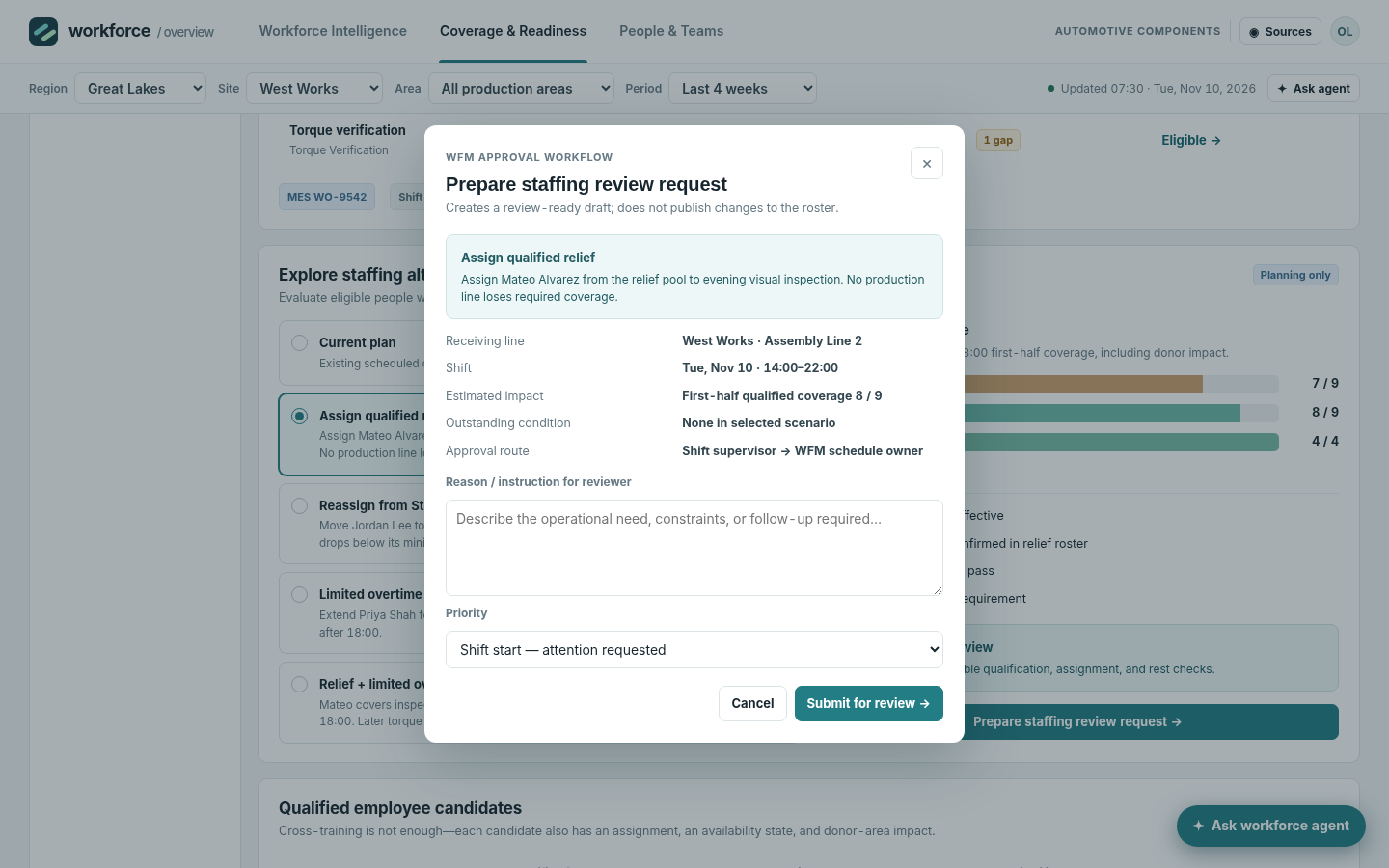 Review request draft and confirmationReview a draft staffing request and its approval conditions; the published workforce roster changes only after authorized acceptance.
How people use it
- Compare workforce metrics across plants
- Drill into qualified line-and-shift readiness
- Evaluate staffing alternatives and prepare a review-only request
Data it works with
- Qualified coverage
- Scheduled and present hours
- Required versus qualified positions
- Overtime and absence
- Effective qualifications
- Donor-line minimum
Start from this blueprint in your terminal.
Attach it to a project and your coding agent adapts it to your data, rules and roles.
Install the CLI- Sign in
vortexify login - Attach this blueprint
vortexify blueprints attach workforce-overview-automotive - Ask your agent to build it
Build the app from the attached blueprint using our data.
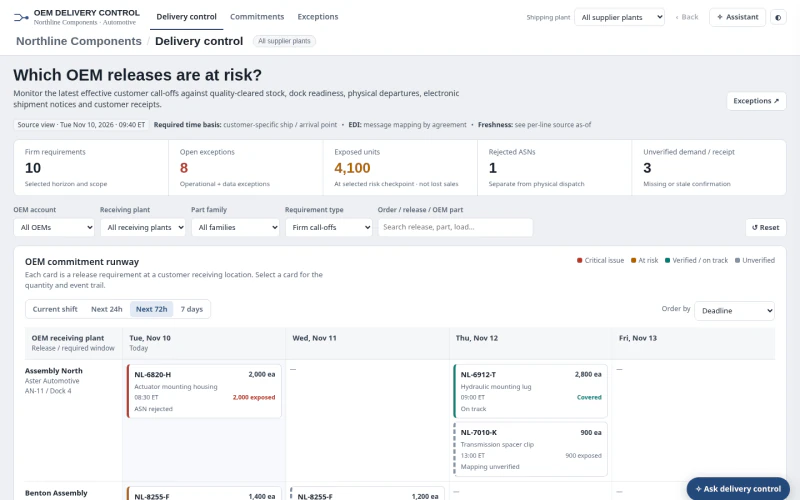 ERPAutomotive OEM Order Status & ExceptionsWhich firm OEM releases are at risk, and is the issue available stock, dock dispatch, ASN processing, receipt confirmation or stale/incomplete evidence?
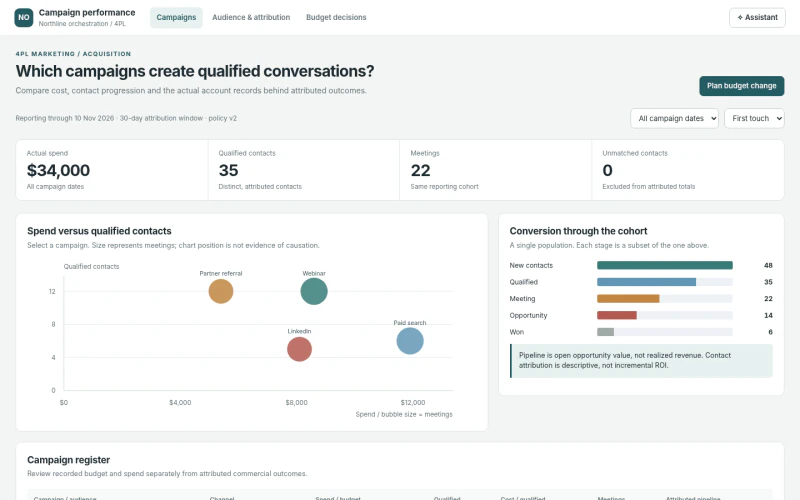 CRM4PL Campaign Performance & AttributionWhich campaigns generate qualified shipper conversations and commercial pipeline, after inspecting spend, attribution and contact evidence?
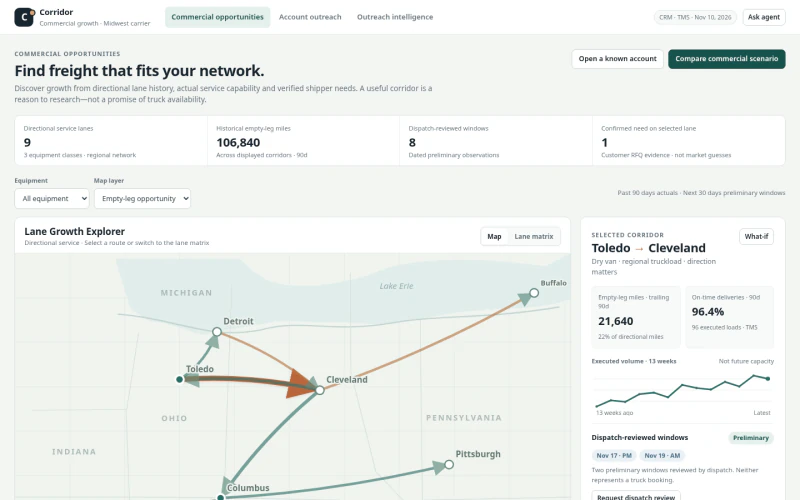 CRM2PL Carrier Sales OutreachWhich shipper and lane opportunities best fit our carrier network, who should be contacted, and what supporting capacity/economics evidence is available?