Automotive OEM Order Status & Exceptions
Automotive
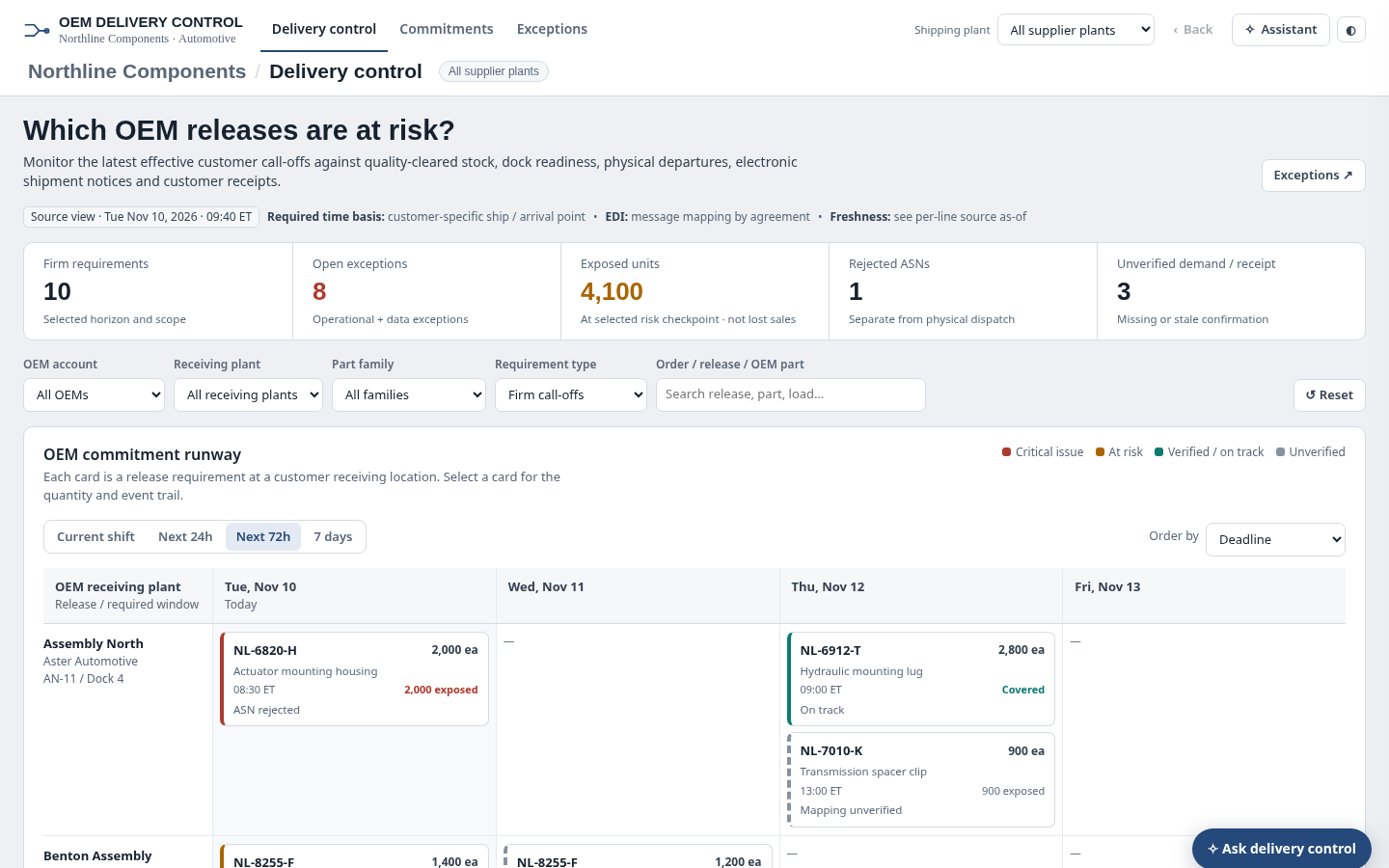
The question it answers
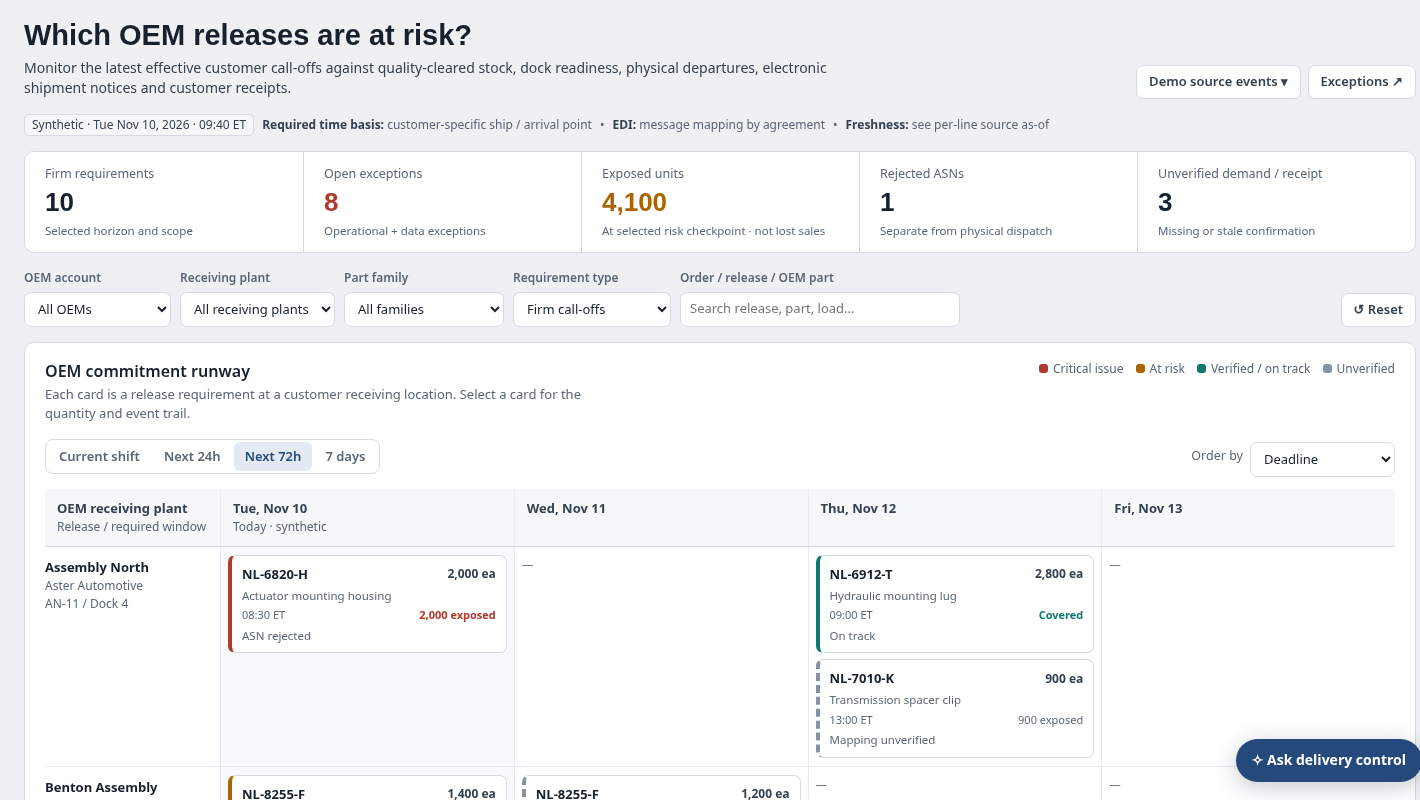
Which firm OEM releases are at risk, and is the issue available stock, dock dispatch, ASN processing, receipt confirmation or stale/incomplete evidence?
Automotive supplier fulfillment of OEM releases, plant dispatch, ASN events, delivery commitments and receipt exceptions.
See how teams use this- Industry
- Automotive
- System
- ERP, plan and run the business
- Area
- Order Management (OMS)
- Module
- Order Management
- Parts
- 12 screens and components
What's inside
 Delivery control navigationThree linked workspaces for horizon risk, full requirement register and exception coordination.
 OEM, plant and release scopeShipping plant, receiving OEM, part family, firm/forecast, due horizon and search filters scope all views.
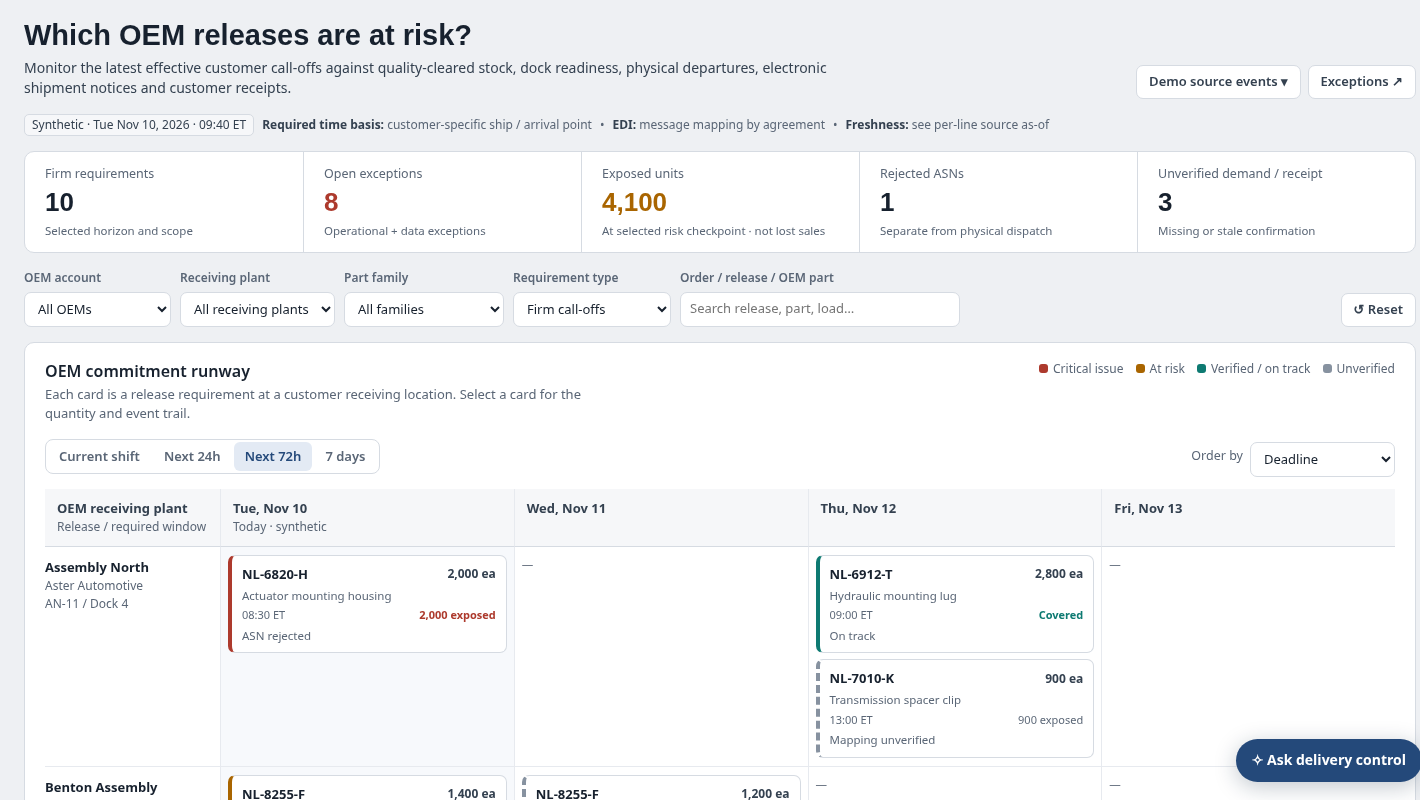
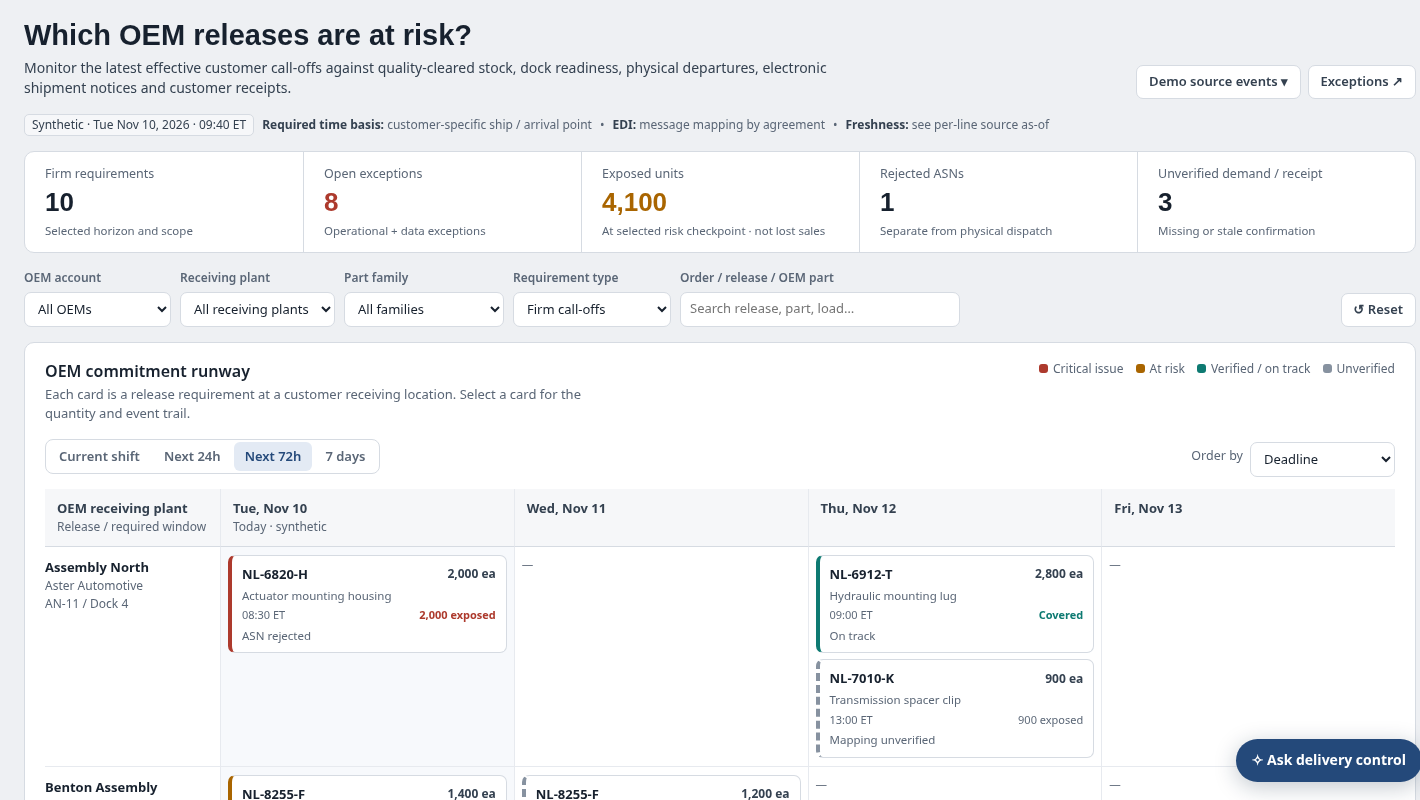
 Firm requirements and exposed-unit indicatorsShows counts for active requirements, open issues, exposed units, rejected ASNs and unverified demand/receipts.
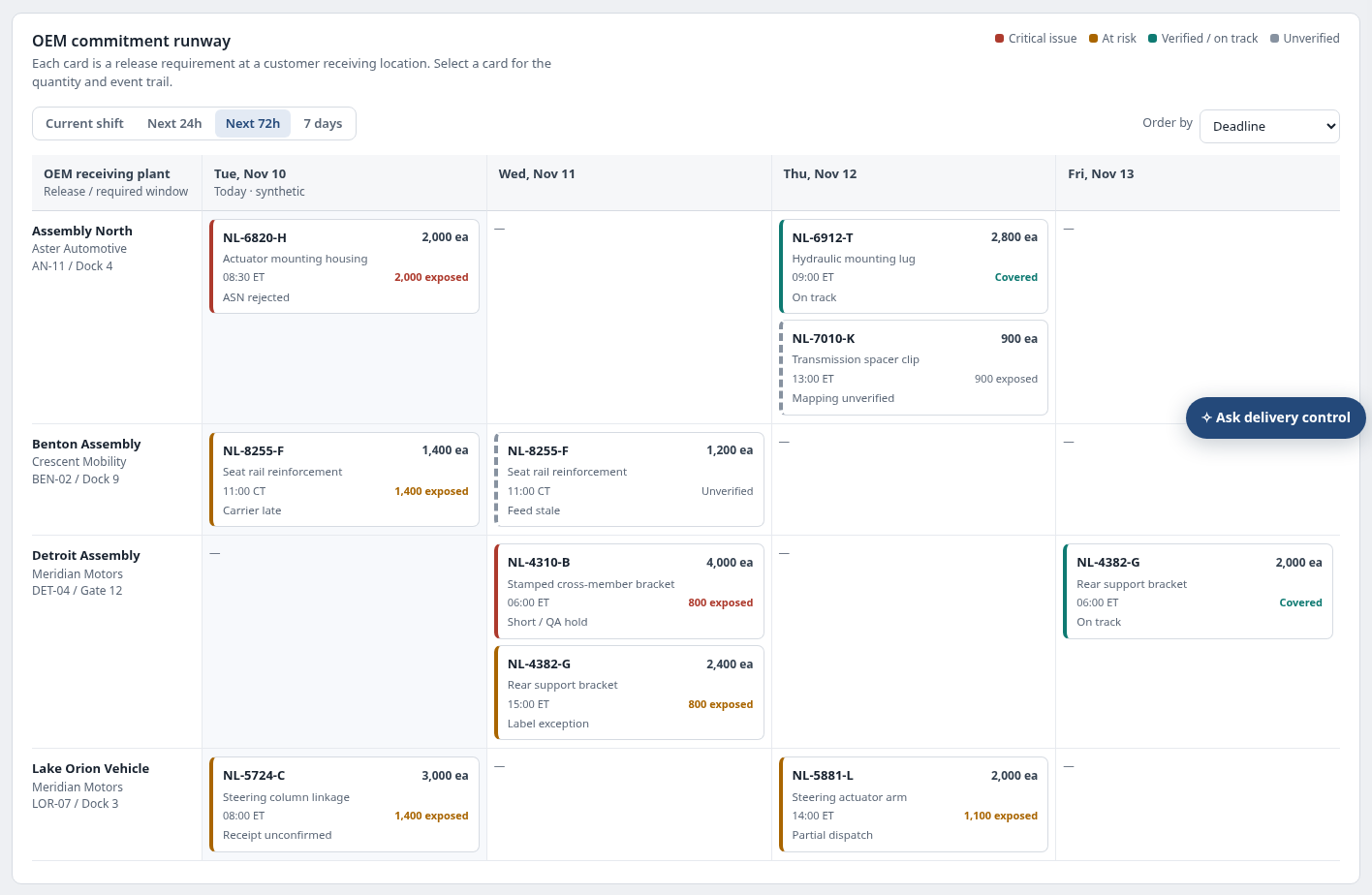 OEM commitment runwayReceiving-plant by date cards identify release, required units, due time, exposure and status.
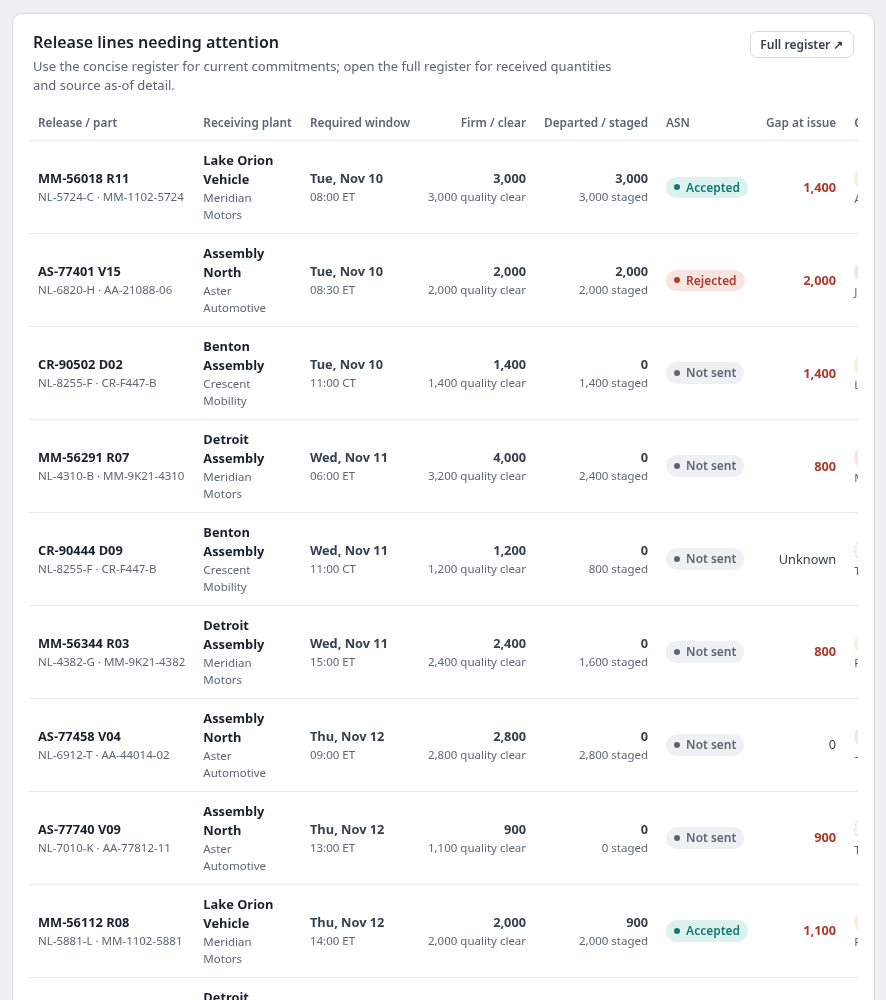 Release lines needing attentionScoped rows highlight delivery gaps and exceptional milestones for release-level drilldown.
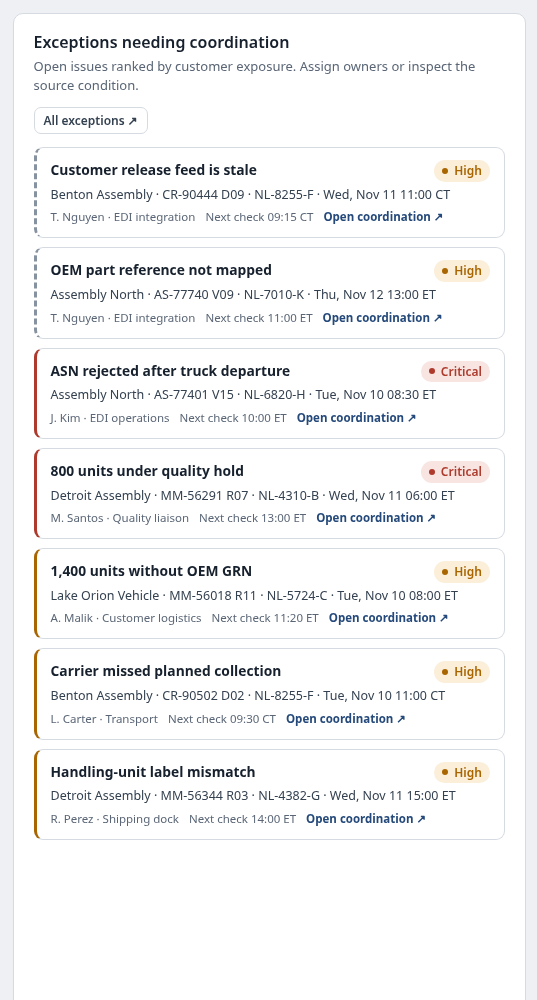 Exceptions requiring coordinationRead critical/high source conditions with assigned owner, next verification time and affected release.
 Full customer requirement registerFilter and sort effective release lines, supporting a read-only CSV export and source trace.
 Electronic and physical shipping checkpointsShows that an accepted EDI message and a physically departed load are distinct from receipt acknowledgement.
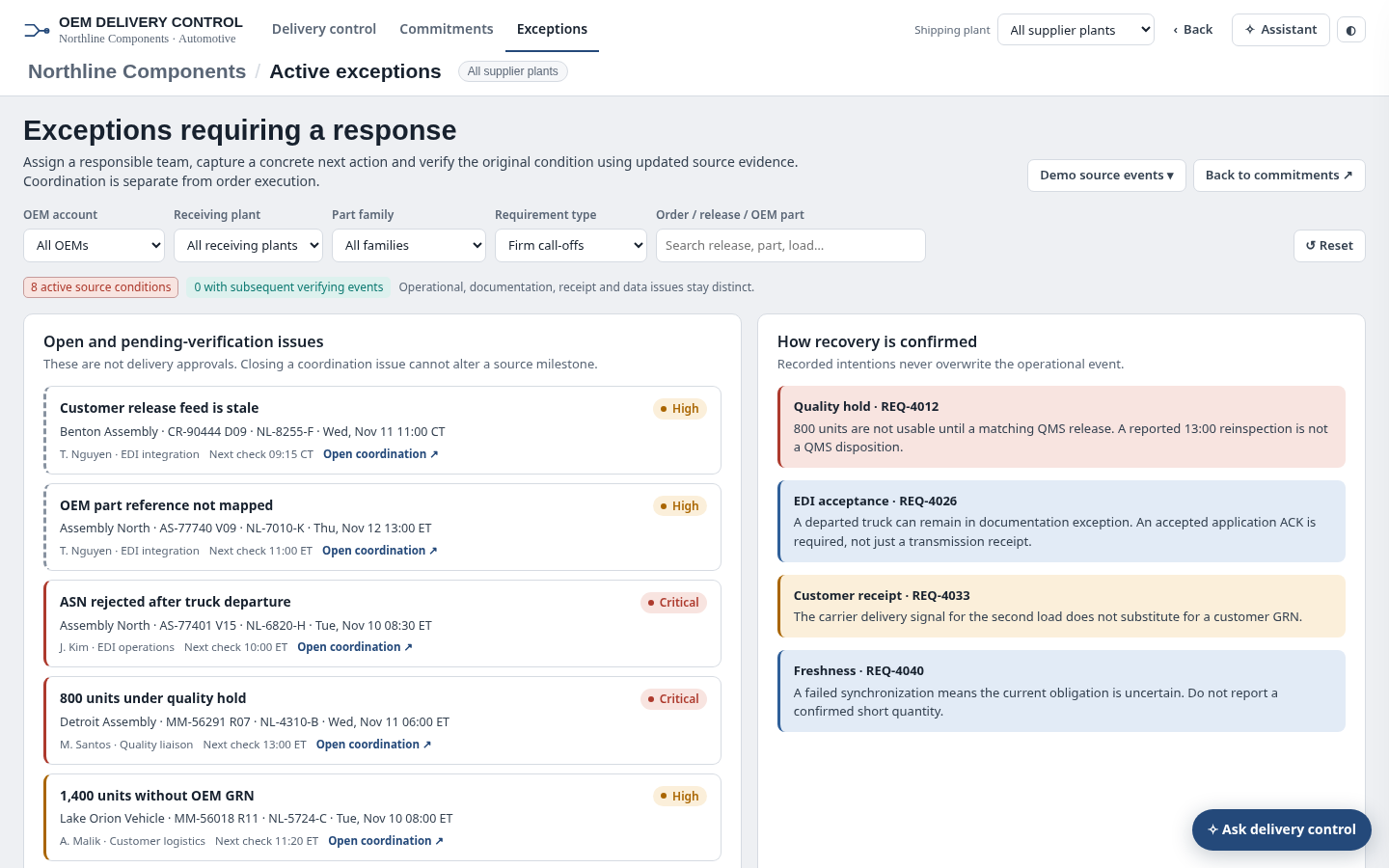 Exception ownership and follow-up workflowInspect who owns an operational issue and what original evidence must be verified before status changes.
 Delivery exceptions assistantcontext-aware explanations for shipment exposure, ASN rejection and missing confirmations.
 Scoped release CSV exportExport the scoped OEM requirement register as CSV for analysis without changing EDI releases or customer commitments.
How people use it
- Review a time-window OEM commitment runway with exposed units
- Open the effective customer release and trace shipping and EDI milestones
- Investigate owned exceptions and required source verification
- Record a coordination next step without modifying the effective customer promise
Data it works with
- OEM customer
- Receiving plant
- Shipping plant
- Effective release identifier
- OEM part
- Supplier part
- Required quantity
- Customer time basis
- Quality cleared
- Staged/loaded
- Physical departed
- ASN accepted
- Customer goods receipt
- Source freshness
- Exception owner
- Next verification
- Exposed units
Start from this blueprint in your terminal.
Attach it to a project and your coding agent adapts it to your data, rules and roles.
Install the CLI- Sign in
vortexify login - Attach this blueprint
vortexify blueprints attach order-status-and-exceptions-automotive - Ask your agent to build it
Build the app from the attached blueprint using our data.
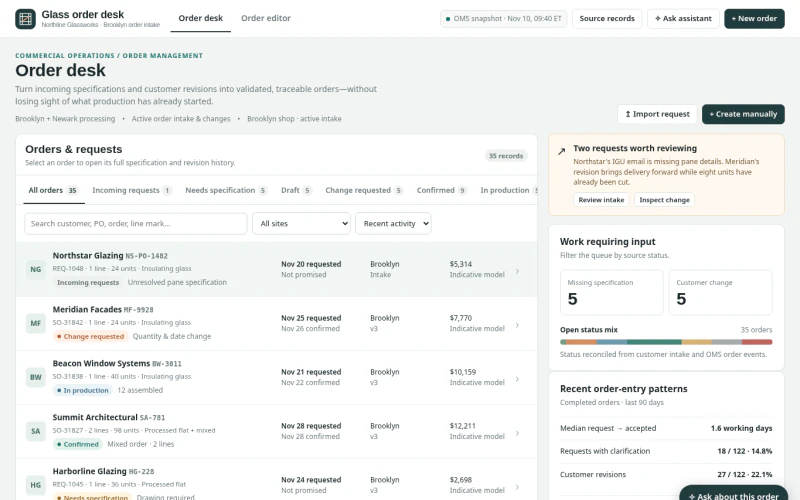 ERPArchitectural Glass Order Entry & ChangesWhich incoming requests, specifications or changes can be validated and committed without losing production state, promise provenance or revision history?
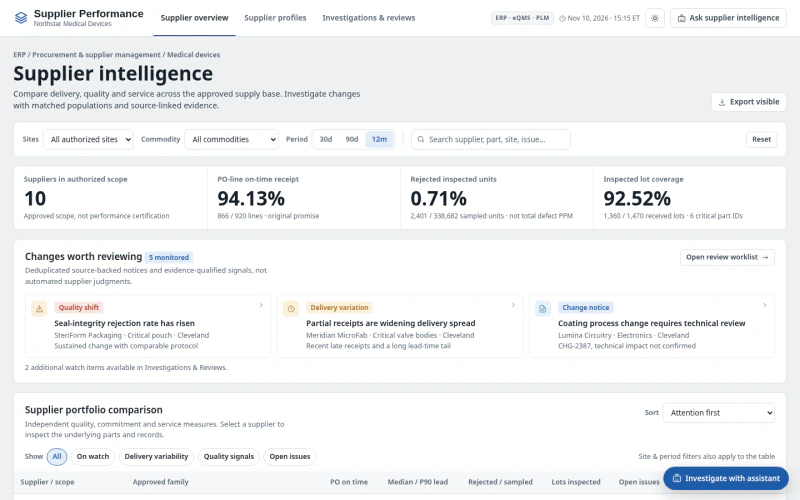 ERPMedical Device Supplier PerformanceWhich suppliers and part families have meaningful quality or delivery deterioration, what evidence explains it, and what review action is needed?
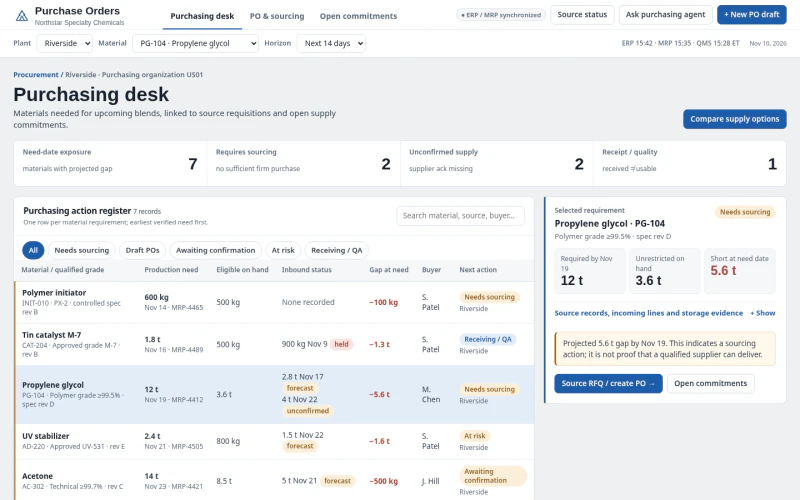 ERPChemical Raw Material Purchase OrdersWhich materials require sourcing or PO action to protect production need dates and specification compliance?