Medical Device Supplier Performance
Medical Devices
The question it answers
Which suppliers and part families have meaningful quality or delivery deterioration, what evidence explains it, and what review action is needed?
Medical-device supplier delivery and quality reviews, qualified material families, evidence-led trends and investigations.
See how teams use this- Industry
- Medical Devices
- System
- ERP, plan and run the business
- Area
- Procurement & Supplier Management
- Module
- Supplier Management
- Parts
- 4 screens and components
What's inside
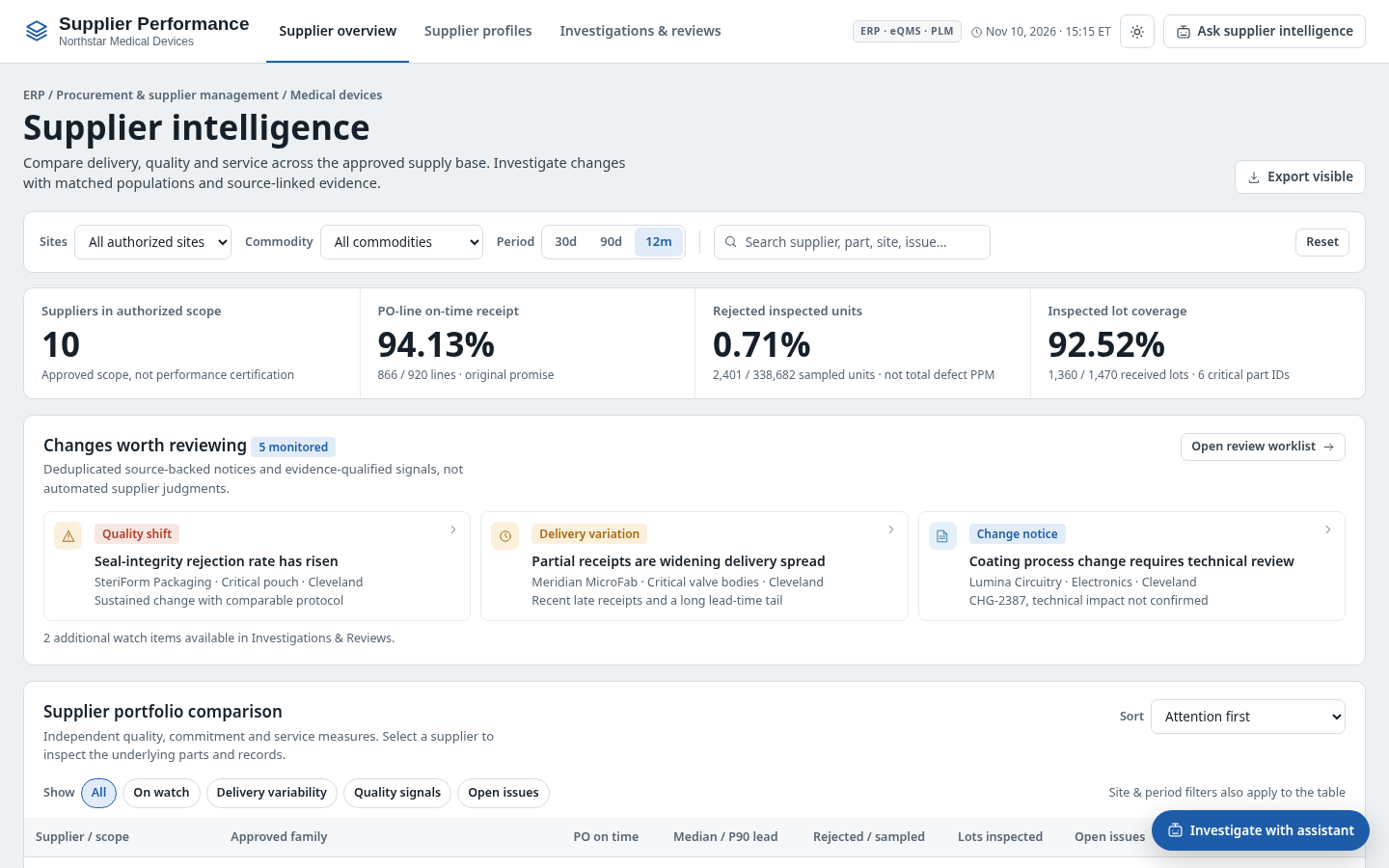
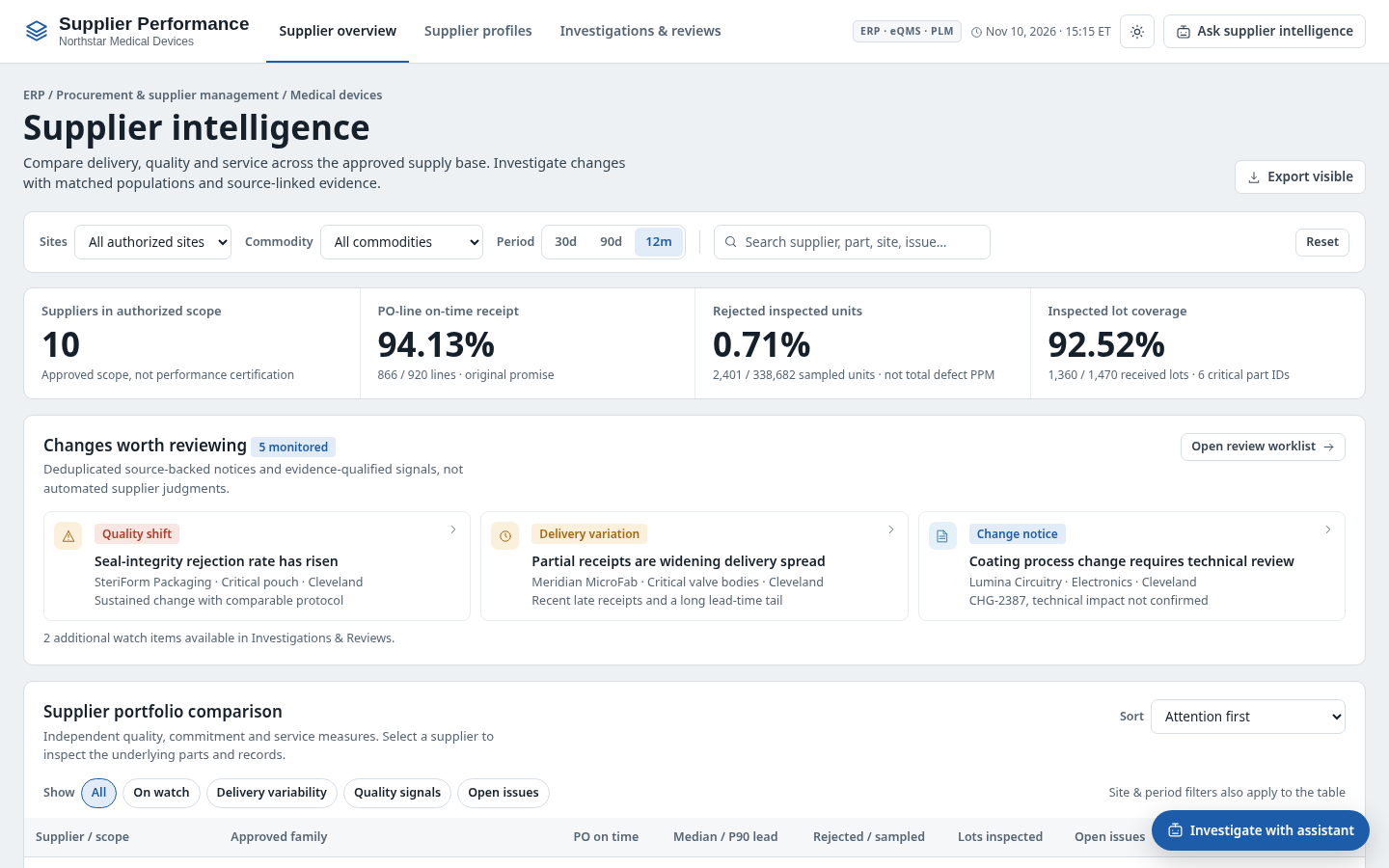 Supplier performance overviewPortfolio summary, delivery and quality evidence.
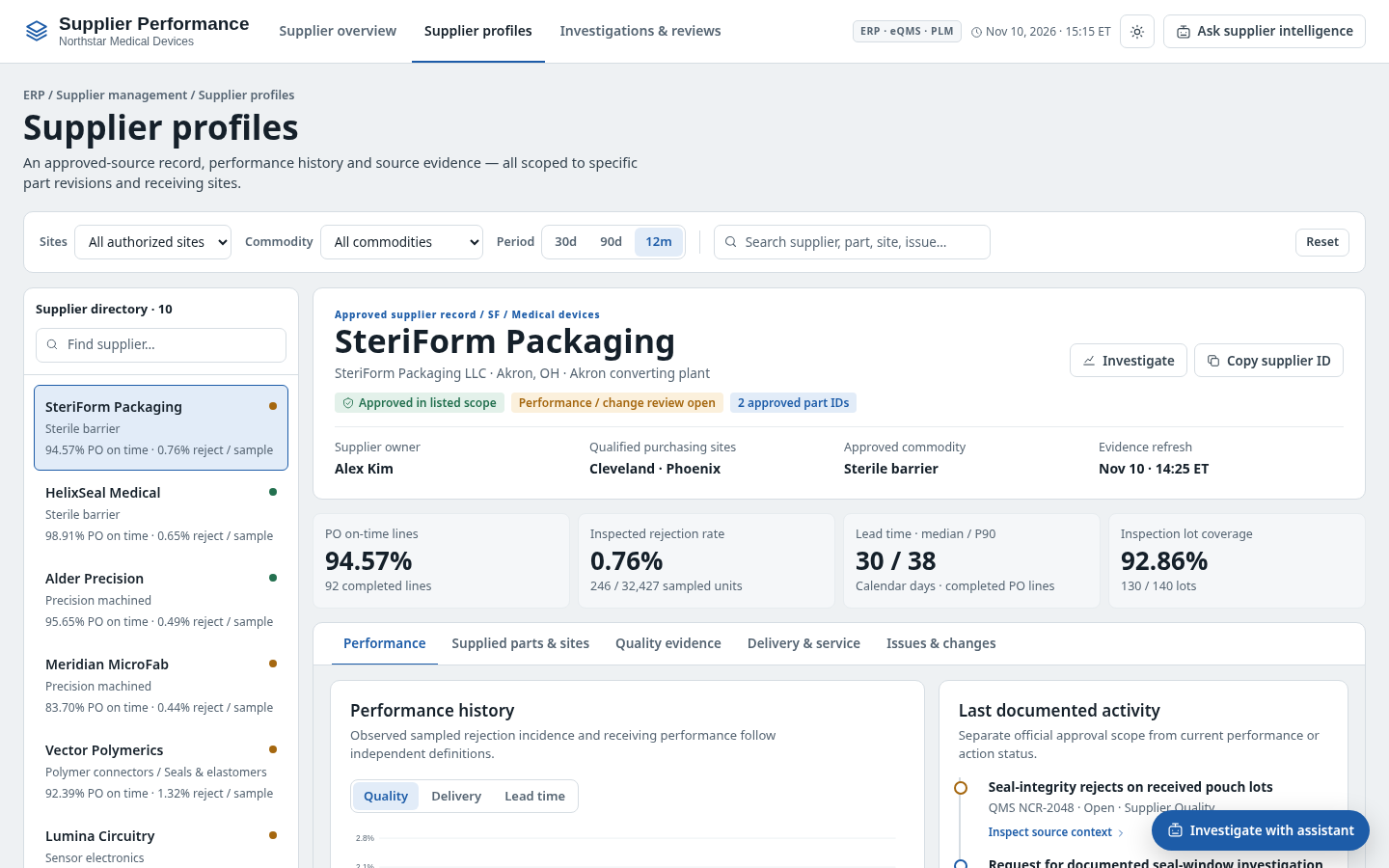 Supplier profilesSupplier-specific deliveries and defect history.
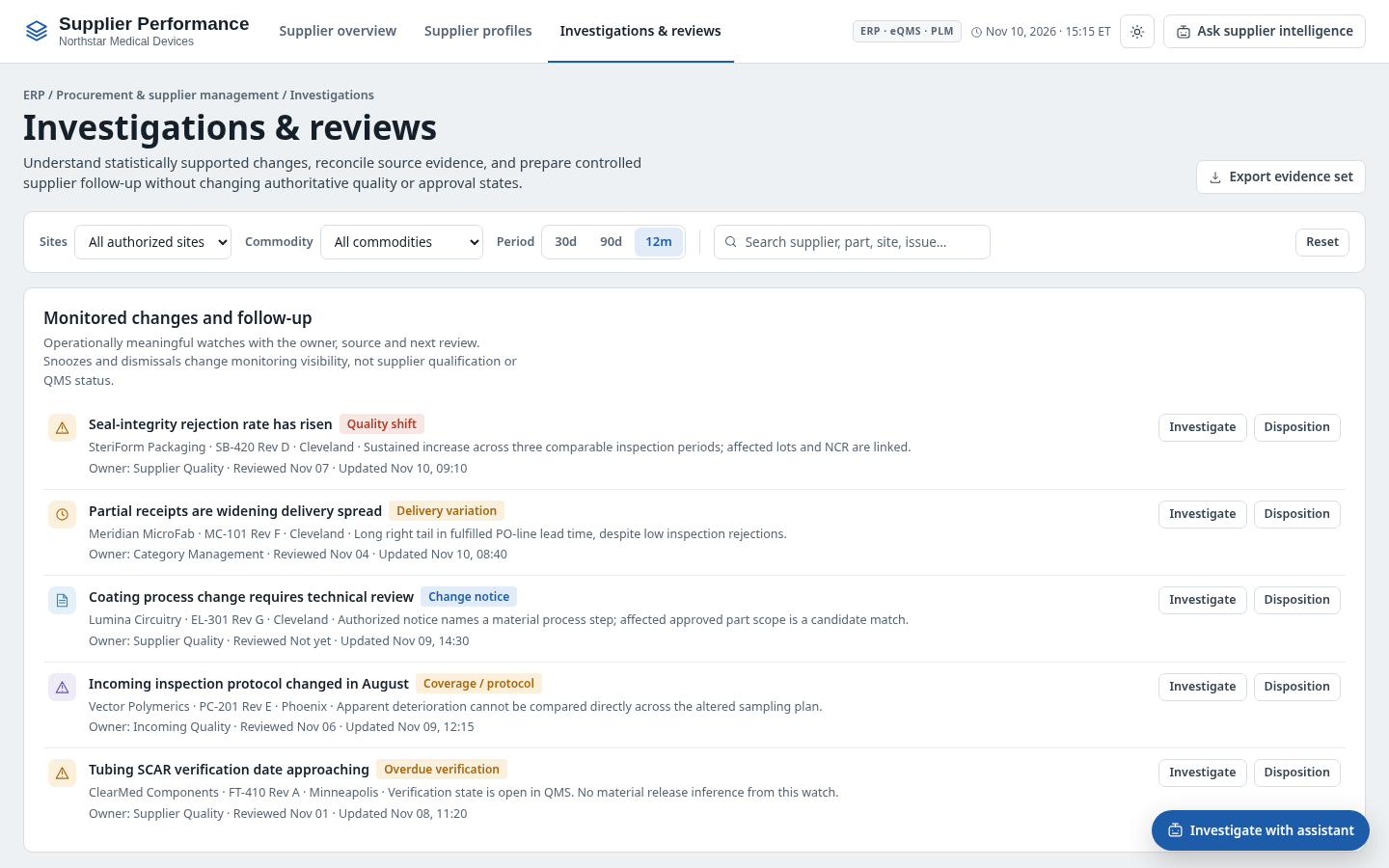 Investigations and reviewsInvestigate quality shifts and supplier commitments.
How people use it
- Review supplier and commodity risk indicators
- Compare delivery and defect evidence by part family and time window
- Open a supplier profile to inspect shipments, receipt quality and change notices
- Investigate issues and prepare review actions
Data it works with
- Approved supplier and part revision
- Receiving site
- Inspected units
- Rejected inspected units
- Sample/lot inspection coverage
- Applicable inspection plan
- PO promise and actual receipt
- Lead-time distribution
- Observed defect code
- Disposition
- Evidence reference
- Comparability period
- Investigation owner
Start from this blueprint in your terminal.
Attach it to a project and your coding agent adapts it to your data, rules and roles.
Install the CLI- Sign in
vortexify login - Attach this blueprint
vortexify blueprints attach supplier-performance-medical-devices - Ask your agent to build it
Build the app from the attached blueprint using our data.
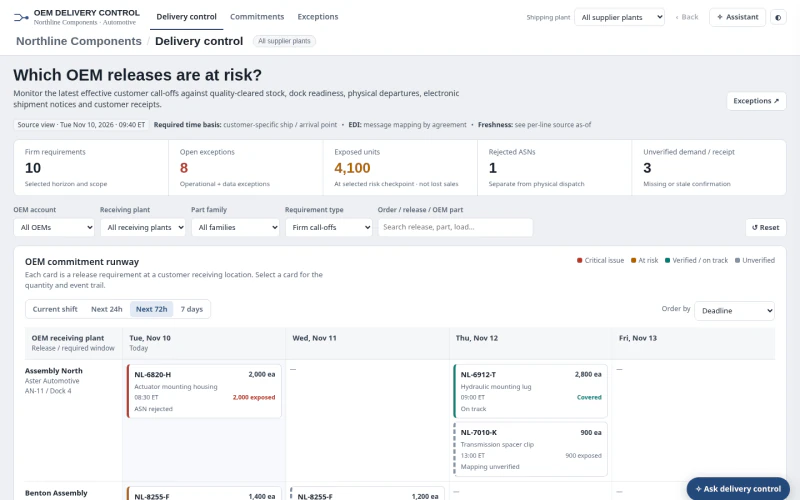 ERPAutomotive OEM Order Status & ExceptionsWhich firm OEM releases are at risk, and is the issue available stock, dock dispatch, ASN processing, receipt confirmation or stale/incomplete evidence?
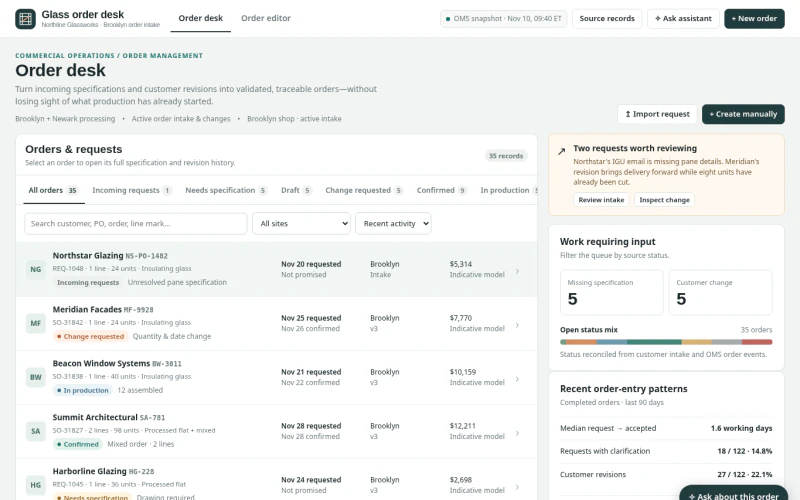 ERPArchitectural Glass Order Entry & ChangesWhich incoming requests, specifications or changes can be validated and committed without losing production state, promise provenance or revision history?
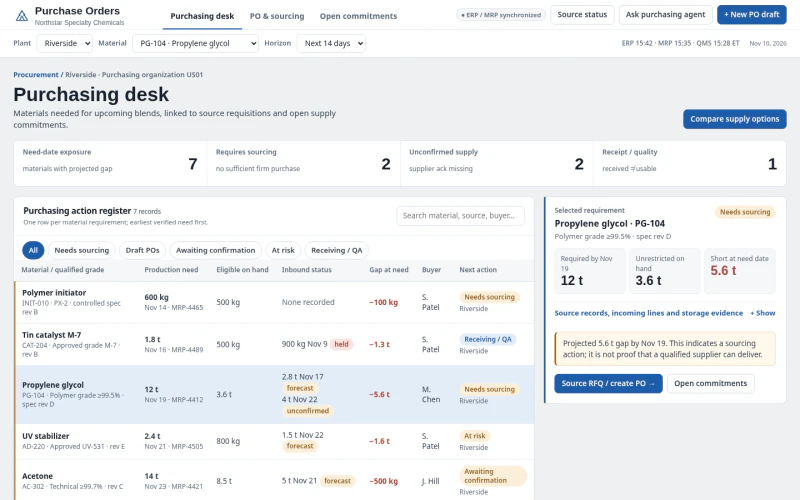 ERPChemical Raw Material Purchase OrdersWhich materials require sourcing or PO action to protect production need dates and specification compliance?