4PL Campaign Performance & Attribution
4PL
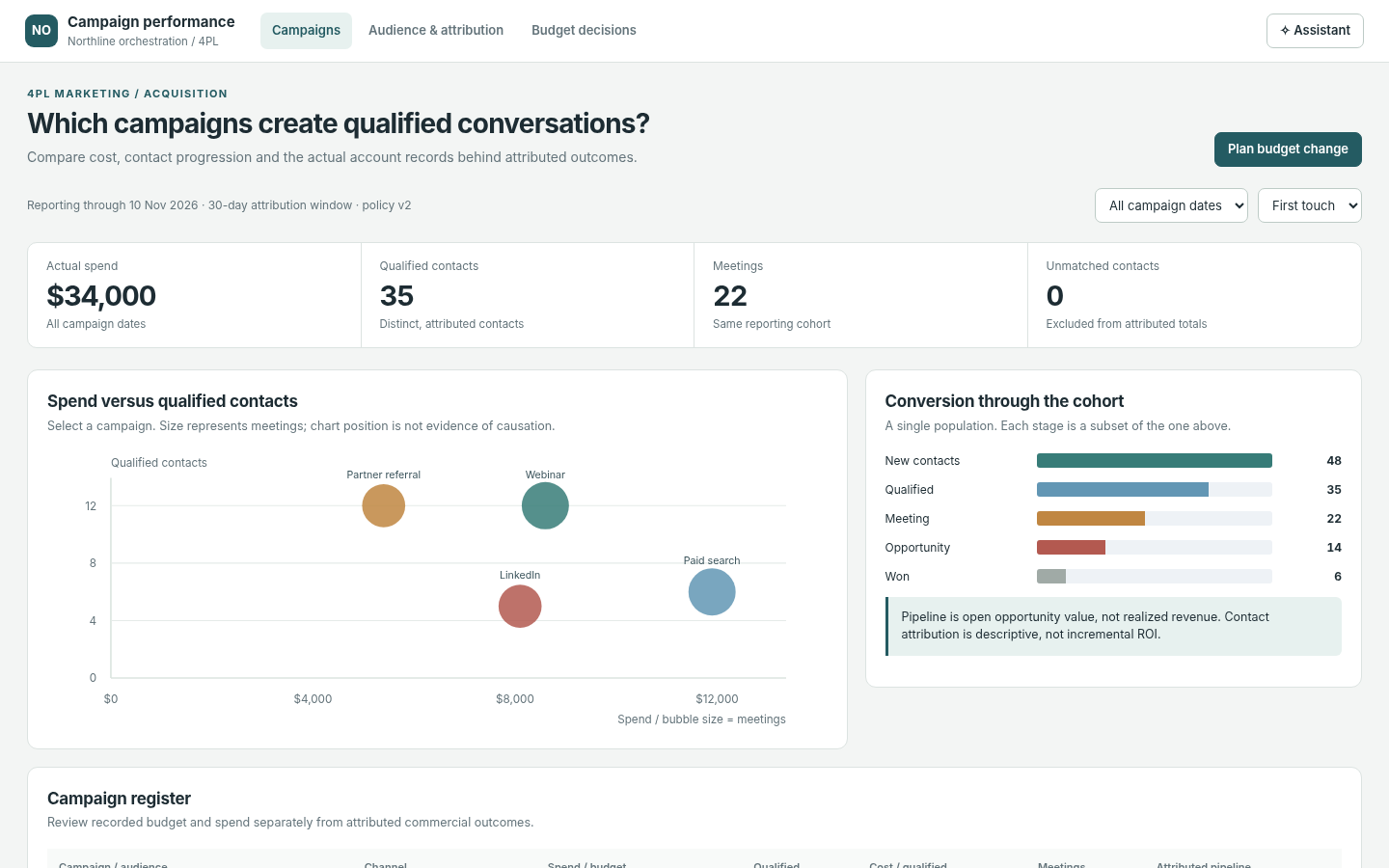
The question it answers
Which campaigns generate qualified shipper conversations and commercial pipeline, after inspecting spend, attribution and contact evidence?
4PL shipper-acquisition marketing campaign performance, spend, qualified engagement and attribution review.
See how teams use this- Industry
- 4PL
- System
- CRM, manage customer relationships
- Area
- Marketing
- Module
- Campaign Management
- Parts
- 4 screens and components
What's inside
 Campaign spend and outcomes comparisonCompare campaign spend, qualified shipper conversations and outcomes with consistent attribution and date windows.
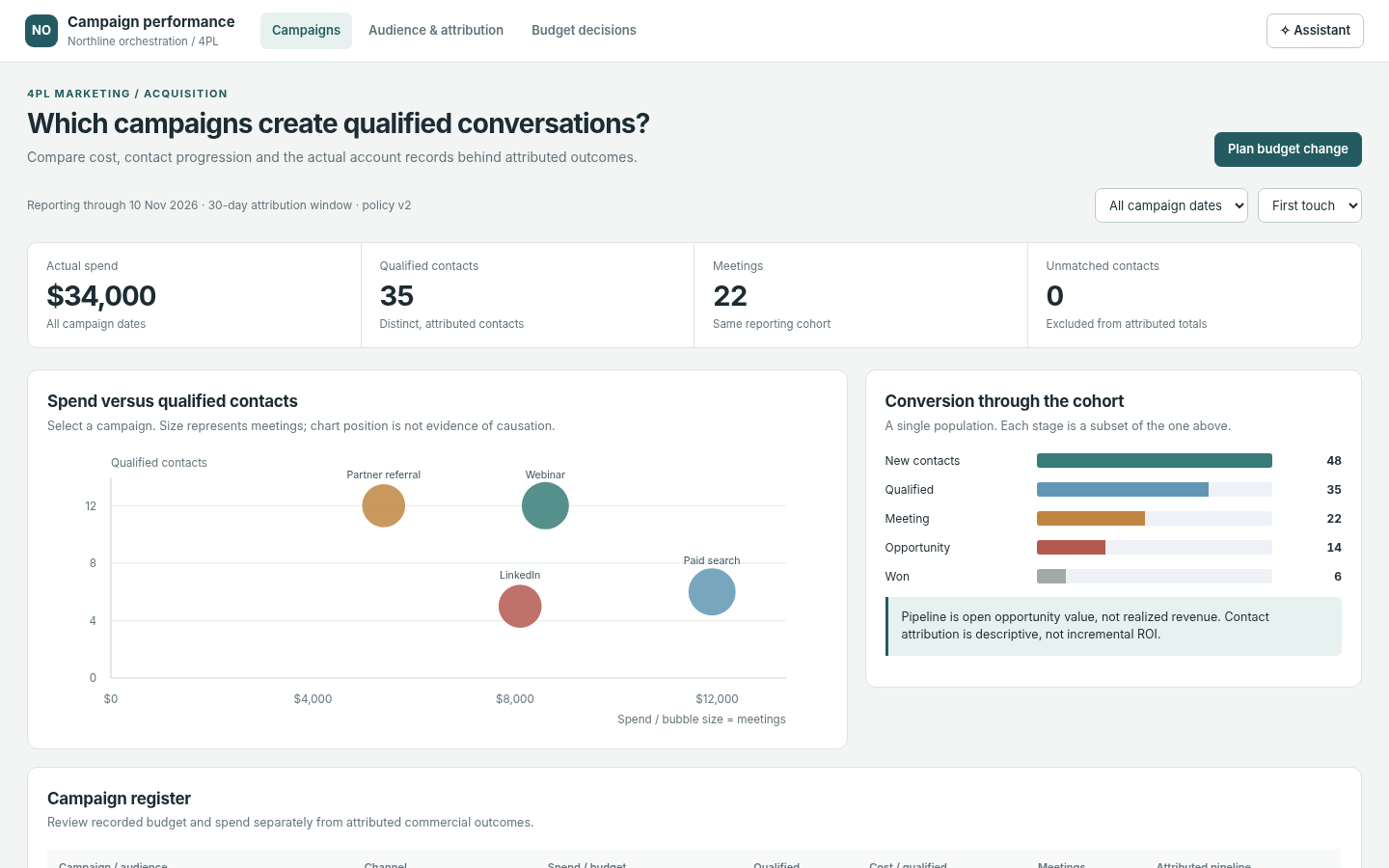 Campaign performance registerInspect campaign pacing, status, spend and qualified commercial outcomes.
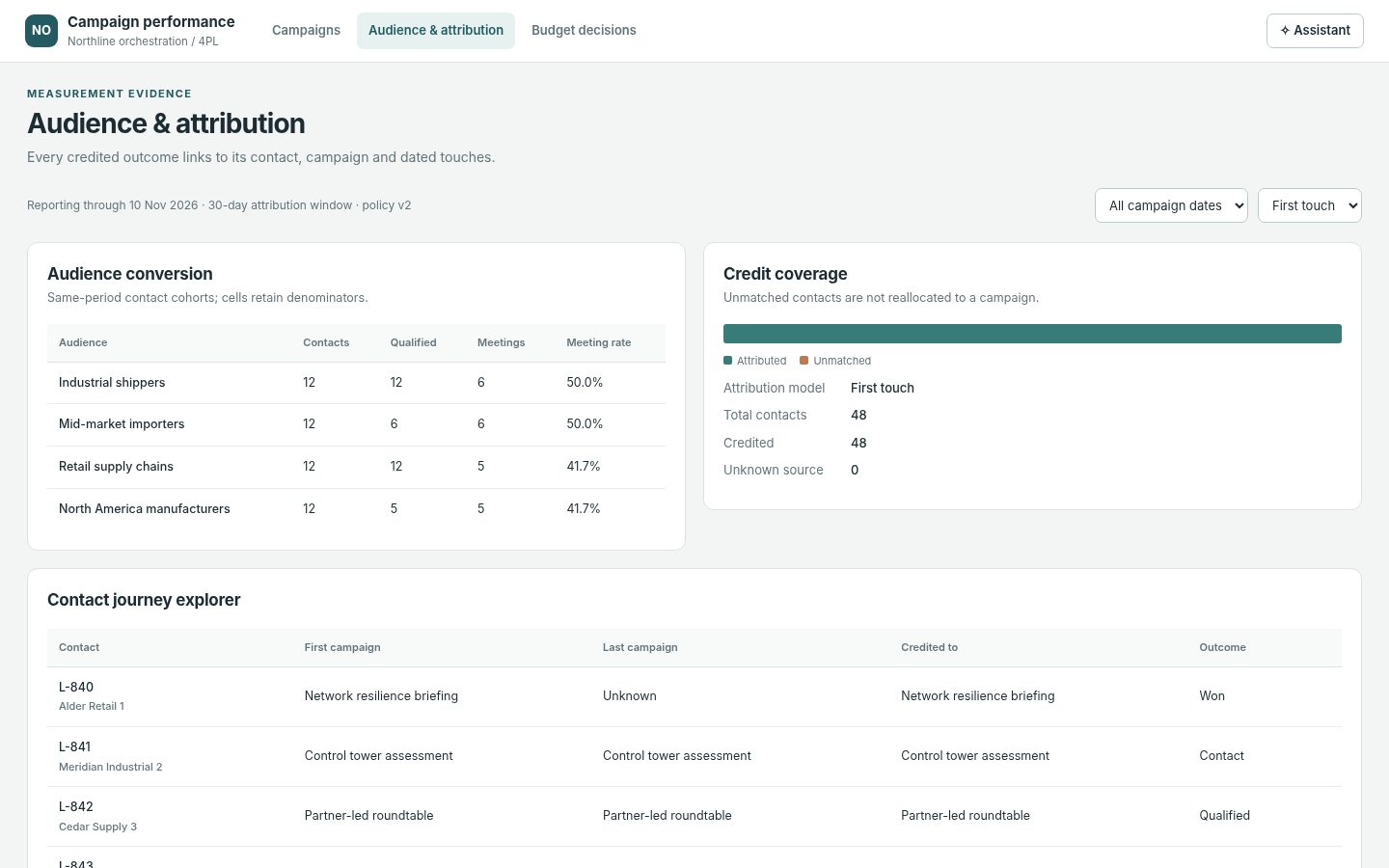 Contact attribution and journeyTrace qualified contacts through campaign interactions and selected attribution rules.
How people use it
- Compare campaign spend, conversion and qualified meetings
- Select a campaign and review its pacing, attributed outcomes and contact cohort
- Change the first-touch or last-touch attribution rule and inspect individual contact journeys
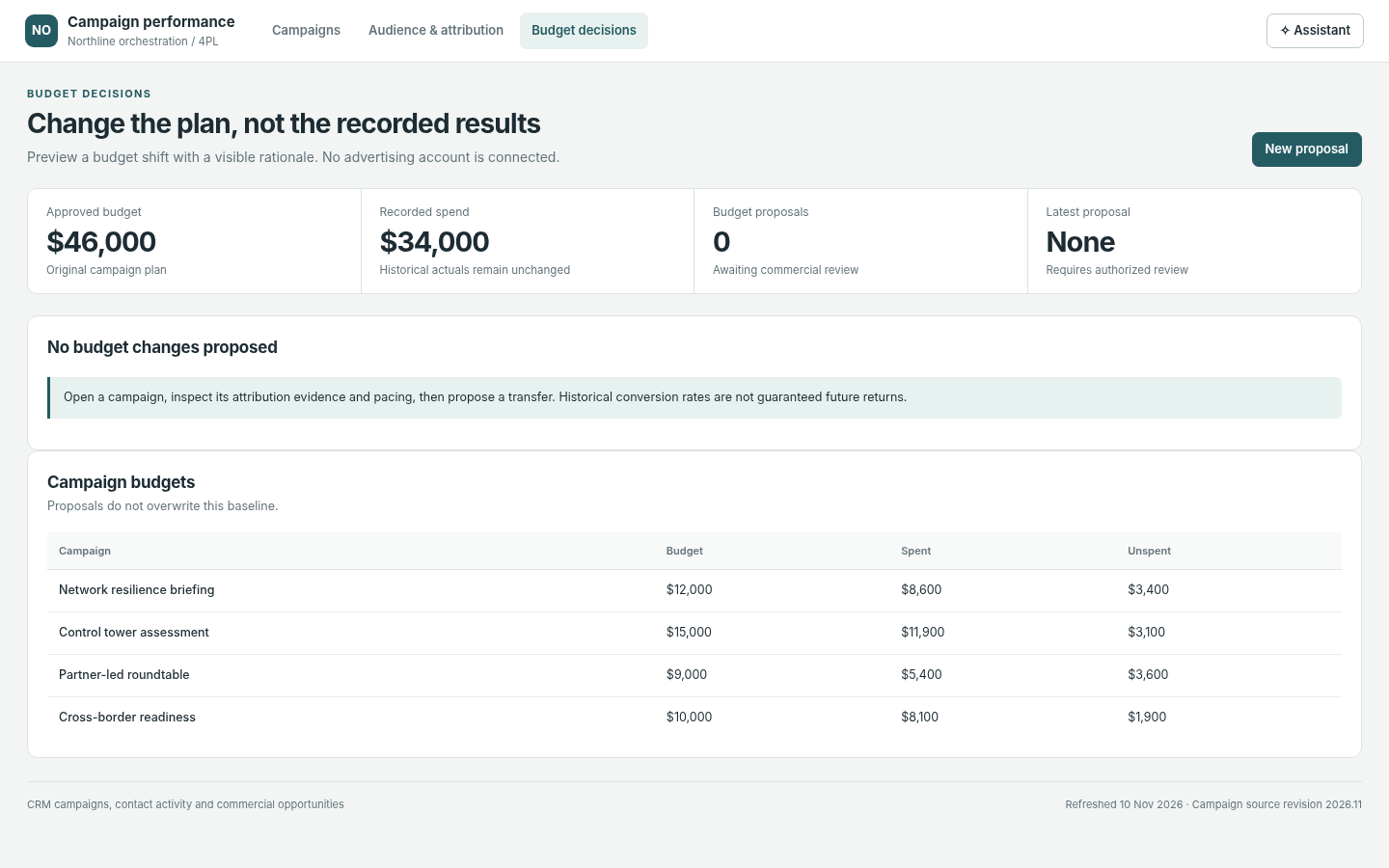
- Draft a next-cycle budget decision without changing approved or historical spend
Data it works with
- Campaign spend
- Qualified contacts
- Meeting conversions
- Contact source touch
- First-touch attribution
- Last-touch attribution
- Draft budget change
Start from this blueprint in your terminal.
Attach it to a project and your coding agent adapts it to your data, rules and roles.
Install the CLI- Sign in
vortexify login - Attach this blueprint
vortexify blueprints attach campaign-performance-4pl - Ask your agent to build it
Build the app from the attached blueprint using our data.
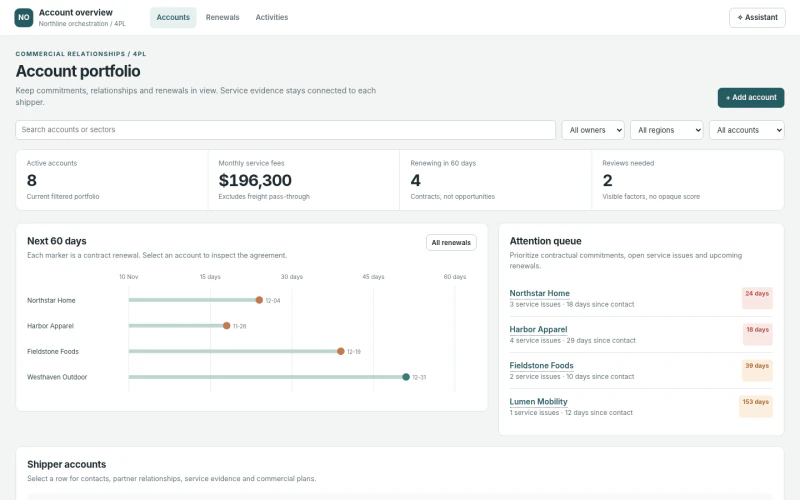 CRM4PL Account Portfolio & RenewalsWhich shipper agreements, service commitments, stakeholder relationships and renewals require action, and who owns the next step?
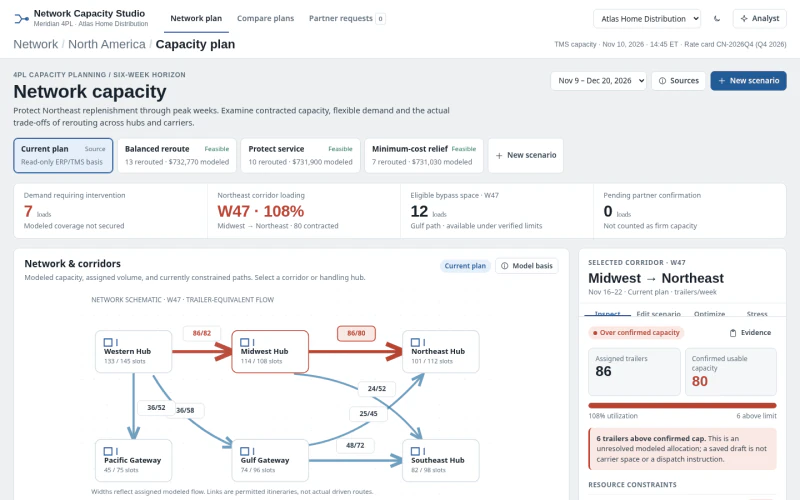 ERP4PL Network Capacity PlanningWhich corridors or partners exceed capacity and which reroute or flexible-capacity plan protects service within constraints?
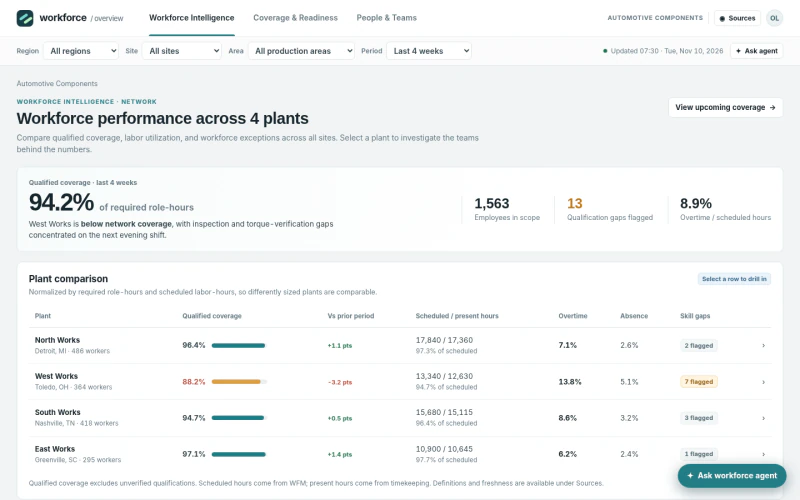 ERPAutomotive Workforce ReadinessWhich plants, lines and shifts lack qualified role coverage—and which staffing alternatives preserve donor-line readiness?