Aerospace MRO Turnaround Scheduling
Aerospace
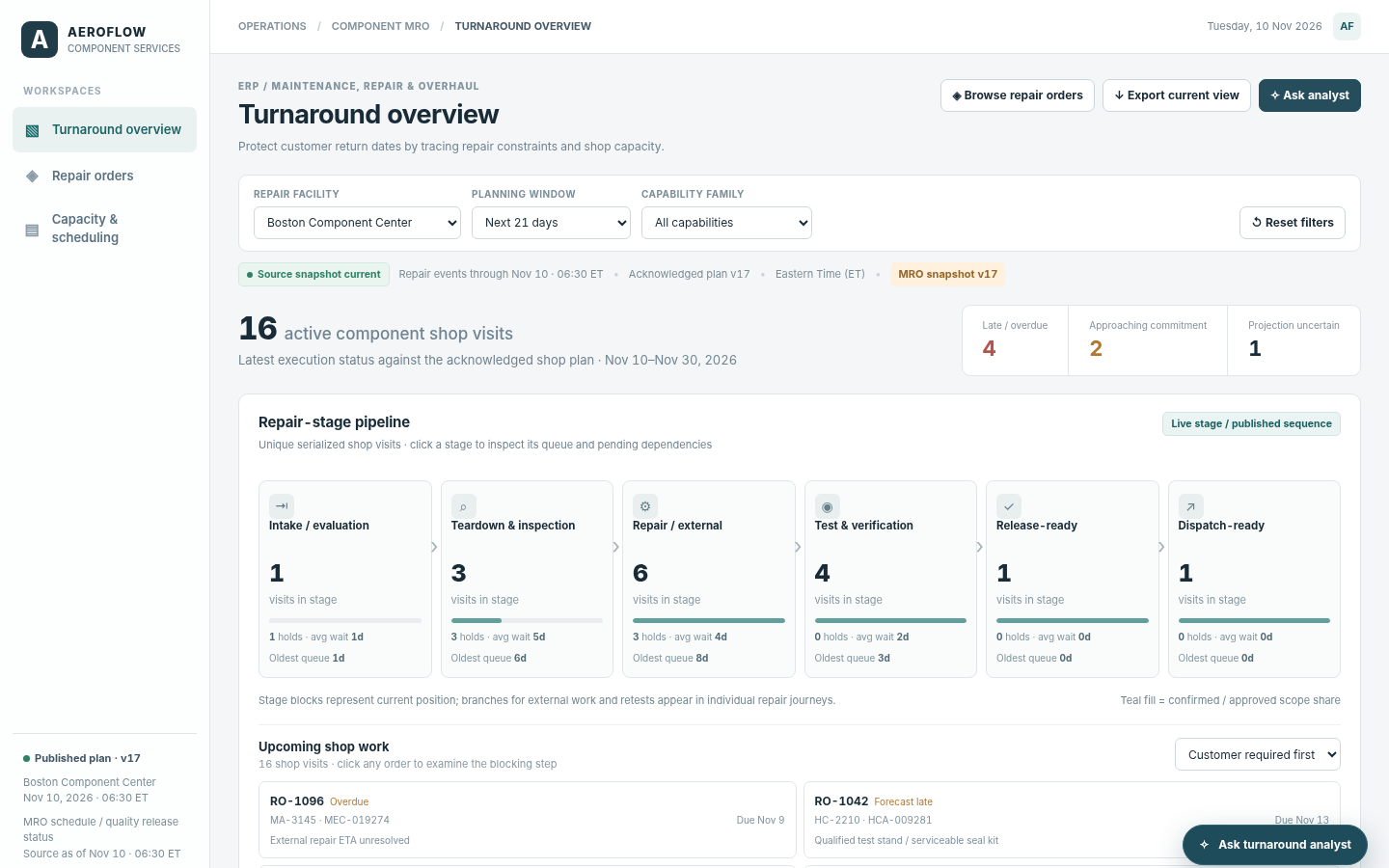
The question it answers
Which customer-required return dates are exposed and which feasible qualified resource schedule alternatives could reduce lateness?
Aerospace component repair turnaround planning across customer return commitments, qualified resources, materials and test capacity.
See how teams use this- Industry
- Aerospace
- System
- ERP, plan and run the business
- Area
- Maintenance, Repair & Overhaul (MRO)
- Module
- Repair Planning
- Parts
- 15 screens and components
What's inside
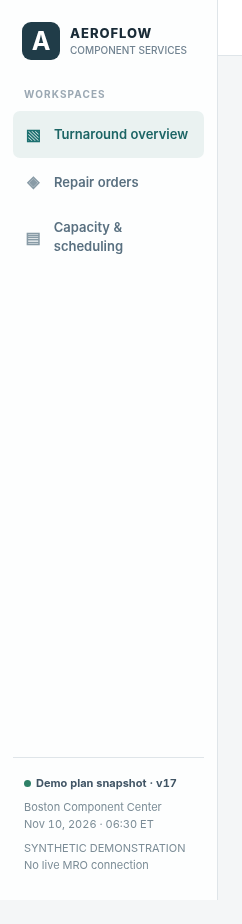 Overview, repair-order and scheduling workspacesSwitch across the turnaround pipeline, serialized repair orders and qualified-resource schedule.
 Facility, horizon and capability filtersScope one or both repair facilities, the planning horizon and component capability.
 Repair stage and commitment summaryOverview of sixteen open shop visits with late, imminent and uncertain return commitments.
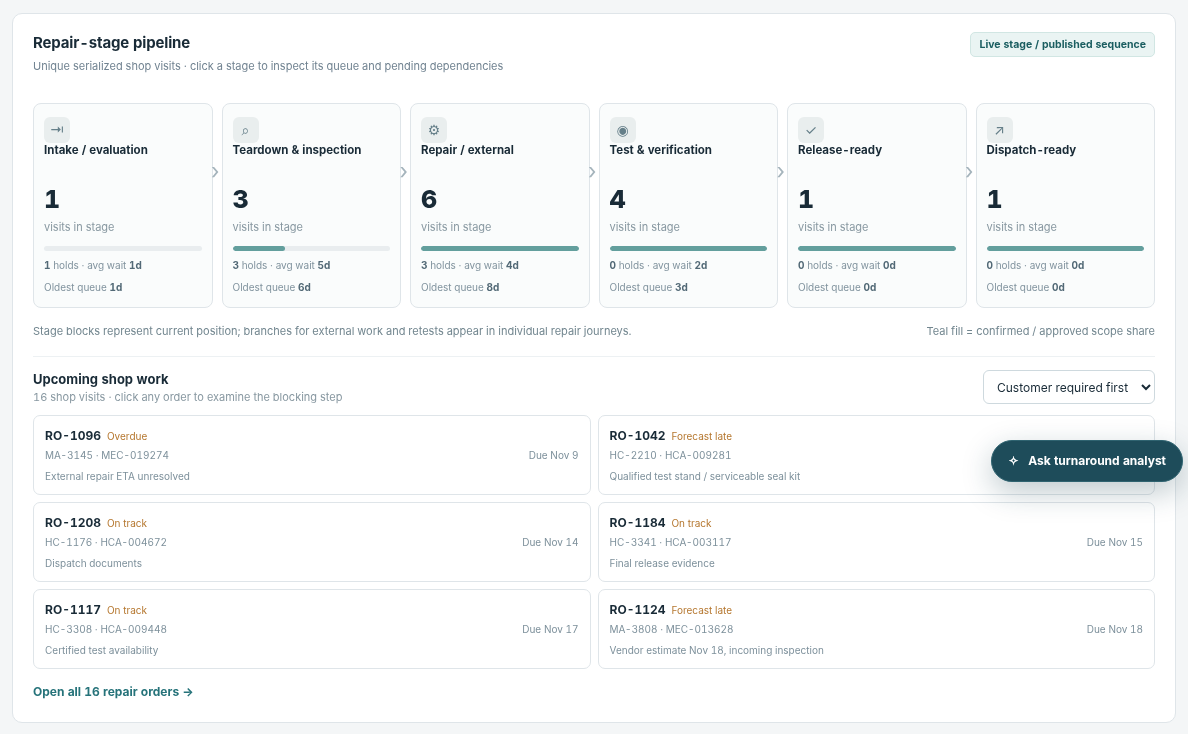 Six-stage repair pipelineSelect intake, teardown, repair, test, release or dispatch stage with visible hold and aging information.
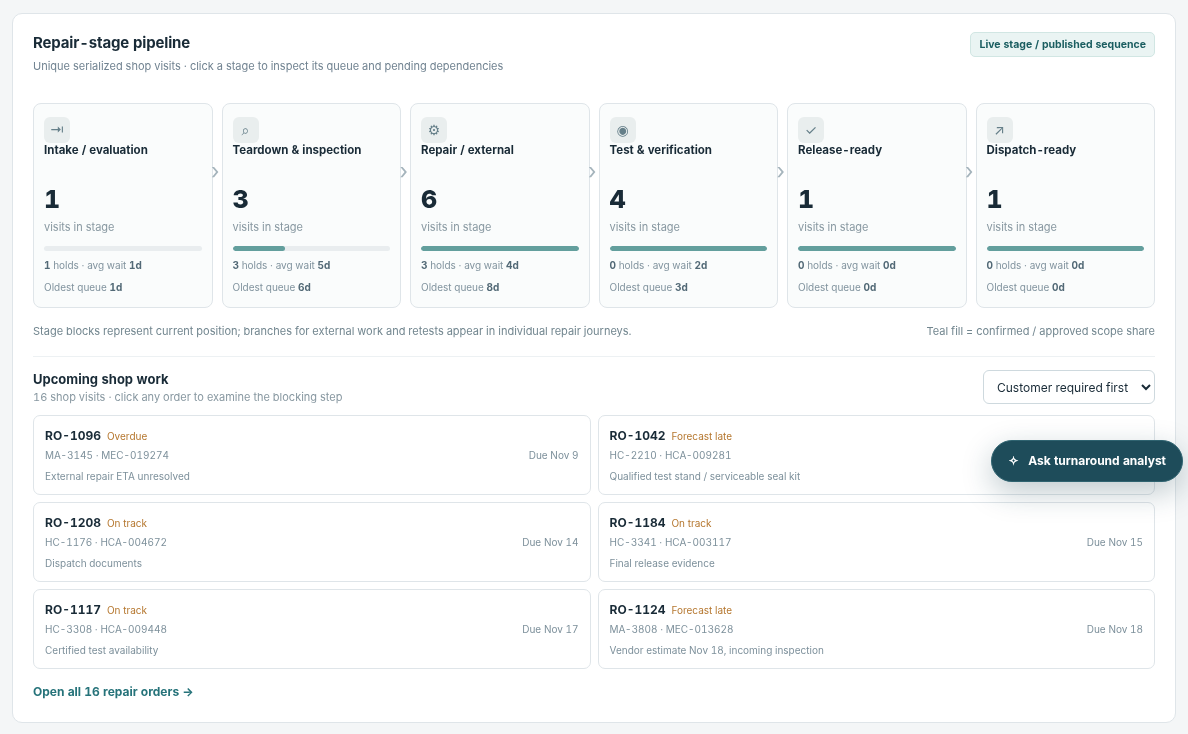 Upcoming shop work queueOpen individual serialized repair orders sorted by due date or exposure.
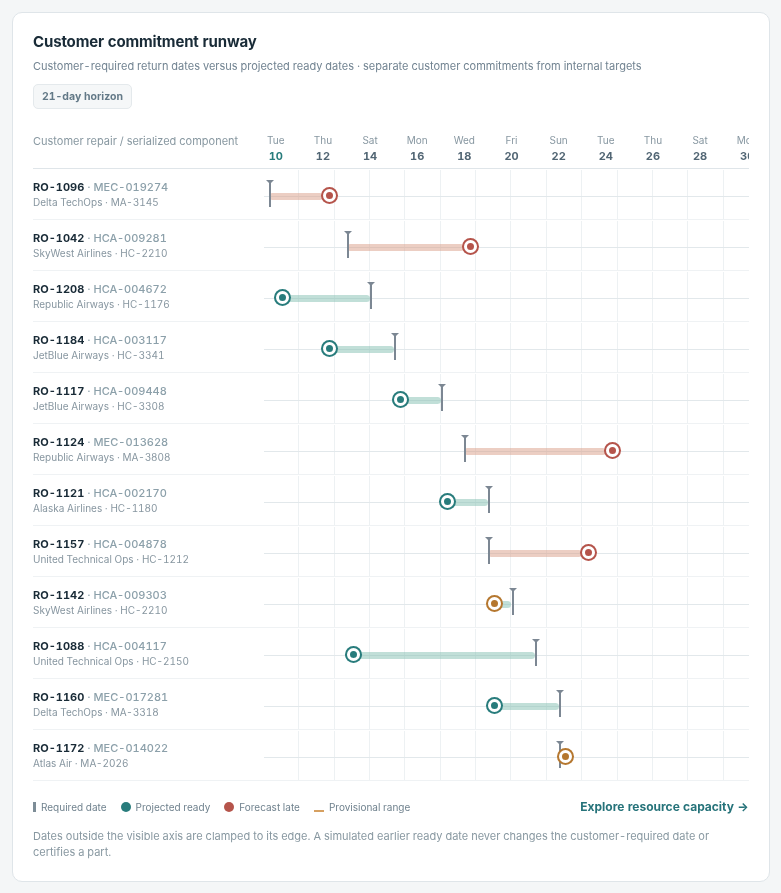 Customer commitment runwayCompare customer required return with projected ready dates, including uncertainty markers.
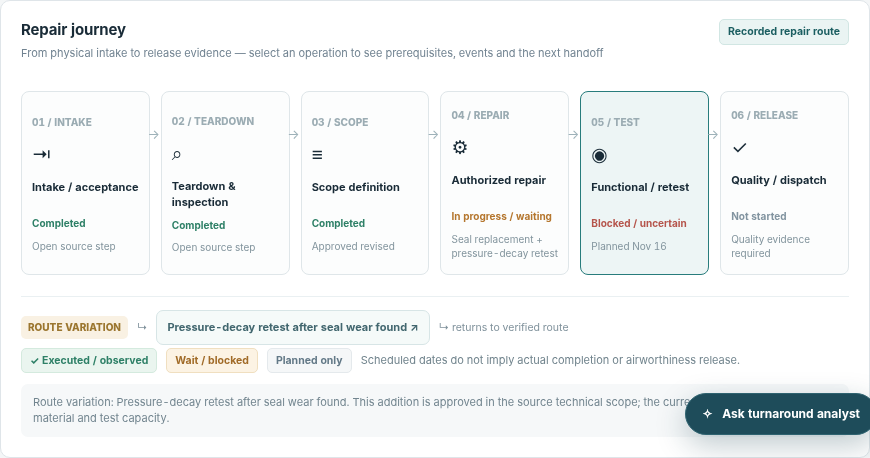 Serialized repair journey and approved scopeSix-step repair path with revised findings, condition/scope changes and documentary evidence.
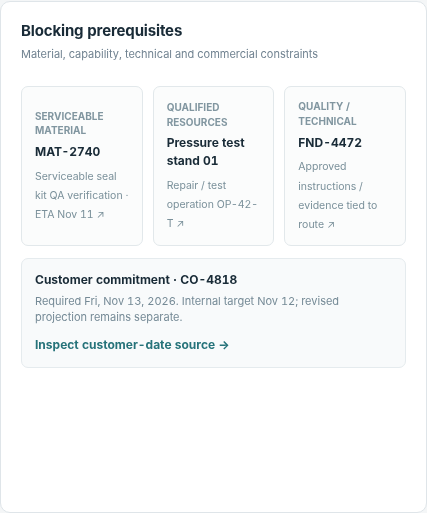 Material, vendor, test and calibration constraintsInvestigate blockers and source evidence for dated return projections.
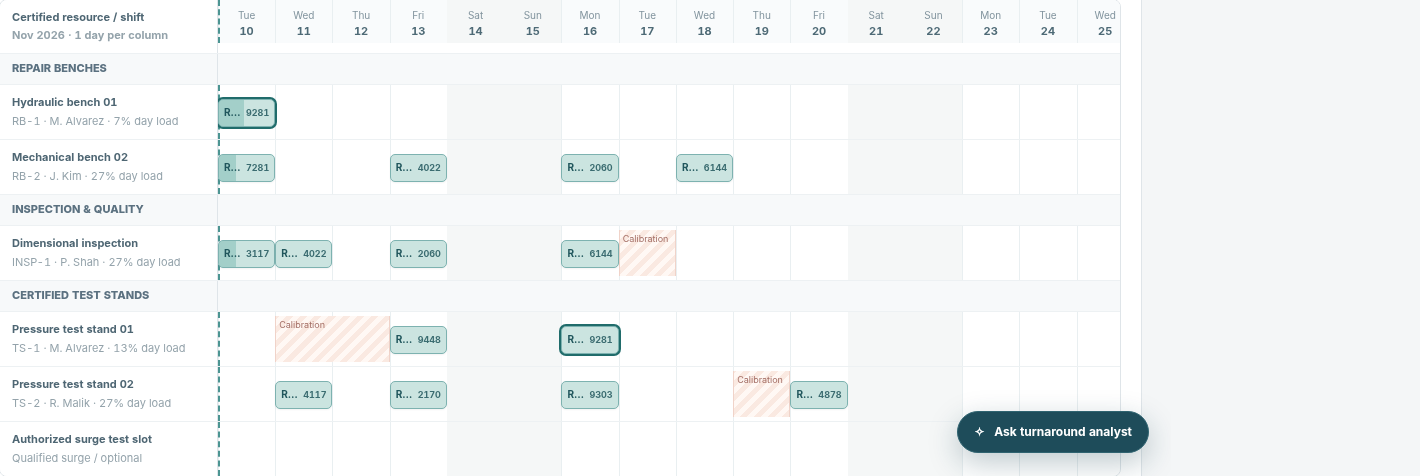 Resource-qualification GanttShow operations across eligible resources, calendar windows, test stands and held work.
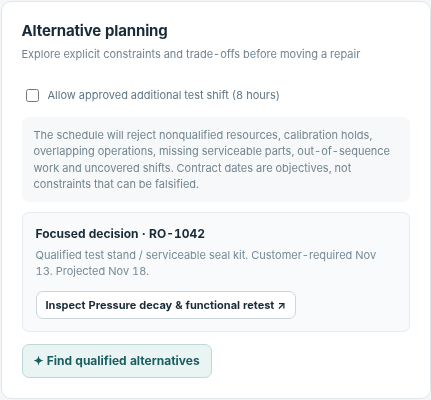 Named draft plan and alternativesPrepare a named draft schedule from the acknowledged baseline, test feasibility and compare candidate placements before approval.
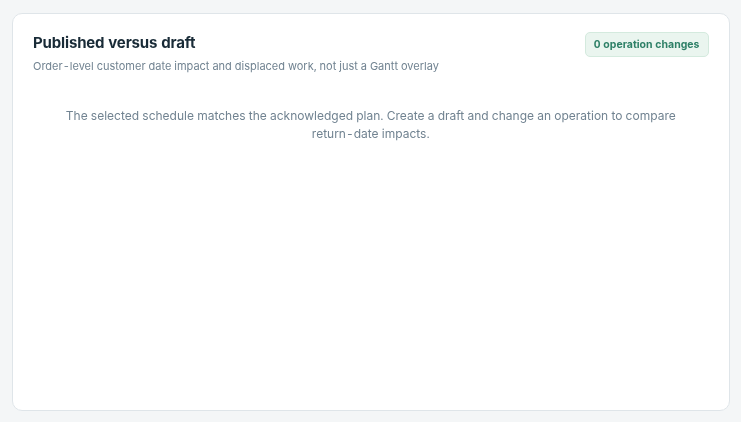 Published-versus-draft customer impactCompare projected delivery dates and late risk across baseline and candidate.
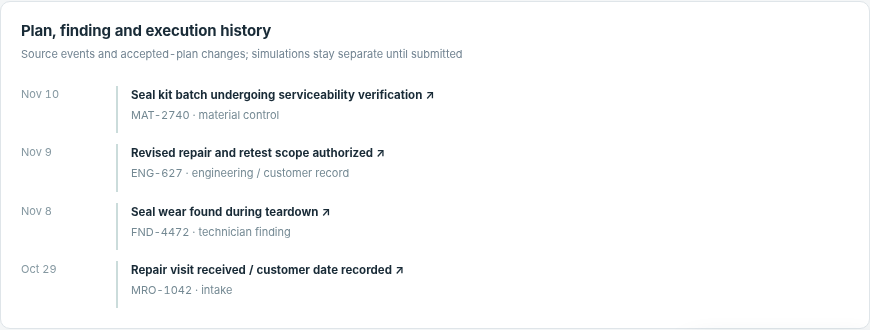 Recorded schedule or operation evidenceDisplay relevant operation/finding/resource traces for individual orders.
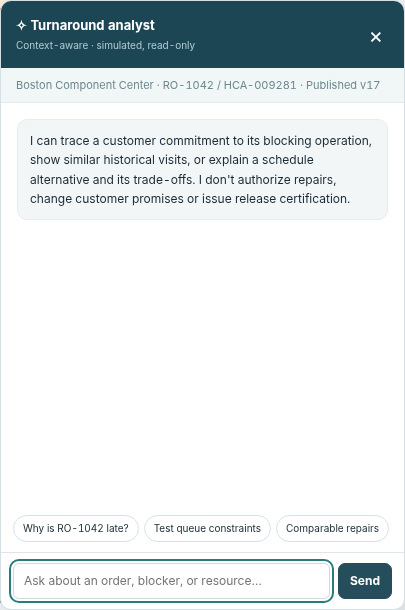 Turnaround analystInvestigate repair constraints, material readiness, resource qualifications and draft scheduling tradeoffs.
 Current scope exportExports the current representation of planning data.
How people use it
- Review six-stage repair pipeline and customer-required-versus-projected return runway
- Inspect repair order, current stage, findings, authorized scope, material and test constraints
- Create or compare a named qualified-resource scheduling draft against the acknowledged baseline
Data it works with
- Repair order ID
- Part number
- Serial number
- Customer
- Facility
- Required return
- Internal target
- Projected ready
- Finding or discrepancy
- Scope authorization
- Stage
- Hold reason
- Material ready date
- Qualified test resource
- Gantt operation
- Acknowledged plan version
- Draft scenario impact
Start from this blueprint in your terminal.
Attach it to a project and your coding agent adapts it to your data, rules and roles.
Install the CLI- Sign in
vortexify login - Attach this blueprint
vortexify blueprints attach turnaround-scheduling-aerospace - Ask your agent to build it
Build the app from the attached blueprint using our data.
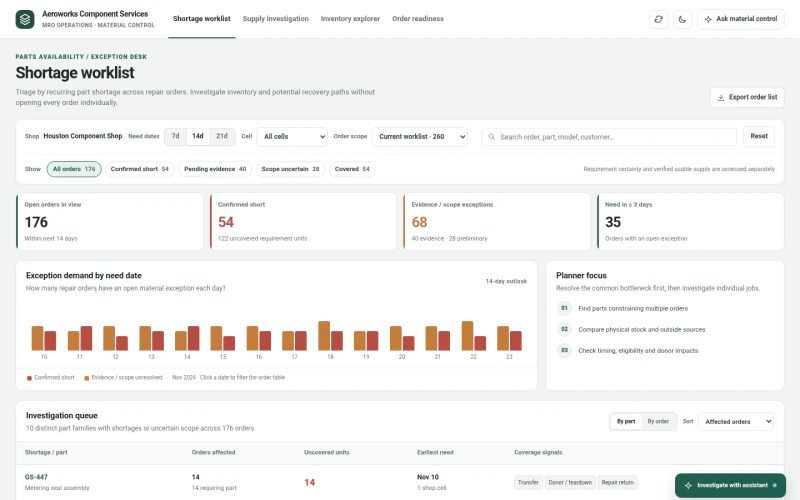 ERPAerospace MRO Parts AvailabilityWhich spare parts are constraining multiple repair jobs, what supply is actually eligible and timely, and which recovery path requires verification?
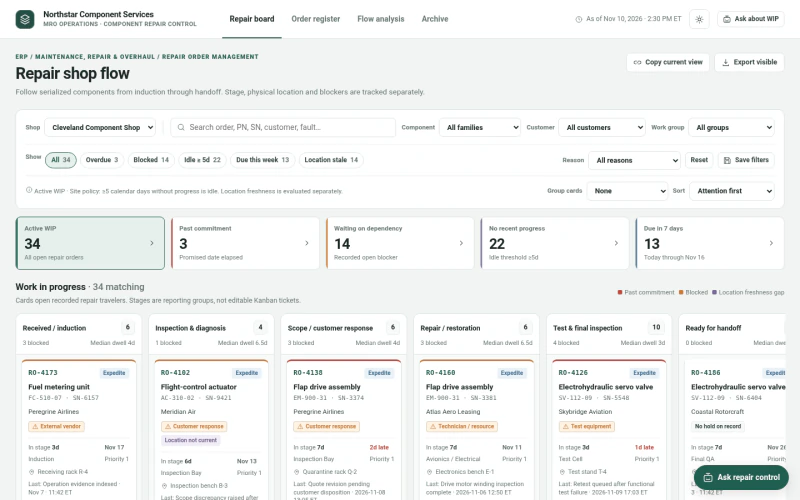 ERPAerospace MRO Repair Order TrackingWhere is every serialized component, which jobs are late, blocked, idle, or have stale location evidence, and what needs investigation next?
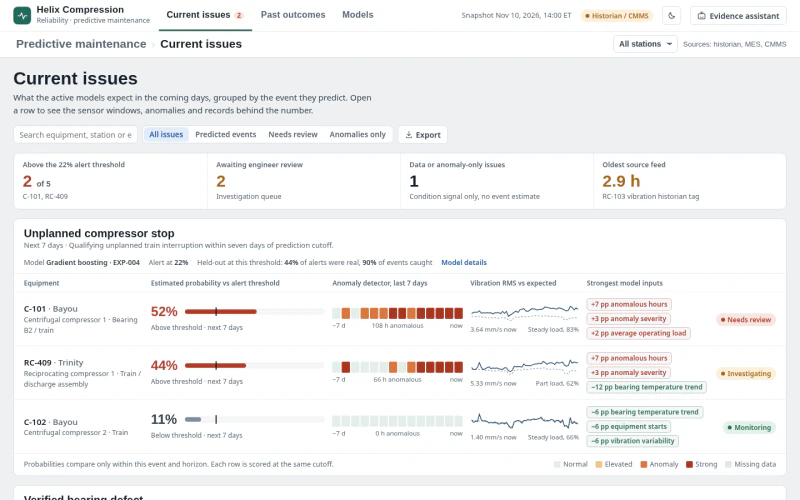 MESGas Compressor Predictive MaintenanceWhich compressor condition signals require review now, what evidence supports the prediction, and what intervention is justified?