Aerospace MRO Repair Order Tracking
Aerospace
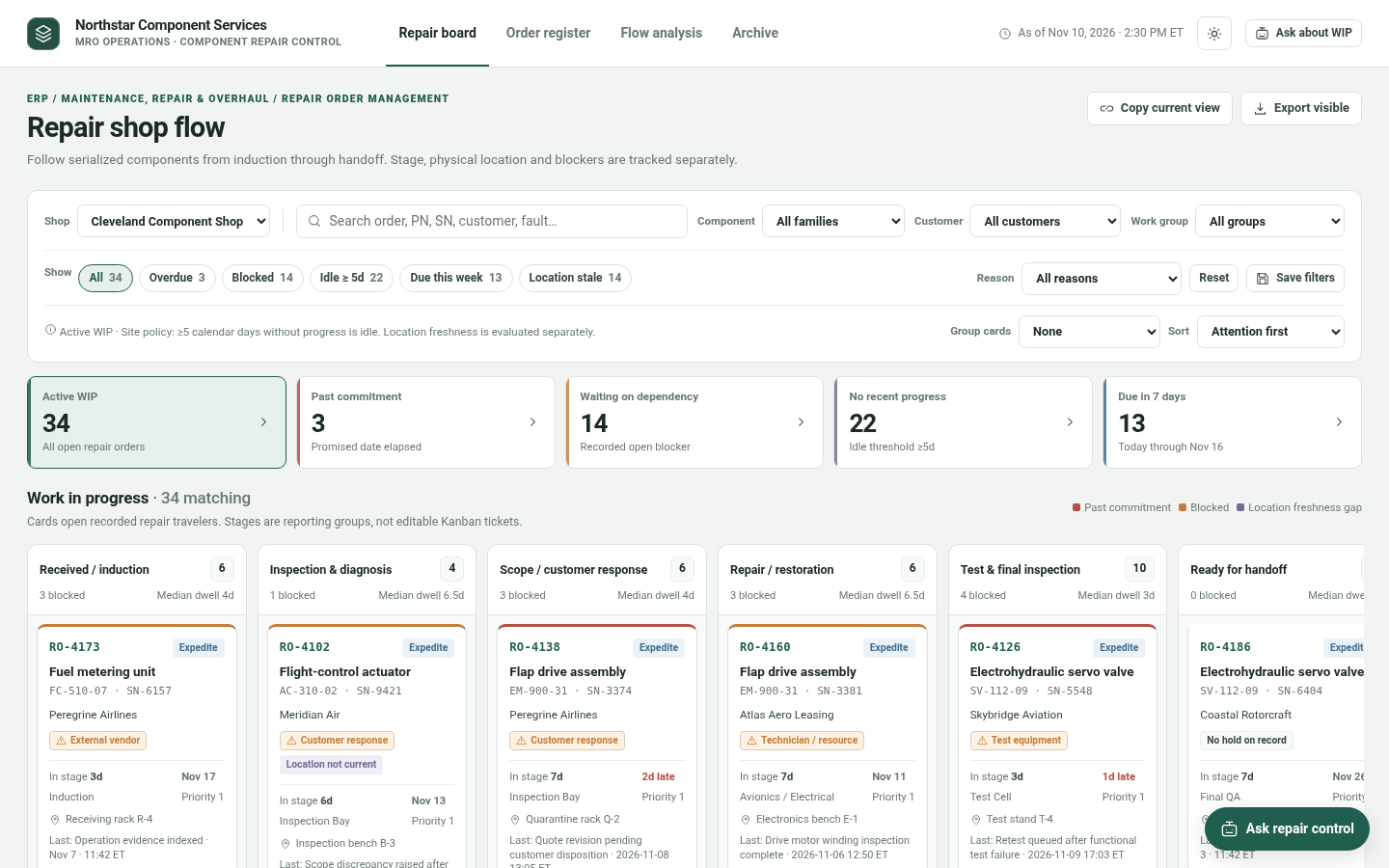
The question it answers
Where is every serialized component, which jobs are late, blocked, idle, or have stale location evidence, and what needs investigation next?
Aerospace component repair work in progress, stage aging, serialized traveler records, blockers and location-history evidence.
See how teams use this- Industry
- Aerospace
- System
- ERP, plan and run the business
- Area
- Maintenance, Repair & Overhaul (MRO)
- Module
- Repair Order Management
- Parts
- 12 screens and components
What's inside
 Repair board, register and flow workspacesSwitch between repair work-in-progress board, searchable order register and flow/aging analytics.
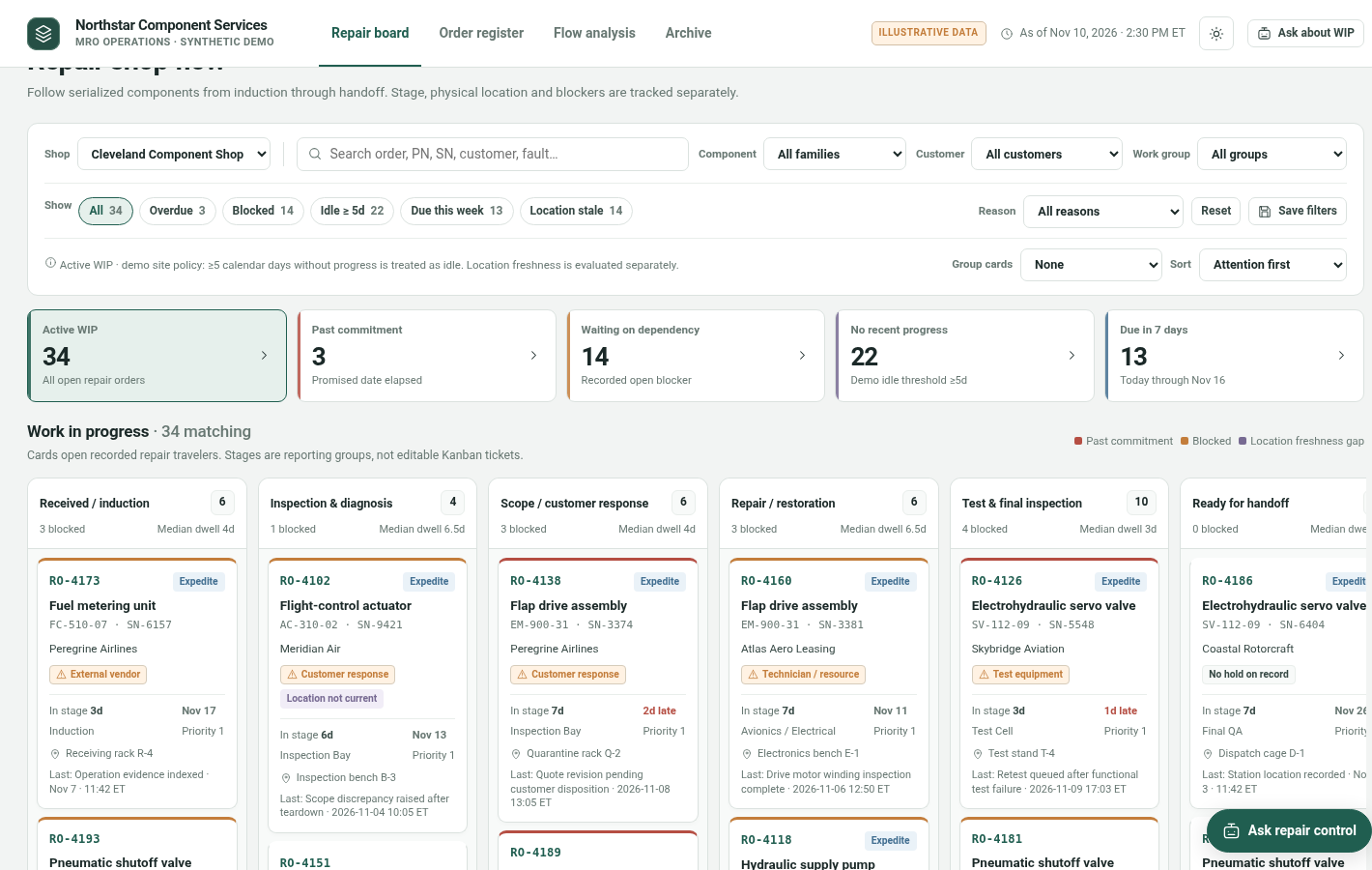 Scope and sorting filtersFilter shops, component families, customers, work groups, blocker reasons and attention flags; group or sort cards.
 Aged, blocked and overdue counter stripHighlight overdue commitments, blocking conditions, idle work and stale-location evidence in the active repair portfolio.
 Repair-stage work-in-progress boardGrouped Kanban reports six operational stages with card-level serial identity, time in stage, location and blocker.
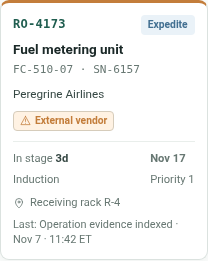 Serialized component WIP cardSelect a repair order to inspect its state rather than moving it between reporting lanes.
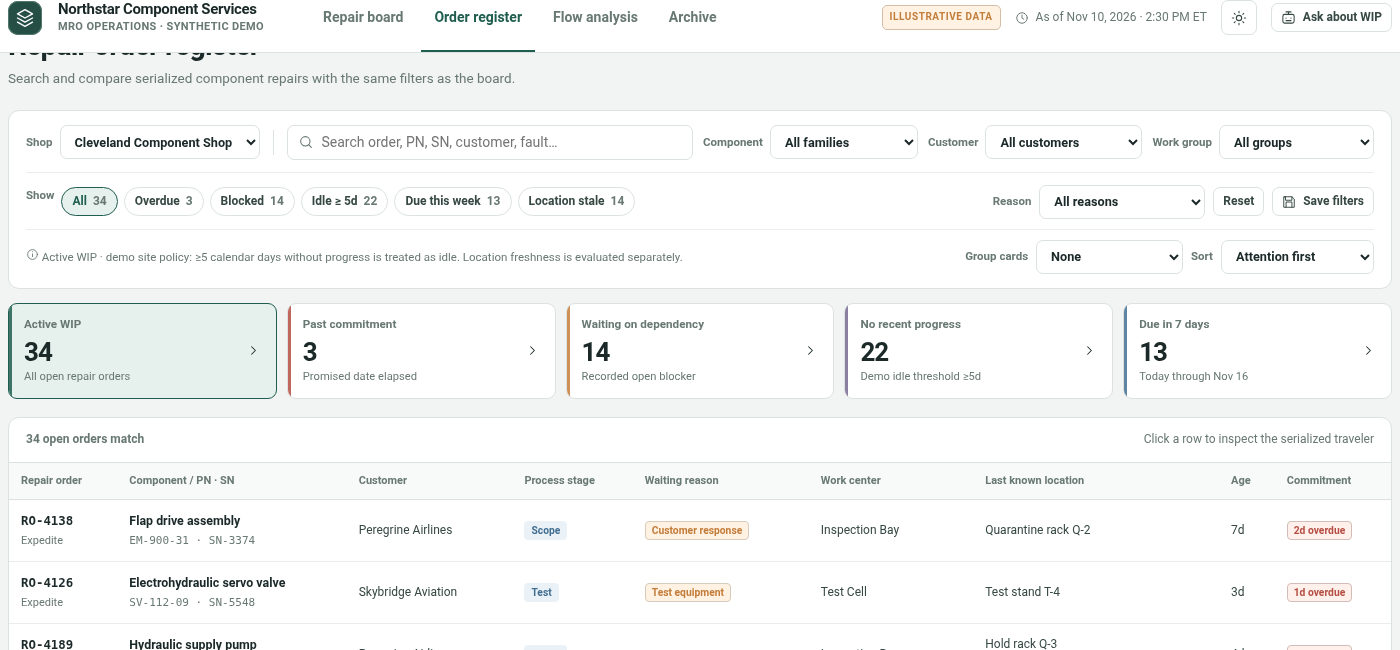 Searchable order registerTabular comparison of repair orders using the current filters.
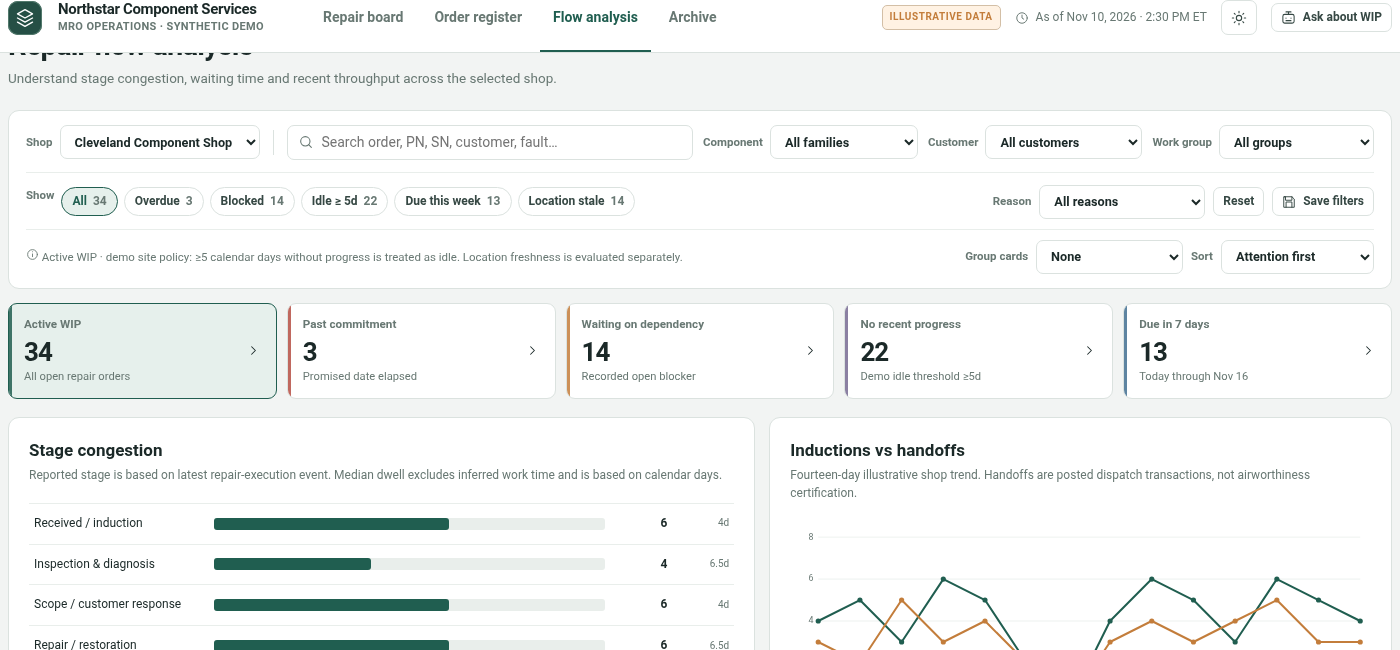 Stage flow and aging analyticsInvestigate throughput distributions and accumulated work.
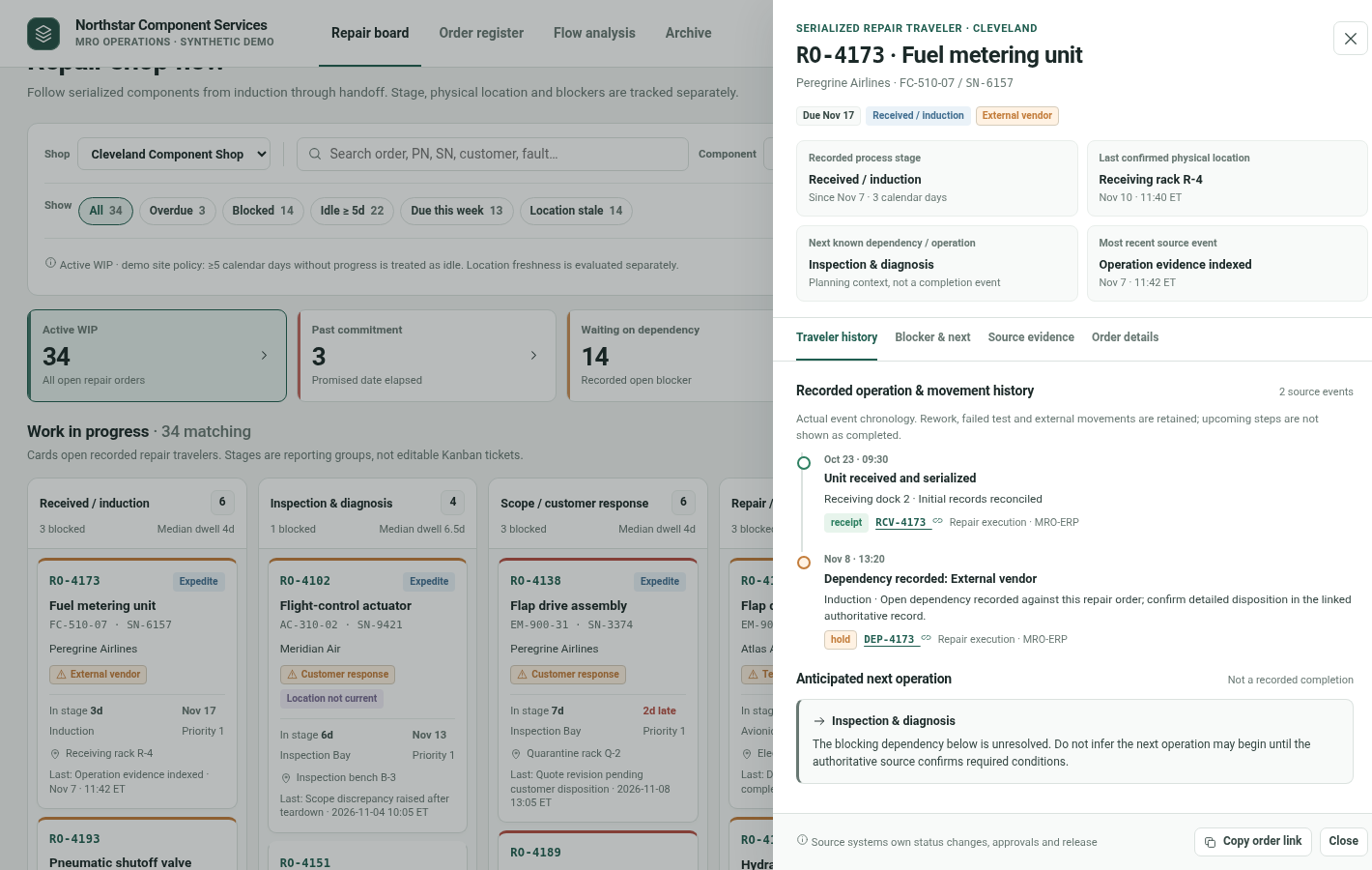 Repair traveler and stage detailsOrder-specific current stage, work center, physical location, customer commitment and serialized identity.
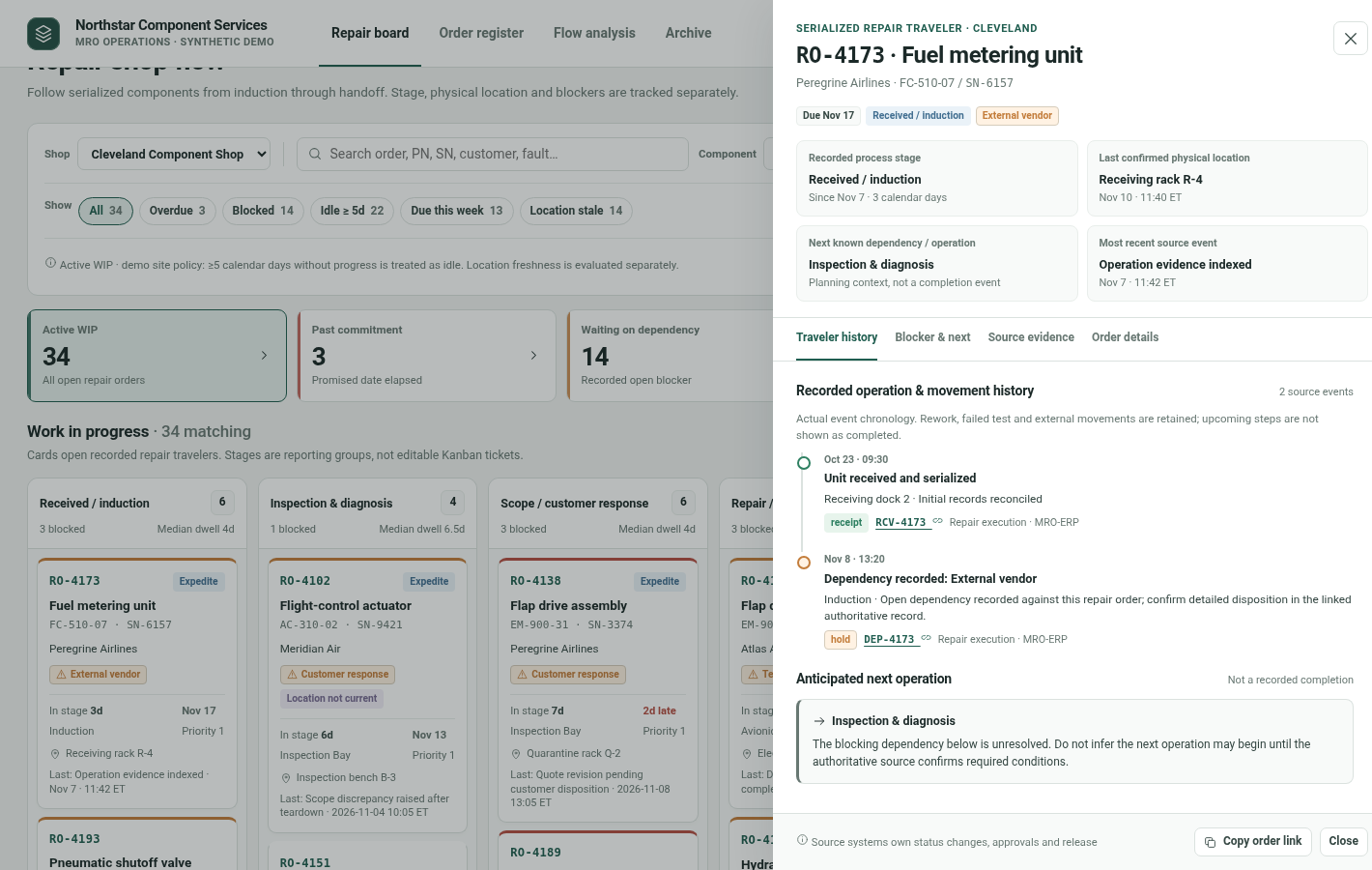 Blocker and recorded evidence contextSeparate blocker reasons, work progress history, physical location evidence and record freshness.
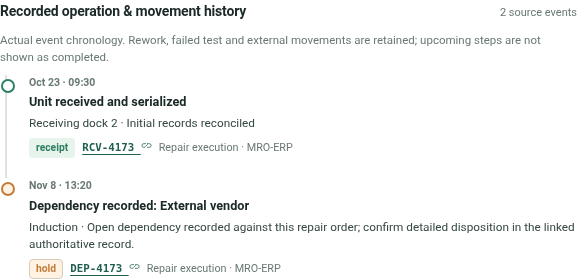 Recorded work eventsInspect operation, location and event chronology with source timestamps and evidence-quality markers.
 Work-in-progress register exportsCopy current view or export visible records.
How people use it
- Filter the 34-order work-in-progress board and identify overdue, blocked, idle or stale-location work
- Open an order traveler with its stage, location, history, blocker and evidence
- Compare register and flow analytics; export the scoped selection or investigate with the account analyst
Data it works with
- Repair order ID
- Part number
- Serial number
- Customer
- Shop
- Current stage
- Work group
- Physical location and freshness
- Due date
- Blocker reason
- Progress event
- Stage entered date
- Priority
- Task evidence
Start from this blueprint in your terminal.
Attach it to a project and your coding agent adapts it to your data, rules and roles.
Install the CLI- Sign in
vortexify login - Attach this blueprint
vortexify blueprints attach repair-order-tracking-aerospace - Ask your agent to build it
Build the app from the attached blueprint using our data.
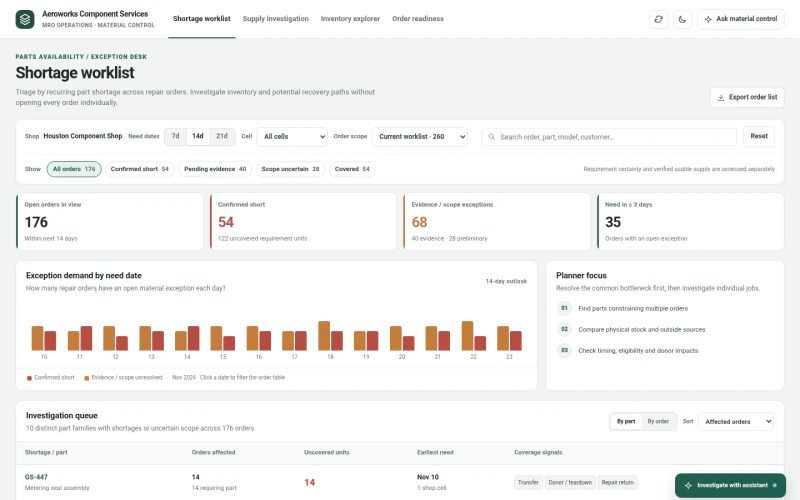 ERPAerospace MRO Parts AvailabilityWhich spare parts are constraining multiple repair jobs, what supply is actually eligible and timely, and which recovery path requires verification?
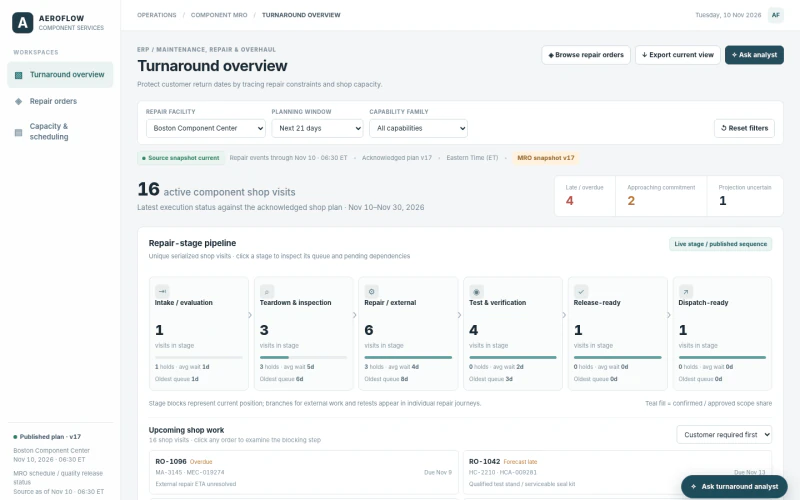 ERPAerospace MRO Turnaround SchedulingWhich customer-required return dates are exposed and which feasible qualified resource schedule alternatives could reduce lateness?
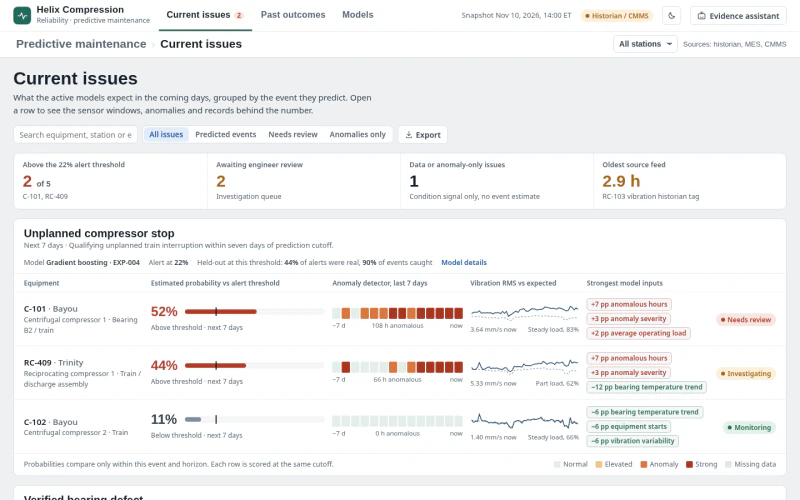 MESGas Compressor Predictive MaintenanceWhich compressor condition signals require review now, what evidence supports the prediction, and what intervention is justified?