Pulp & Paper SPC Control Charts
Pulp & Paper
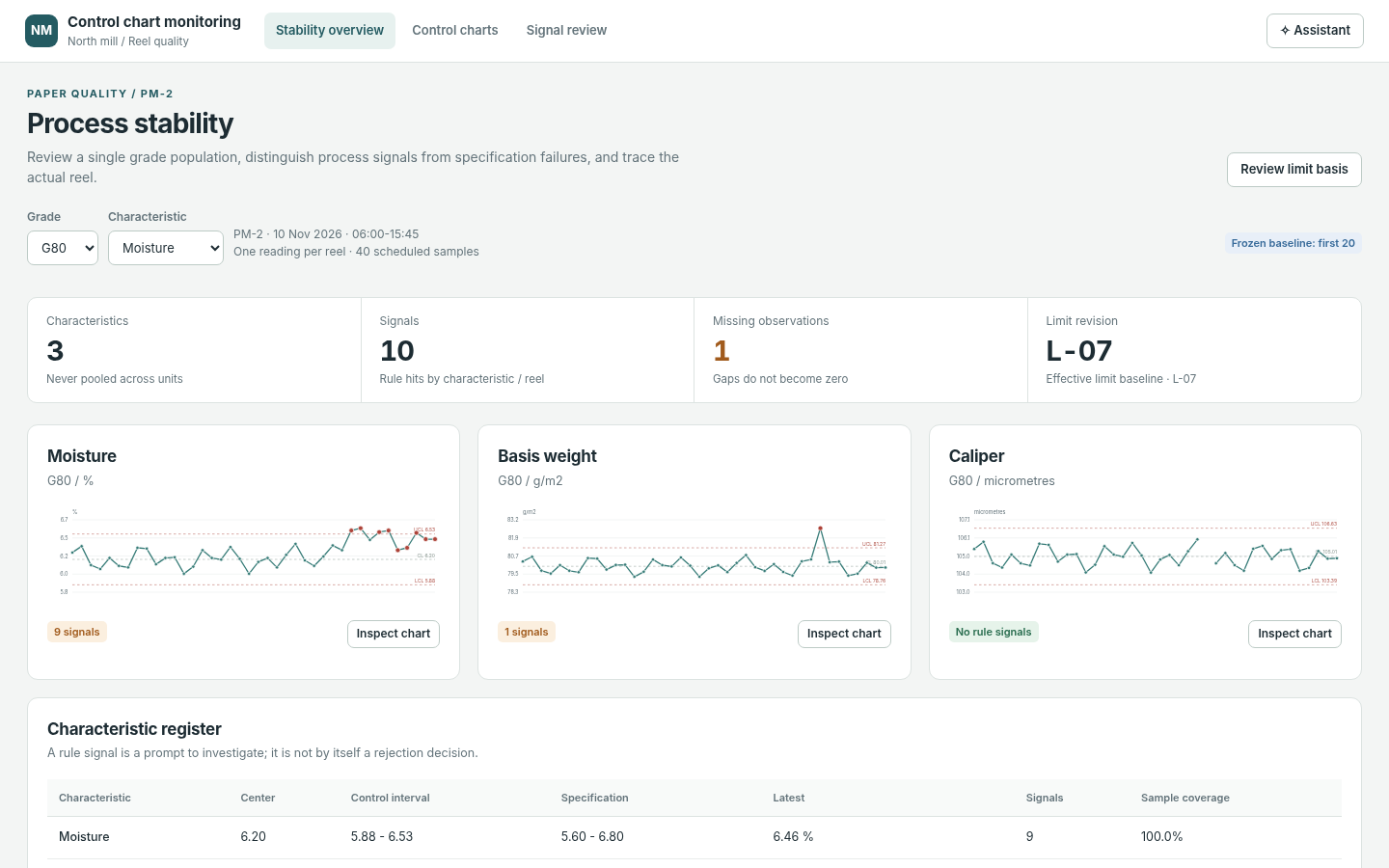
The question it answers
Is the selected grade and measured quality characteristic statistically stable, and which reels or scanner observations support the signal?
Paper reel quality statistical process control for grade-specific characteristics, control charts and special-cause review.
See how teams use this- Industry
- Pulp & Paper
- System
- MES, run manufacturing
- Area
- Quality Management System (QMS)
- Module
- Statistical Process Control
- Parts
- 7 screens and components
What's inside
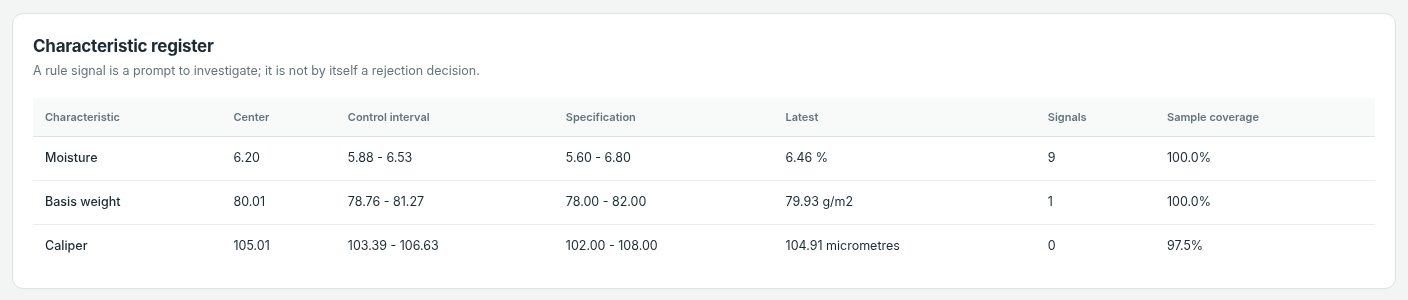 Characteristic stability overviewReview paper-grade quality characteristics and prioritize out-of-control signals.
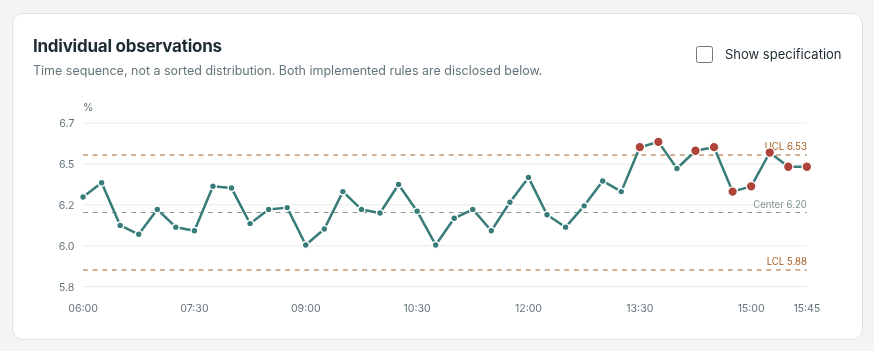 Individuals control chartInspect reel-level individual measurements against control limits for a selected grade and characteristic.
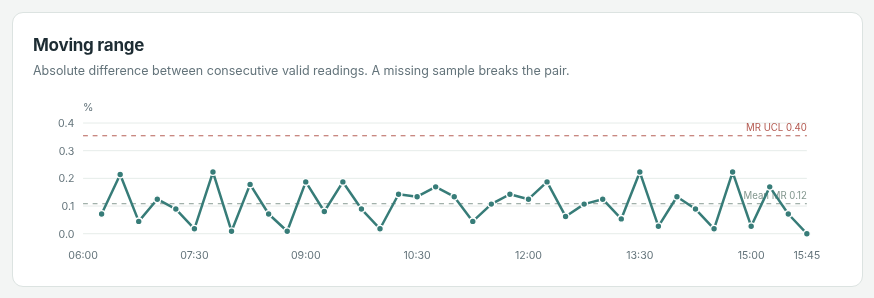 Moving-range control chartInspect moving-range signals and distinguish dispersion from mean shifts.
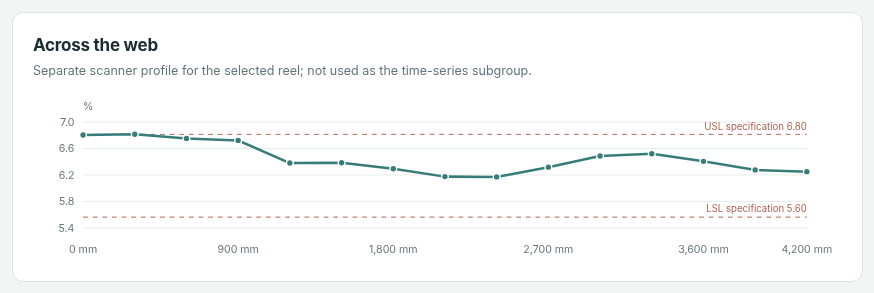 Cross-direction reel quality profileCompare measurements across the paper web to reveal cross-direction variation.
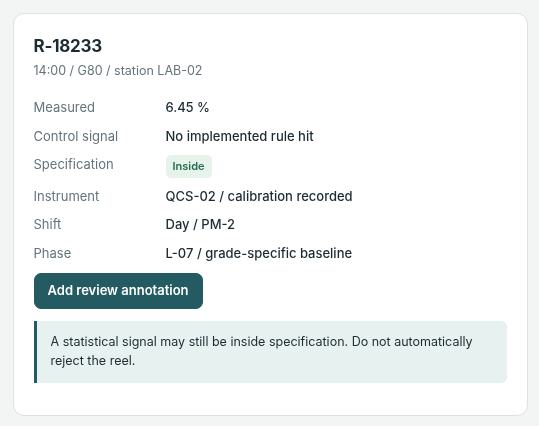 Selected reel measurement evidenceInspect the selected reel, characteristic, measurement timestamp and supporting instrument evidence.
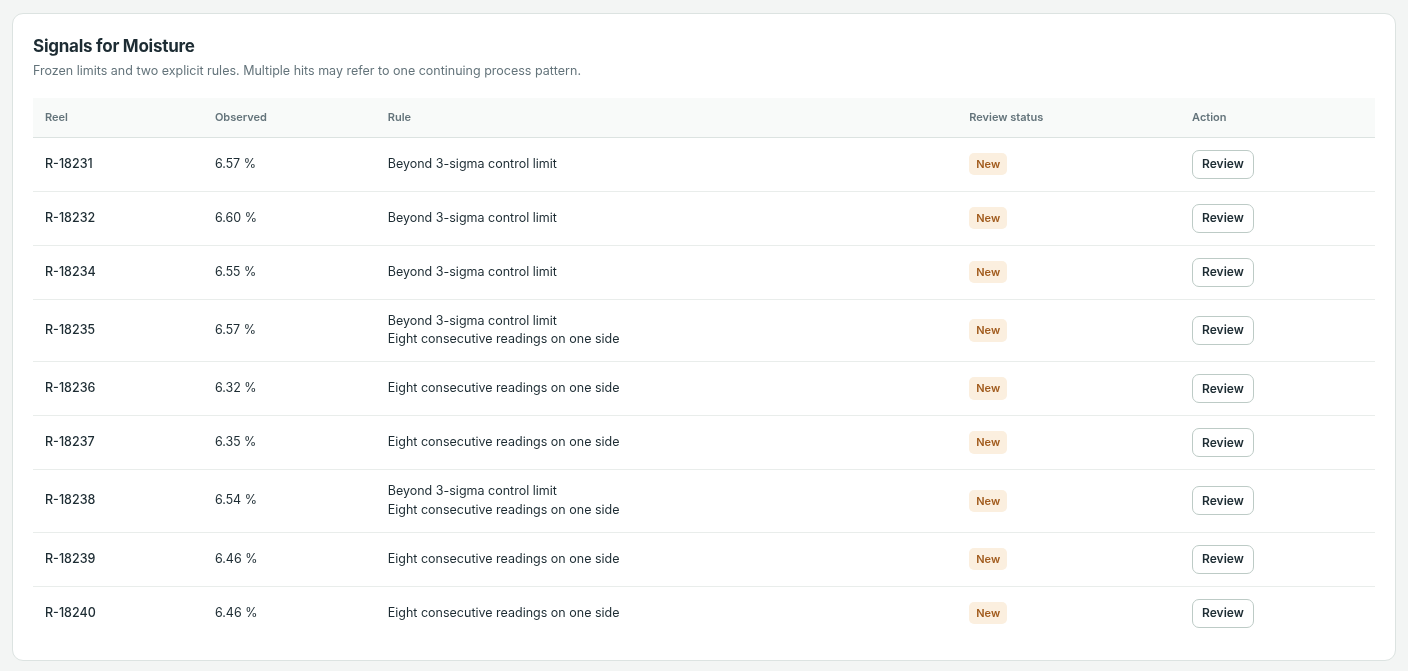 Special-cause signal reviewReview special-cause signals, assign investigation and preserve the control baseline until authorized.
How people use it
- Choose a paper grade and compare moisture, basis-weight and caliper stability
- Open a characteristic and inspect Individuals and moving-range control charts
- Select a reel measurement, instrument and specification/control evidence
- Review and annotate the special-cause signal without silently changing the baseline
Data it works with
- Paper grade
- Characteristic
- Observation timestamp
- Reel ID
- Control limit
- Specification limit
- Moving range
- Review annotation
Start from this blueprint in your terminal.
Attach it to a project and your coding agent adapts it to your data, rules and roles.
Install the CLI- Sign in
vortexify login - Attach this blueprint
vortexify blueprints attach control-chart-monitoring-pulp-and-paper - Ask your agent to build it
Build the app from the attached blueprint using our data.
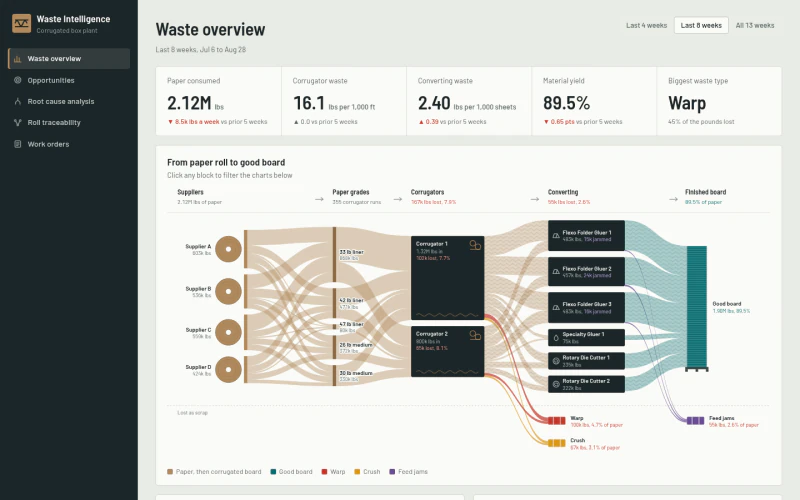 MESCorrugator Material Loss InvestigationWhich material losses are largest, and which tested cohorts support a credible improvement hypothesis?
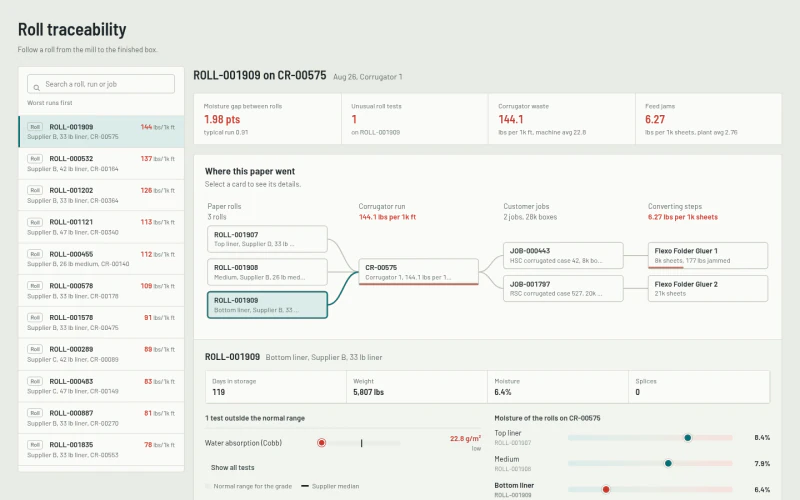 MESPulp & Paper Roll GenealogyWhere was the material consumed and which downstream jobs inherit its identity?
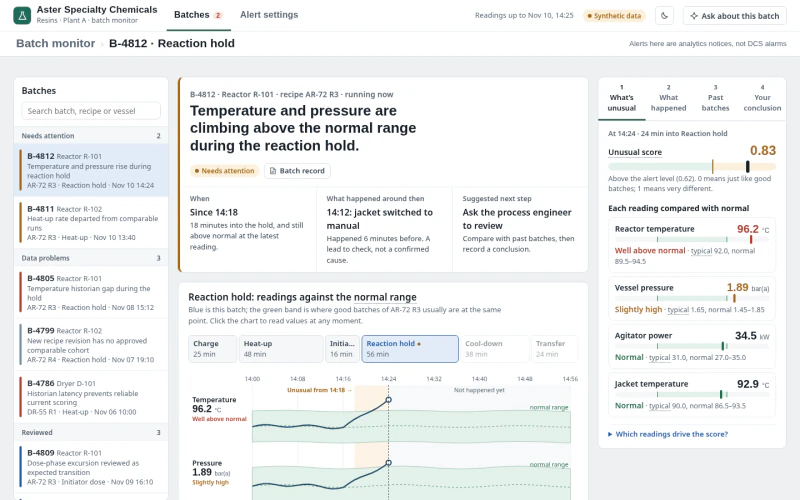 MESSpecialty Chemicals Batch Anomaly MonitoringWhich batches differ from accepted recipe runs, what evidence explains the timing, and how would candidate detector settings change alerts?